
Lead Intake Webhook
n8n
Free51 templates
n8n
Free
n8n
Free
n8n
Free
n8n
Free
n8n
Free
n8n
Free
n8n
Free
n8n
Free
n8n
Free
n8n
Free
n8n
Free
n8n
Free
n8n
Free
n8n
Free
n8n
Free
n8n
Free
n8n
Free
n8n
Free
n8n
Free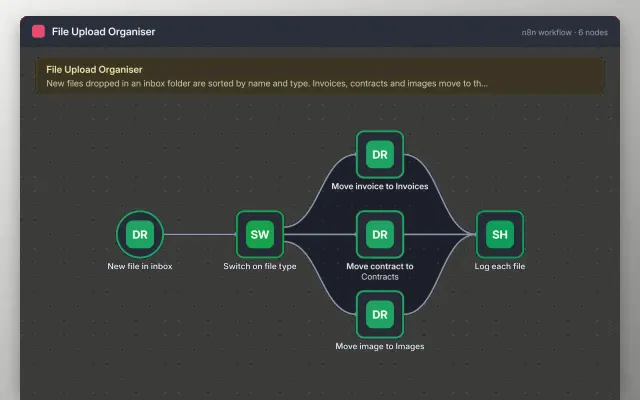
n8n
Free
n8n
Free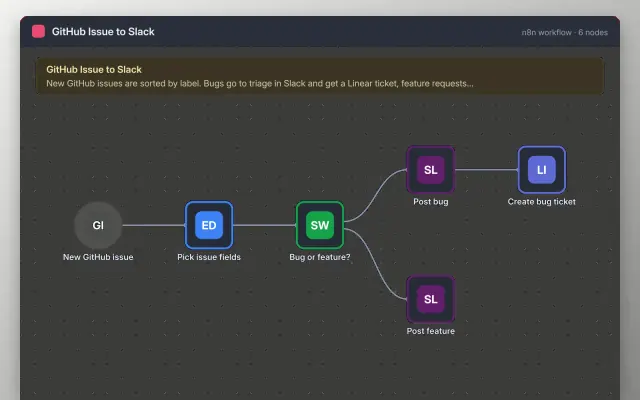
n8n
Free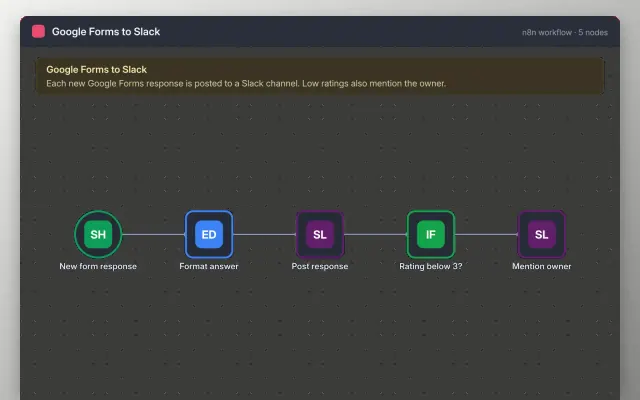
n8n
Free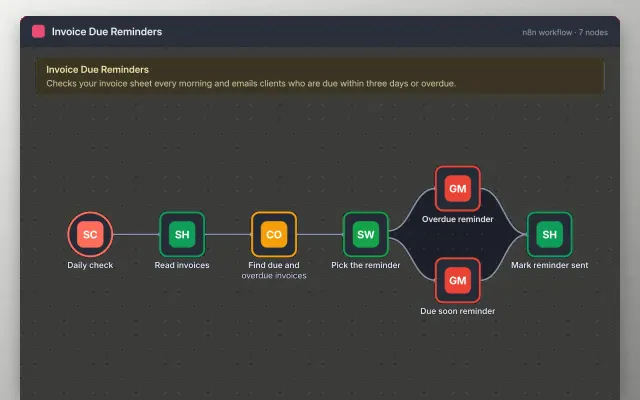
n8n
Freen8n workflows are distributed as JSON files. Importing one recreates every node and connection in your editor, but never includes credentials: you connect your own accounts after importing.
Each n8n template lists the nodes it uses, the credentials it expects, and how to test it safely before you activate it.
These workflows download as JSON files that you import into n8n, then connect your own accounts. They suit teams that want to host their own automation or need more control than a hosted tool gives.
There are 51 n8n templates here, part of Automation.
In n8n, open a new workflow, choose Import from file and select the JSON. Then add your own credentials.
No. Workflow files hold no credentials, so you connect your own accounts after importing.
Import with the editor menu: … → Import from File, or paste the JSON straight onto the canvas. Run the workflow manually with test data before switching it to Active. Webhook nodes have separate test and production URLs; use the test URL while building.
All 51 n8n templates are free, with no account or email needed.