Acceptable Use Policy
Docs + Word7 pages
Free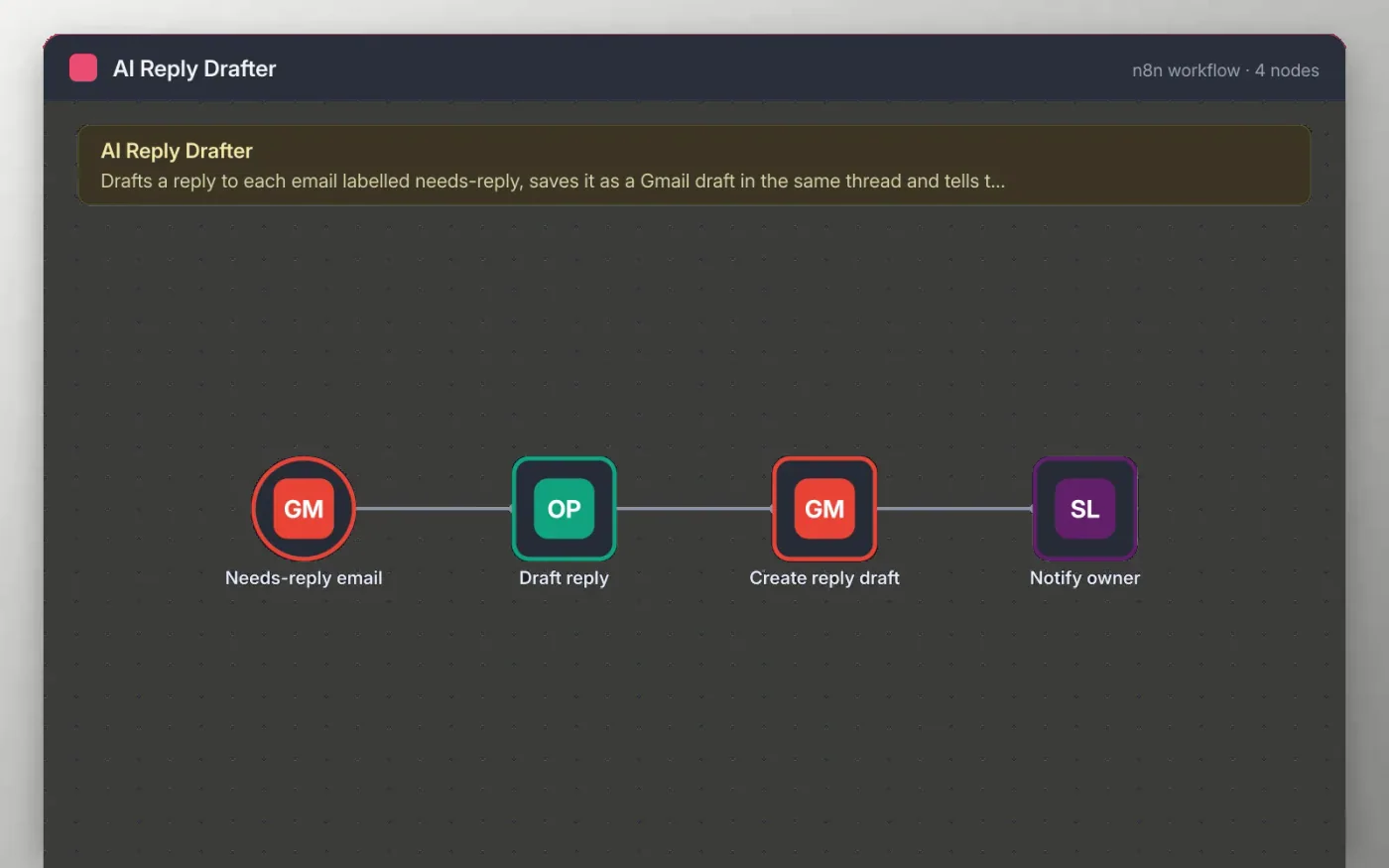
This workflow watches Gmail for messages with your needs-reply label. OpenAI reads the sender, subject and opening text and writes a short reply in the tone you set in the prompt.
The reply is saved as a Gmail draft inside the original thread, so a person checks and sends it. A Slack message tells the owner the draft is ready. The workflow never sends an email on its own.
Download the workflow JSON.
In n8n, create a workflow, open the … menu, choose Import from File and select the JSON.
Connect Gmail and pick your needs-reply label, then connect OpenAI and edit the tone in the Draft reply prompt.
Connect Gmail on Create reply draft and Slack on Notify owner.
Label a test email needs-reply, check the draft in Gmail, then activate.
The workflow is free. OpenAI usage is billed by OpenAI to your own account.
No. The file has no keys or tokens. You connect your own Gmail, OpenAI and Slack accounts after importing.
No. It only creates a draft. You review and send it yourself from Gmail.
Docs + Word7 pages
Free
Docs + Word8 pages
Free
n8n
Free
n8n
Free
n8n
Free
n8n
Free
n8n
Free