
Budget Overspend Alert
n8n
Free6 templates
n8n
Free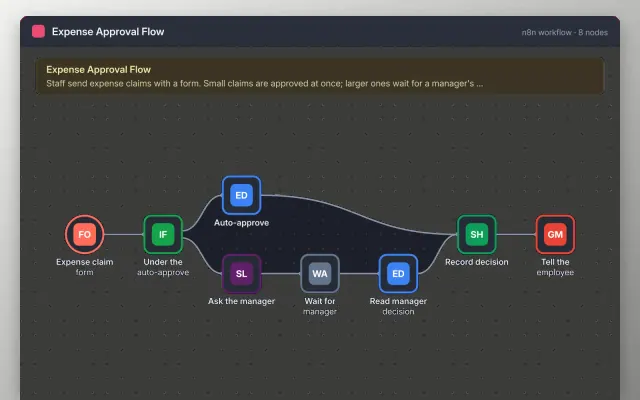
n8n
Free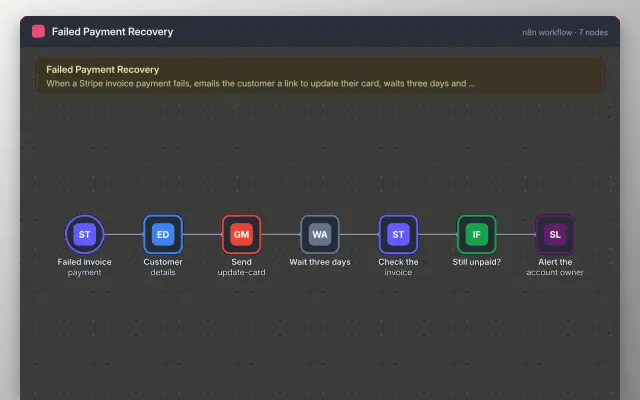
n8n
Free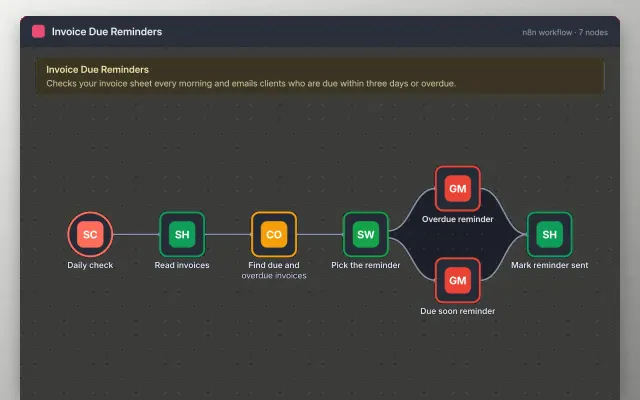
n8n
Free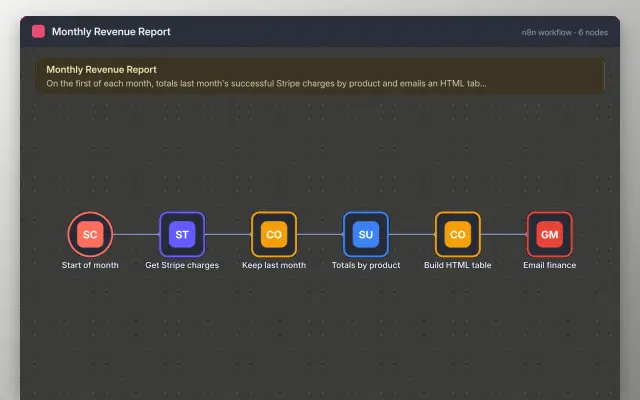
n8n
Free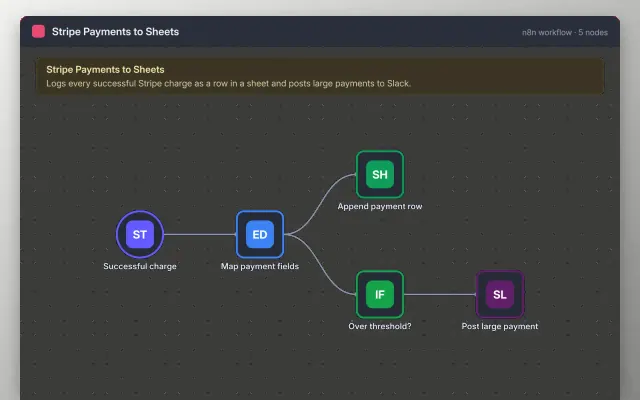
n8n
Free| Budget Overspend Alert | Expense Approval Flow | Failed Payment Recovery | Invoice Due Reminders | |
|---|---|---|---|---|
| Format | Automation workflow | Automation workflow | Automation workflow | Automation workflow |
| Works in | n8n | n8n | n8n | n8n |
| Length | Not listed | Not listed | Not listed | Not listed |
| Style | Not listed | Not listed | Not listed | Not listed |
A finance automation workflow handles routine money tasks such as invoice reminders, payment records and expense approvals. Finance teams use one to catch late payments and failed charges early, without checking every account by hand.
Cover a trigger on each invoice or payment event, a record of each payment in a sheet or ledger, matching of payments to invoices, reminder timing with a limit, an approval step with a named approver, an alert for amounts over a set limit, and error alerts.
Use the payment provider's test mode while you build, so no real money moves until the workflow has been checked.
Compare Budget Overspend Alert, Expense Approval Flow, and Failed Payment Recovery, then pick the closest match and replace the sample text with your own.
A finance automation workflow handles routine money tasks such as invoice reminders, payment records and expense approvals. Finance teams use one to catch late payments and failed charges early, without checking every account by hand.
Include a trigger on each invoice or payment event, a record of each payment in a sheet or ledger, matching of payments to invoices, reminder timing with a limit, an approval step with a named approver, an alert for amounts over a set limit, and error alerts. Use the payment provider's test mode while you build, so no real money moves until the workflow has been checked.
Yes. A schedule trigger can check for unpaid invoices each day and send a reminder for those past due. Set a limit on the number of reminders, so customers are not chased endlessly.
Use the payment provider's test mode and test keys, and run the workflow manually before you activate it. Check that each payment lands in the right row.
No. Card details should stay with your payment provider, so build the workflow on the event and reference IDs it sends. Do not copy card numbers into a sheet.
Start with Budget Overspend Alert: Catch budget overspend early with a daily check of your category sheet. If that is not the right fit, compare it with Expense Approval Flow.
Yes. These finance automation templates work in n8n. All 6 templates are free, with no account or email needed.