
Acceptable Use Policy
Docs + Word7 pages
Free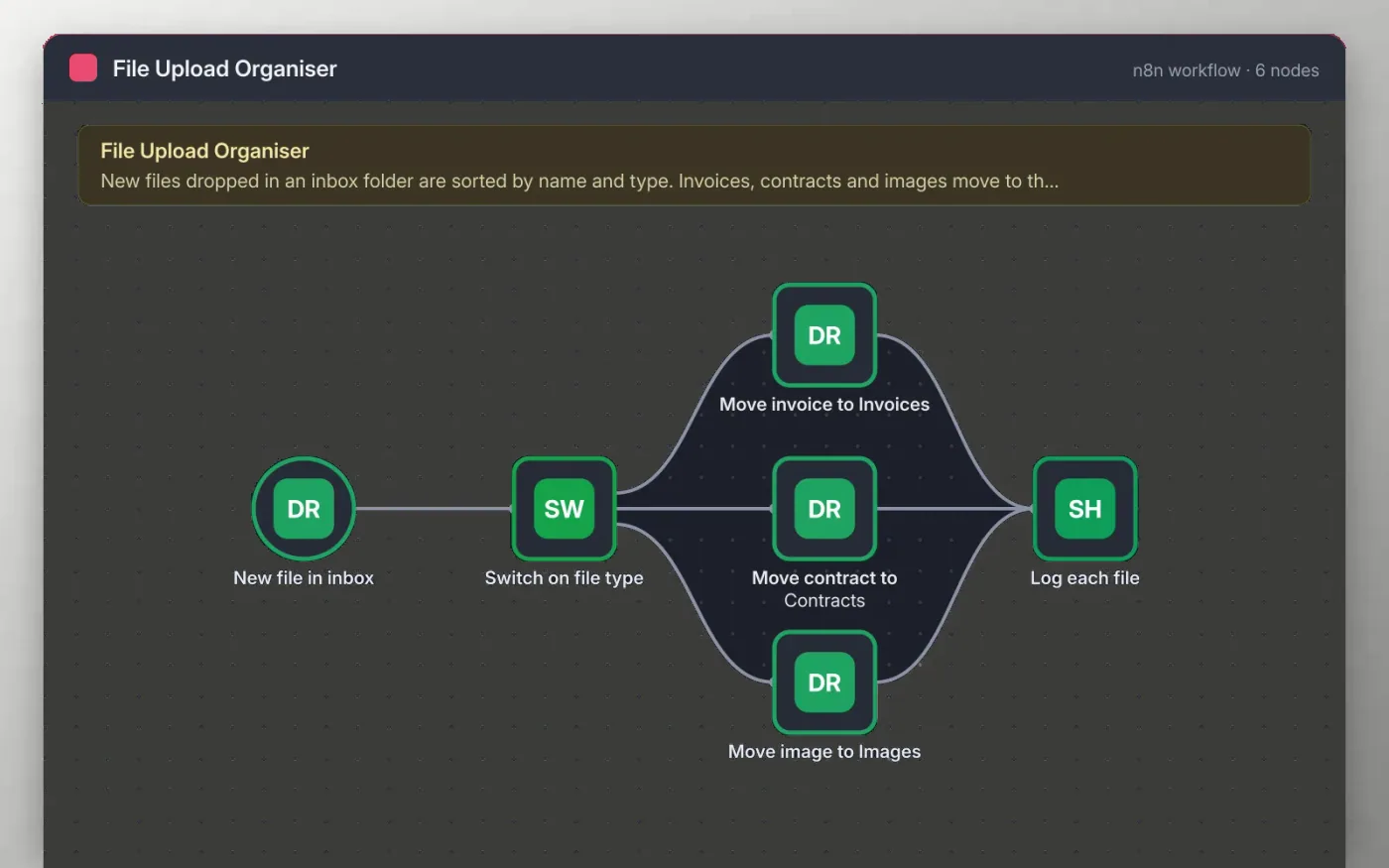
When a new file lands in your Google Drive inbox folder, the workflow checks its name and type. A file with invoice in the name goes to the Invoices folder, a file with contract in the name goes to Contracts, and an image goes to Images. Other files stay where they are.
Each moved file is appended to a Google Sheet with its name, link and the time it was logged. Files that do not match any rule are left in the inbox, so you can sort them by hand.
Download the workflow JSON.
In n8n, create a workflow, open the … menu, choose Import from File and select the JSON.
Create Invoices, Contracts and Images folders in Google Drive, then connect Google Drive on the trigger and the three move nodes.
Connect Google Sheets on the Log each file node and pick a sheet with the headers File name, Link and Logged at.
Drop a test file in the inbox, check where it went and the sheet row, then activate the workflow.
Yes. Download the JSON and import it into your own n8n. There is no sign-up and no cost.
No. The file has no keys or tokens. You connect your own Google Drive and Sheets accounts after importing.
Yes. Add a rule on the Switch on file type node, then copy one of the move nodes and point it at a Receipts folder.
Docs + Word7 pages
Free
Docs + Word8 pages
Free
n8n
Free
n8n
Free
n8n
Free
n8n
Free
n8n
Free
n8n
Free









