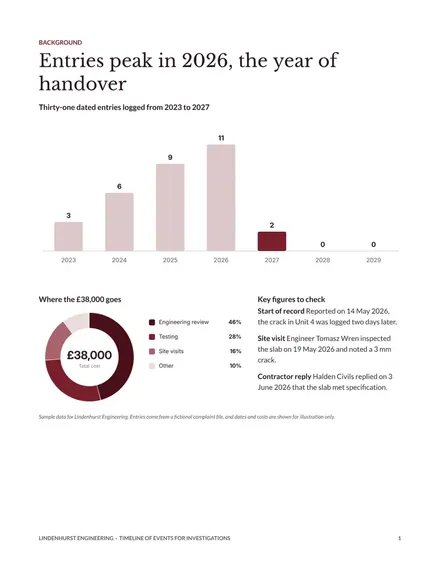
Timeline of Events for Investigations
Docs + Word6 pages
Free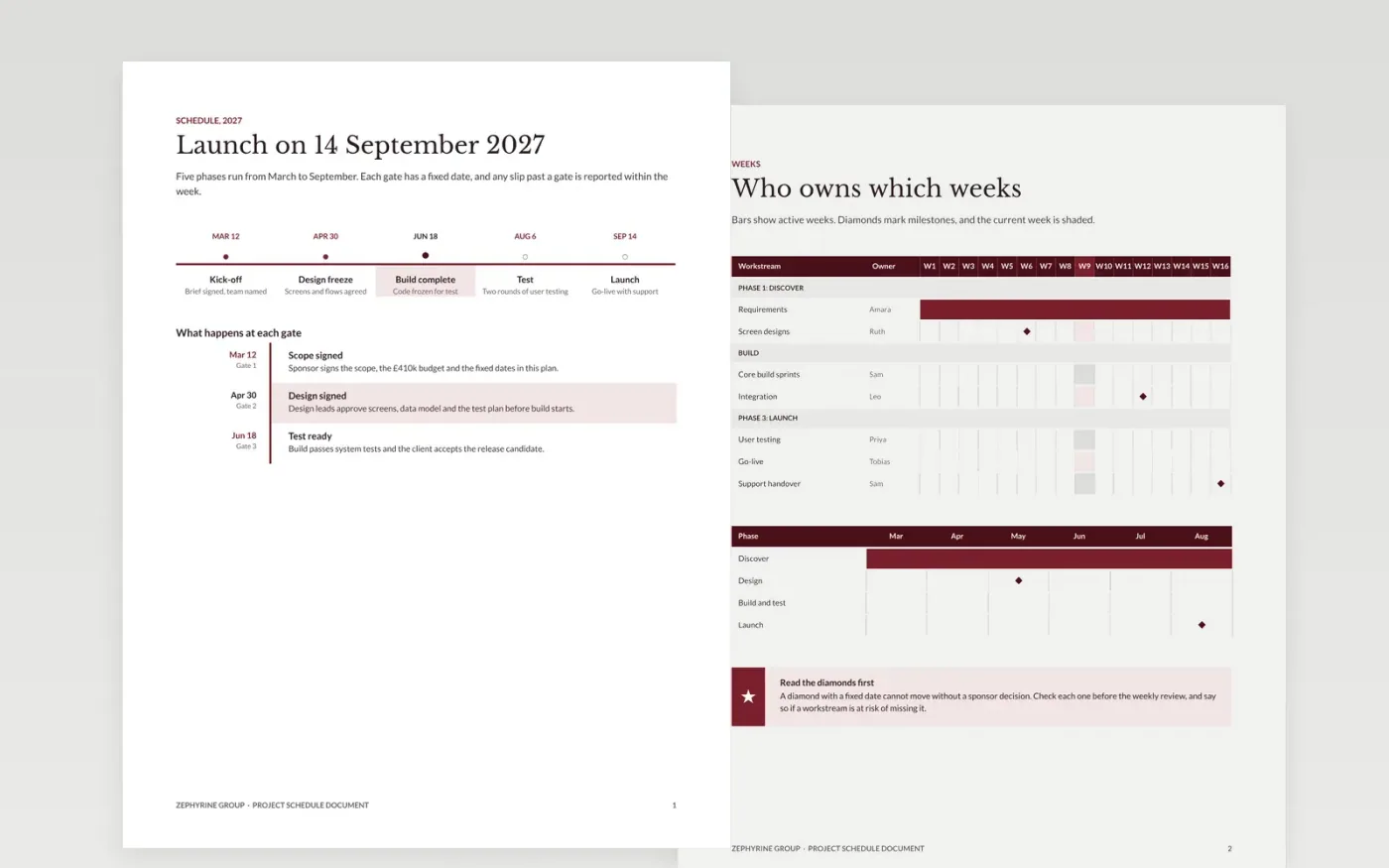
A project schedule that exists only as a chart tends to hide the reasons behind each date. This template sets the schedule out as a written document: a phase timeline, a week-by-week milestone table, the dependencies between tasks, and the assumptions the dates rely on. Each date carries an owner and a note on whether it is fixed or flexible, so a reader can see what would move if something slipped.
The sample belongs to Zephyrine Group, a fictional firm with a product launch planned for 14 September 2027. It shows a milestone timeline, a Gantt-style table with owners and percentage bars, a risk register and a work breakdown with effort estimates. Replace the phases, dates and owners with your own, then mark the fixed milestones and check the critical path against the calendar.
Click Make a copy in Google Docs, then confirm on the Google page. The copy is saved to your own Google Drive.
Set the start and end of the timeline first, then relabel the phase bands with your own phases.
Enter each milestone date, mark the fixed ones, and check that no date sits before its dependency.
Record the assumptions beneath the chart, with an owner for each, and review them at every gate.
Delete the guide page, then share the schedule with the sponsor or present it at the next review.
Yes. Zephyrine Group, its staff, the launch date and every milestone and risk in this document are fictional sample content. Replace them with your own plan before anyone relies on the dates.
A chart shows when things happen but not why. Writing out the dependencies and assumptions shows what would move if one date slipped, which is the first question a sponsor asks.
Yes. The layout works for a dated sequence such as a product launch, a school term or an inquiry timeline. Keep one date, one owner and one fixed or flexible flag for each entry.
Docs + Word6 pages
Free
Slides + PowerPoint12 slides
Free
Slides + PowerPoint11 slides
Free
Slides + PowerPoint11 slides
Free
Slides + PowerPoint10 slides
Free
Slides + PowerPoint11 slides
Free
Slides + PowerPoint11 slides
Free
Slides + PowerPoint10 slides
Free
Slides + PowerPoint11 slides
Free
Slides + PowerPoint10 slides
Free
Slides + PowerPoint10 slides
Free
Slides + PowerPoint12 slides
Free










