
Construction Programme Gantt Slide
Slides + PowerPoint12 slides
Free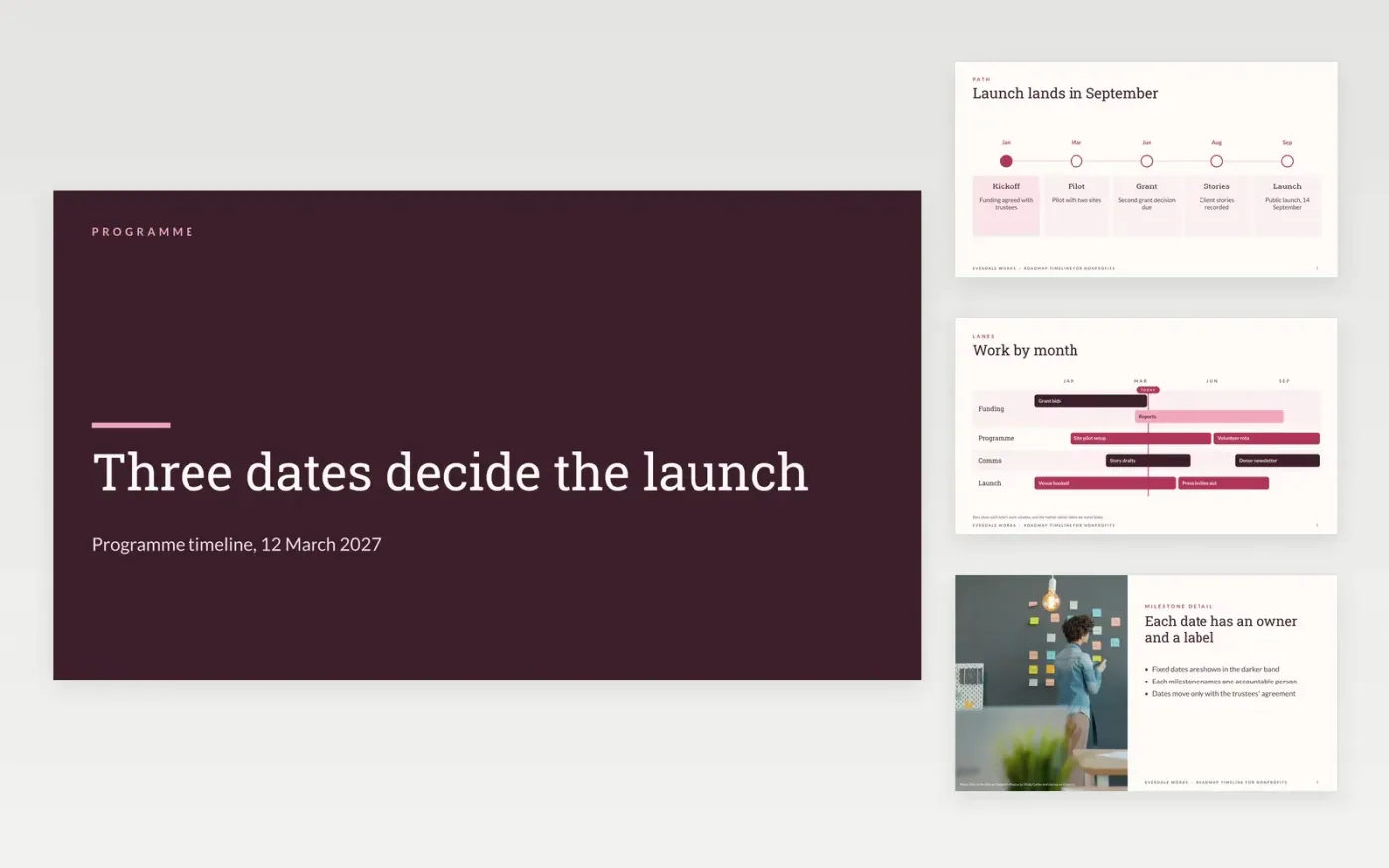
Supporters and funders want to know when a charity's work will happen, and whether the dates are firm. This deck turns a programme into a dated story: milestones on a timeline, the funding points that depend on them, a swimlane roadmap of the work and a stories slide for the people it helps. It has eleven slides, and each date carries an owner and a note on whether it is fixed or flexible.
The sample is a community programme at Everdale Works, with five funders asking £150k in total and a public launch on 14 September 2027. Its figures, stories and names are invented and labelled as sample data. Replace the milestones and asks with your own, mark the fixed dates clearly, and check each funder's deadline before you share the deck.
Click Make a copy in Google Slides, then confirm on the Google page. The copy is saved to your own Google Drive.
Set the start and end of the timeline on the second slide, then relabel the phase bands for your programme.
Enter your own milestones and mark each fixed date, so funders can see which dates can still move.
Replace the funder names, asks and status notes with your own, and check each deadline before you share.
Delete the guide slide, then share the deck with funders and trustees, or present it at the site visit.
Yes. Reduce the timeline to one phase and keep the milestones, the fixed dates and the owners. A single-project version is easier to keep up to date, and funders read it faster.
No. Everdale Works, the people named, the funders, the asks and the stories are fictional sample data. Replace them with your own details, and remove any story you do not have consent to use.
Only with written consent. Share a story only after the person has signed a consent form, and use a first name or a pseudonym if they prefer. The sample uses invented names throughout.
More Google Slides templatesMore project management templates
Slides + PowerPoint12 slides
Free
Slides + PowerPoint10 slides
Free
Slides + PowerPoint12 slides
Free
Slides + PowerPoint11 slides
Free
Slides + PowerPoint10 slides
Free
Docs + Word6 pages
Free
Slides + PowerPoint11 slides
Free
Docs + Word6 pages
Free
Slides + PowerPoint10 slides
Free
Slides + PowerPoint11 slides
Free
Slides + PowerPoint11 slides
Free
Slides + PowerPoint10 slides
Free










