Project Timeline Slides
Slides + PowerPoint12 slides
Free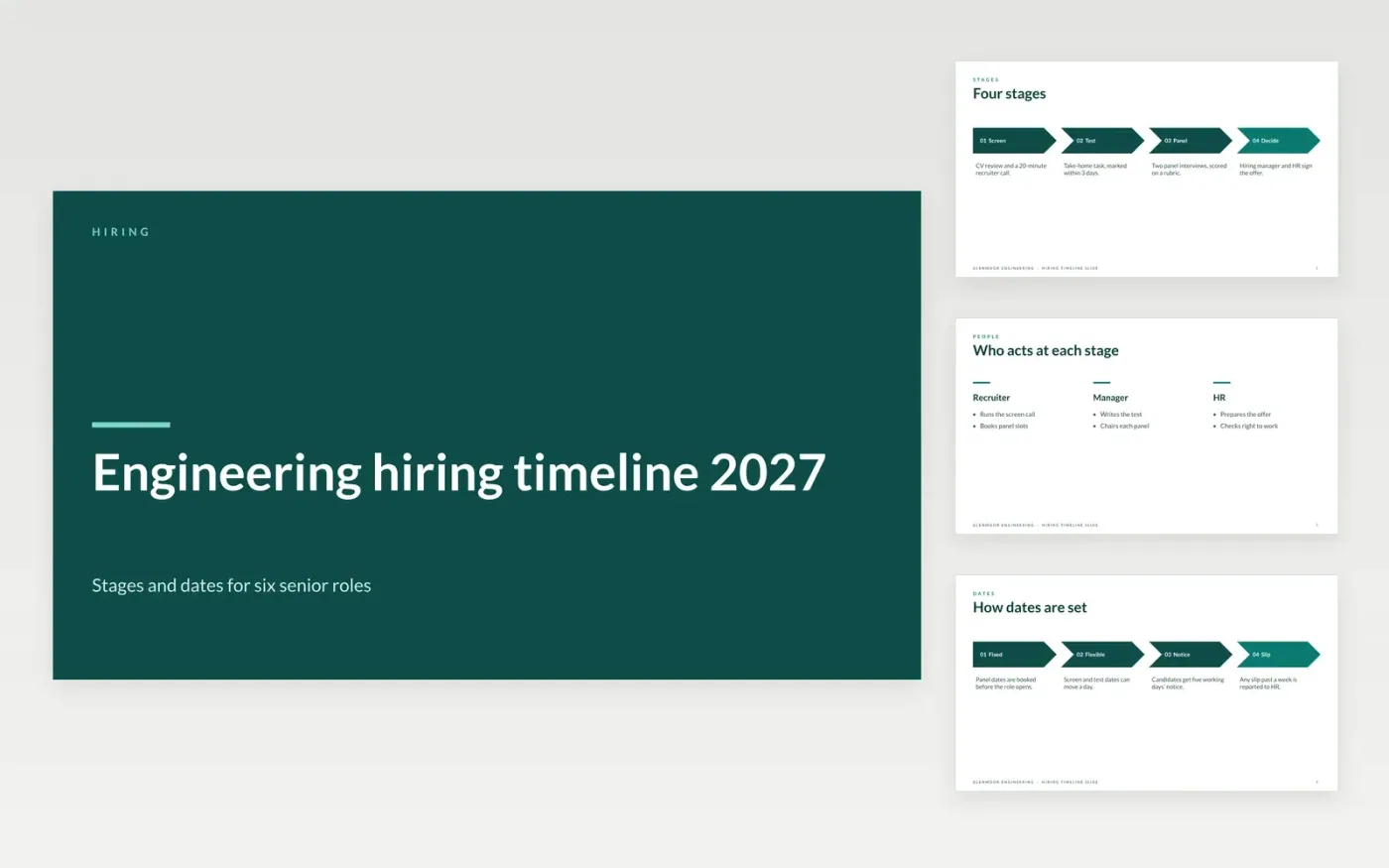
This free Google Slides template shows a recruitment process as a timeline that candidates, managers and HR can read at a glance. It sets out the stages, the durations, the key dates with owners, the people involved at each stage and the critical path. Each date is marked as fixed or flexible, so a slipped date is seen early and its cause is clear.
The sample is a hiring plan for six senior engineering roles at Glenmoor Engineering, a fictional company, running from March to May 2027. Its names, dates and durations are invented. Replace the stages, panel dates and owners with your own, and confirm each date with the people named before the roles are advertised.
Click Make a copy in Google Slides, then confirm on the Google page. The copy is saved to your own Google Drive.
Replace the stages with your own steps, and cut any that your process does not use.
Give each date a label, an owner and a note on whether it is fixed or flexible.
Book panel dates before the role opens, so candidates are not kept waiting.
Delete the guide slide, then share the deck or present it from the first slide.
Share a version with the stages and typical durations, not internal panel names or scores. Candidates value a clear process, and it reduces drop-off during long gaps.
No. Glenmoor Engineering, the people, roles, dates and durations are fictional sample data. Replace them with your own details before the timeline is shared.
Record the slip, the stage it affects and the new date, then tell the people in the next stage the same day. Quiet slips are a main cause of candidates withdrawing.
More Google Slides templatesMore project management templates
Slides + PowerPoint12 slides
Free
Slides + PowerPoint10 slides
Free
Slides + PowerPoint11 slides
Free










