Hiring Timeline Slide
Slides + PowerPoint11 slides
Free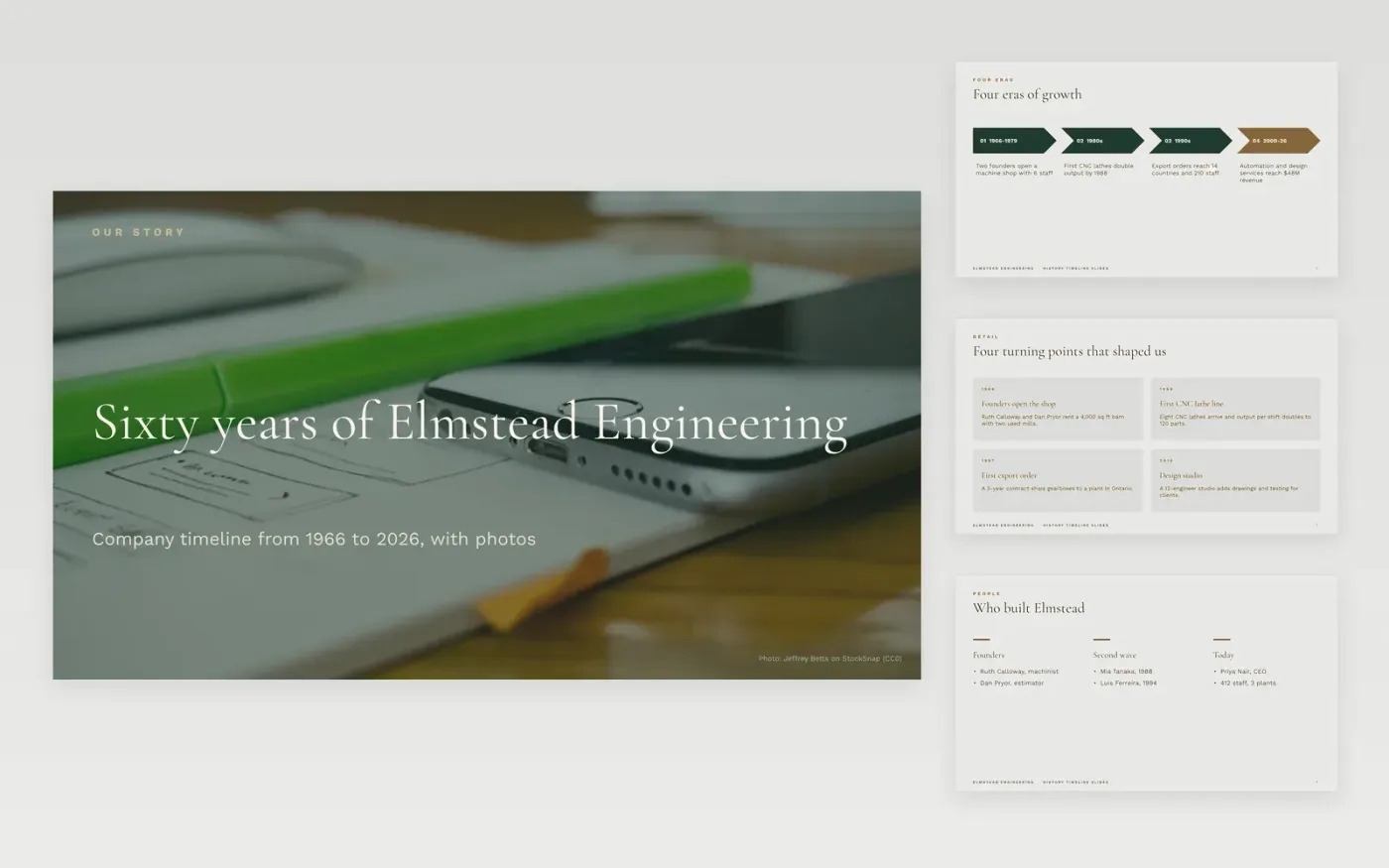
A history is easy to bury in dates. This Google Slides template helps teachers and company historians tell the story in order: four eras first, then the turning points, a milestone timeline and a swimlane view that shows how products, plants, technology and people changed together. Each slide carries one idea, and every date has a label.
The sample follows Elmstead Engineering, a fictional machine shop that grew from 6 staff in 1966 to 412 people and $48M in revenue in 2026. Replace the first and last year of the axis, then swap in your own events, sourced dates, photos and captions, and mark which dates are exact and which are estimates.
Click Make a copy in Google Slides, then confirm on the Google page. The copy is saved to your own Google Drive.
Set the first and last year of your timeline, then relabel the era slides and the lanes with your own periods.
Replace each milestone date, label and caption with facts you can source, and mark estimated dates.
Swap in your own photos, keep a credit under each one, and cut any event nobody will present.
Delete the last guide slide, then share the deck or present it.
Yes. Make a copy in Google Slides and it is yours to edit, with no sign-up on this site and no cost.
The milestone slide holds five dated events and the roadmap holds eight bars. For a longer history, add one era slide at a time rather than crowding a single slide.
No. Elmstead Engineering, its people, dates and figures are fictional and made up for the example. Replace them with your own before you present.
More Google Slides templatesMore project management templates
Slides + PowerPoint11 slides
Free
Slides + PowerPoint12 slides
Free
Slides + PowerPoint11 slides
Free
Slides + PowerPoint11 slides
Free
Slides + PowerPoint10 slides
Free
Docs + Word6 pages
Free
Slides + PowerPoint11 slides
Free
Slides + PowerPoint11 slides
Free
Docs + Word6 pages
Free
Slides + PowerPoint10 slides
Free
Slides + PowerPoint10 slides
Free
Slides + PowerPoint12 slides
Free










