
Project Timeline Slides
Slides + PowerPoint12 slides
Free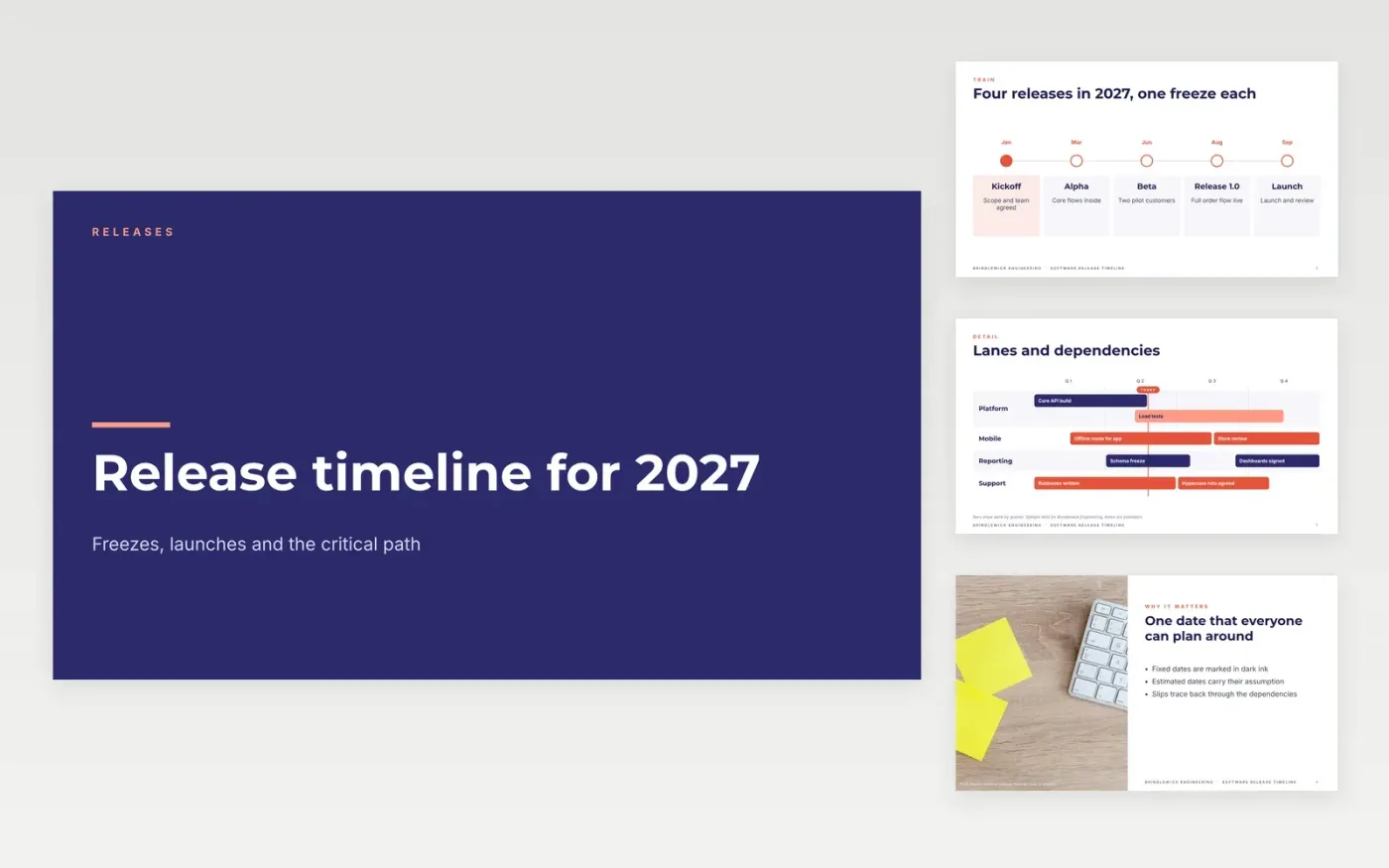
A release timeline is only useful if every date has an owner and a reason. This project timeline template walks a release through its train of versions, the freezes that protect each launch and the steps that take a build to customers. The slides run from the big picture to the detail, so a sponsor can read the first three and a delivery lead can use the rest to track dependencies and the critical path.
The sample shows Brindlewick Engineering, a fictional team, moving a mobile and platform product through four releases in 2027, with three freezes before each launch. Replace the dates, lanes and owners with your own, mark which dates are fixed, and list the assumptions your dates depend on under the chart before you share the deck.
Click Make a copy in Google Slides, then confirm on the Google page. The copy is saved to your own Google Drive.
Replace Brindlewick Engineering, the sample names and the contact details with your own.
Set the axis and quarter labels on the roadmap, then move each bar to your own dates.
Mark fixed dates in a different color and write the assumptions under the chart.
Delete the make-it-yours guide slide, then share the deck with your team or present it at review.
Yes. Duplicate the timeline slide and add items as needed, but keep to about six milestones so the dates stay readable and each one has an owner.
Yes. Brindlewick Engineering, the people named on the slides, the email address and every date and figure are fictional sample data, so replace them before you share the deck.
Draw it only through tasks with zero float, and use the lane bars to show dependencies. Mark any date that depends on an outside team as an estimate in the caption.
More Google Slides templatesMore project management templates
Slides + PowerPoint12 slides
Free
Slides + PowerPoint10 slides
Free
Slides + PowerPoint11 slides
Free
Slides + PowerPoint11 slides
Free
Slides + PowerPoint10 slides
Free
Docs + Word6 pages
Free
Slides + PowerPoint11 slides
Free
Docs + Word6 pages
Free
Slides + PowerPoint10 slides
Free
Slides + PowerPoint11 slides
Free
Slides + PowerPoint10 slides
Free
Slides + PowerPoint12 slides
Free










