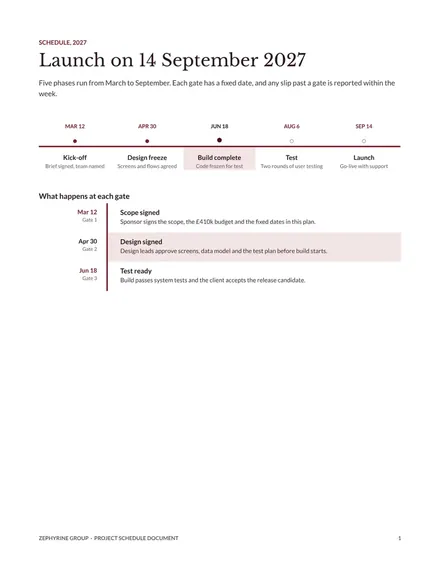
Project Schedule Document
Docs + Word6 pages
Free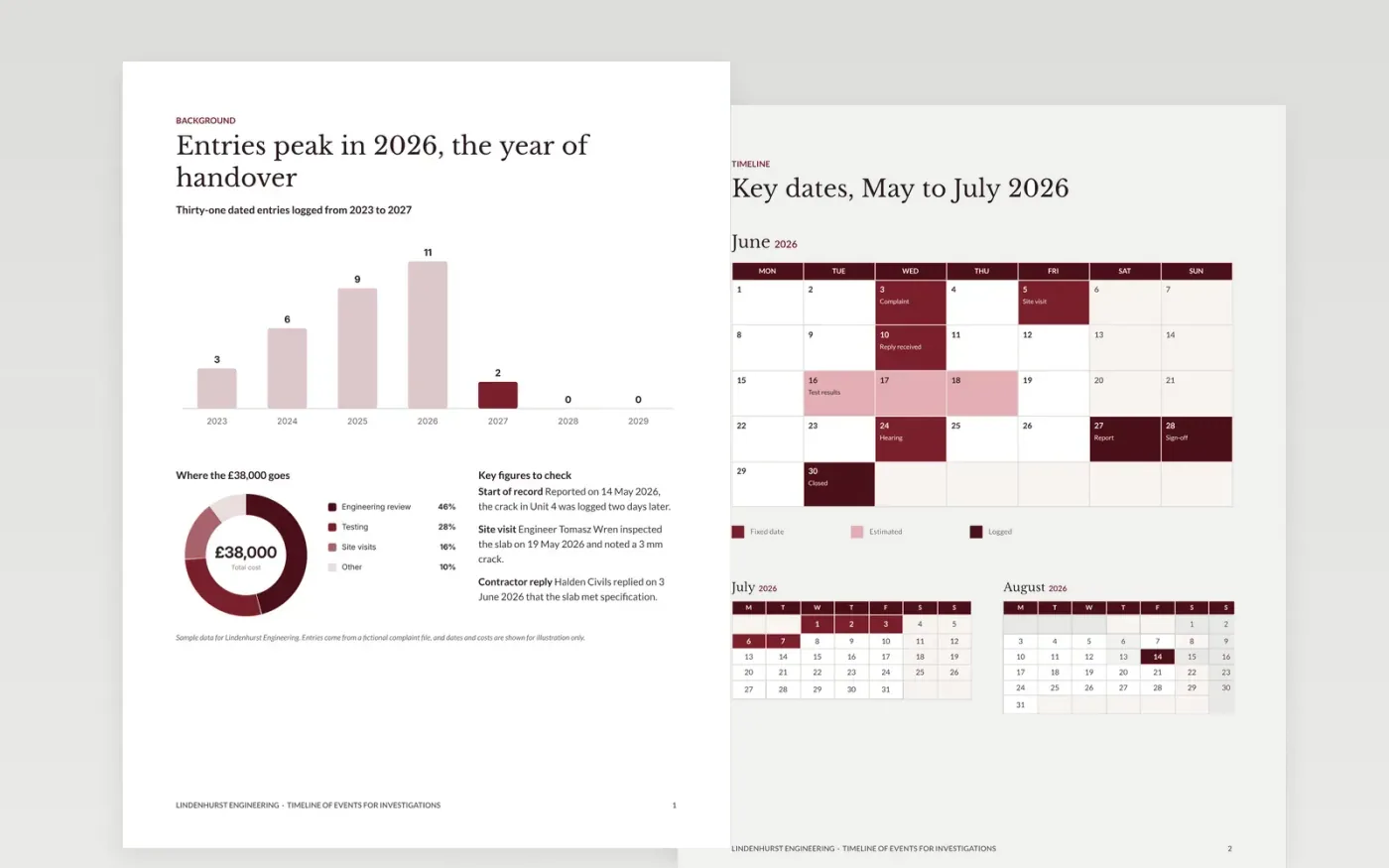
A complaint or investigation stalls when its dates are scattered across emails, site logs and memory. This template puts every event into one neutral record, with a date, a source and a short description for each entry. It runs across four pages: background, a calendar of dated events, the sources behind them and a gaps page for anything still missing, so reviewers can check the sequence without rereading every document in the file.
The sample follows a cracked slab reported by a tenant in Unit 4, with fictional dates from May and June 2026 and a review cost of 38,000 pounds. Replace the events, names and sources with entries from your own file, tie each one to a document, and keep the gaps page in place until every missing item has an owner and a date to chase it.
Click Make a copy in Google Docs, then confirm on the Google page. The copy is saved to your own Google Drive.
Replace the dates, names and sources with the entries from your own file, one row for each event.
Mark each date as fixed or estimated in the calendar legend, and check the chart axis matches your range.
Attach a document to every entry, and move any entry with no source to the gaps page.
Delete the guide page, then share the document with reviewers or present it from Google Docs.
No. Lindenhurst Engineering, the tenant, the engineers and every figure in the record are fictional. Replace them with details from your own file before anyone relies on the dates.
Yes. The layout suits any dated sequence, such as a project schedule, a product launch or a family history. Change the legend labels and event names, and keep the source line for every entry.
A record that hides what is missing looks more complete than it is. Listing each missing item with an owner and a date shows what still needs checking and when a reviewer can rely on the sequence.
Docs + Word6 pages
Free
Slides + PowerPoint10 slides
Free
Slides + PowerPoint12 slides
Free
Slides + PowerPoint11 slides
Free
Slides + PowerPoint10 slides
Free
Slides + PowerPoint11 slides
Free
Slides + PowerPoint11 slides
Free
Slides + PowerPoint10 slides
Free
Slides + PowerPoint11 slides
Free
Slides + PowerPoint11 slides
Free
Slides + PowerPoint10 slides
Free
Slides + PowerPoint12 slides
Free










