
Product Launch Timeline Deck
Slides + PowerPoint10 slides
Free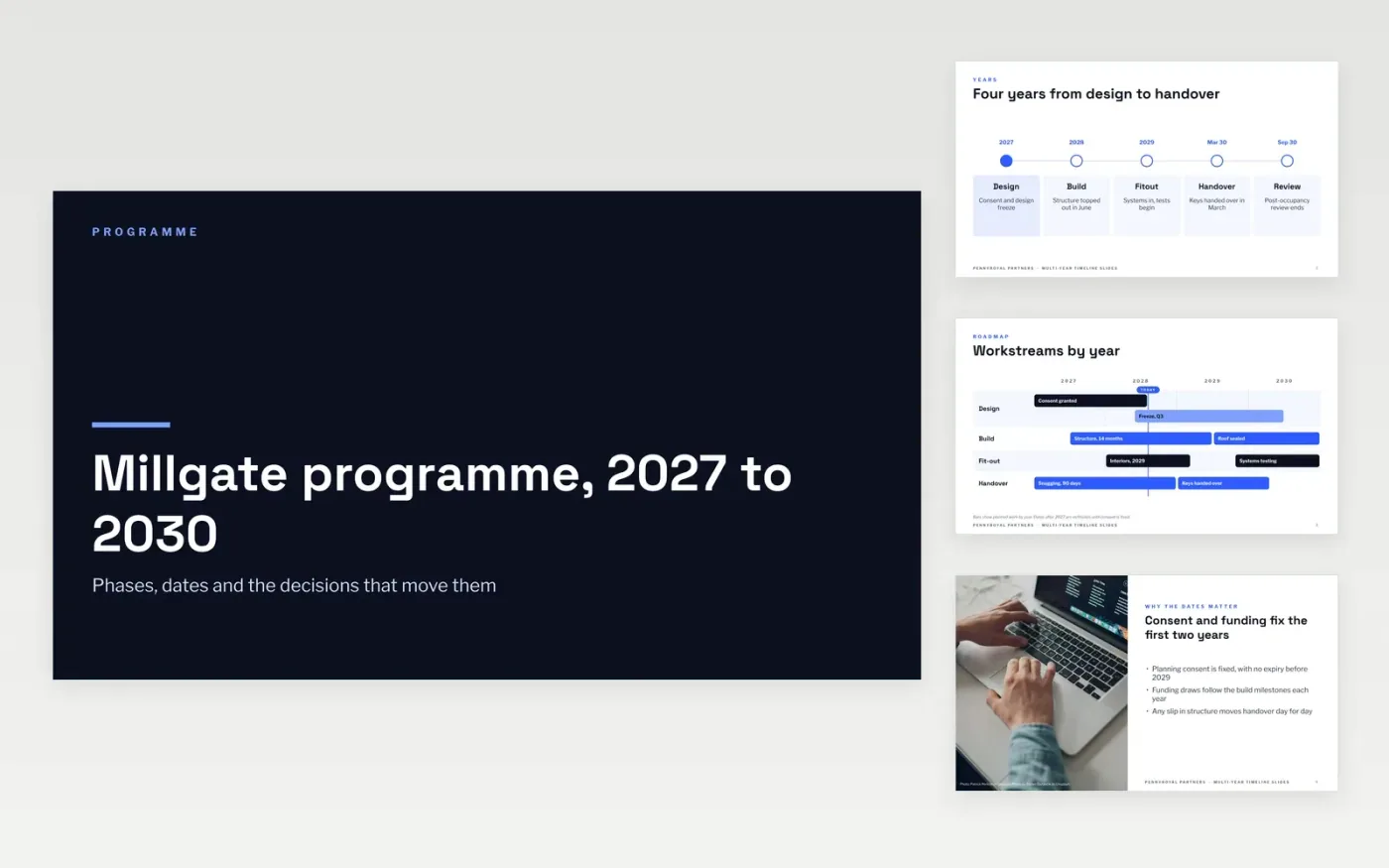
A multi-year plan is easy to draw and hard to read, because years of dates hide which ones can move. This template lays out the years, the phases, the workstreams and the decision points on separate slides, so each one can be read on its own. Every date carries a label, an owner and a note on whether it is fixed or flexible, and the critical path is shown as its own figure.
The sample is the Millgate programme run by Pennyroyal Partners, a fictional property firm, from planning consent in July 2027 to keys handed over in March 2030. It shows the main phases, two fixed dates, a critical path covering 68% of the programme and three decisions that could move handover. Replace the phases, dates and owners with your own, and list the assumptions under the chart before the first sponsor review.
Click Make a copy in Google Slides, then confirm on the Google page. The copy is saved to your own Google Drive.
Set the start and end years on the timeline, then relabel each phase band.
Replace the milestone dates and mark each fixed date as fixed on its slide.
Update the decision cards with your gates, owners and the date each one falls due.
Delete the guide slide, then share the timeline with the sponsor or present it at the board.
No. The Millgate programme, Pennyroyal Partners, the owners named in the gates and every date are fictional sample data, so replace them with your own before the timeline is shared.
Six to twelve is a good range, with two or three flagged as fixed. More than that and readers stop reading the dates, so move detail to an appendix and keep the main slides for the milestones that matter.
Mark it as an estimate on the slide and give the assumption it depends on in the note. A date labelled as an estimate with a reason is easier to defend than a fixed date that later slips without warning.
More Google Slides templatesMore project management templates
Slides + PowerPoint10 slides
Free
Slides + PowerPoint11 slides
Free
Slides + PowerPoint11 slides
Free
Slides + PowerPoint10 slides
Free
Docs + Word6 pages
Free
Slides + PowerPoint11 slides
Free
Slides + PowerPoint11 slides
Free
Docs + Word6 pages
Free
Slides + PowerPoint10 slides
Free
Slides + PowerPoint10 slides
Free
Slides + PowerPoint12 slides
Free
Slides + PowerPoint12 slides
Free










