
Construction Programme Gantt Slide
Slides + PowerPoint12 slides
Free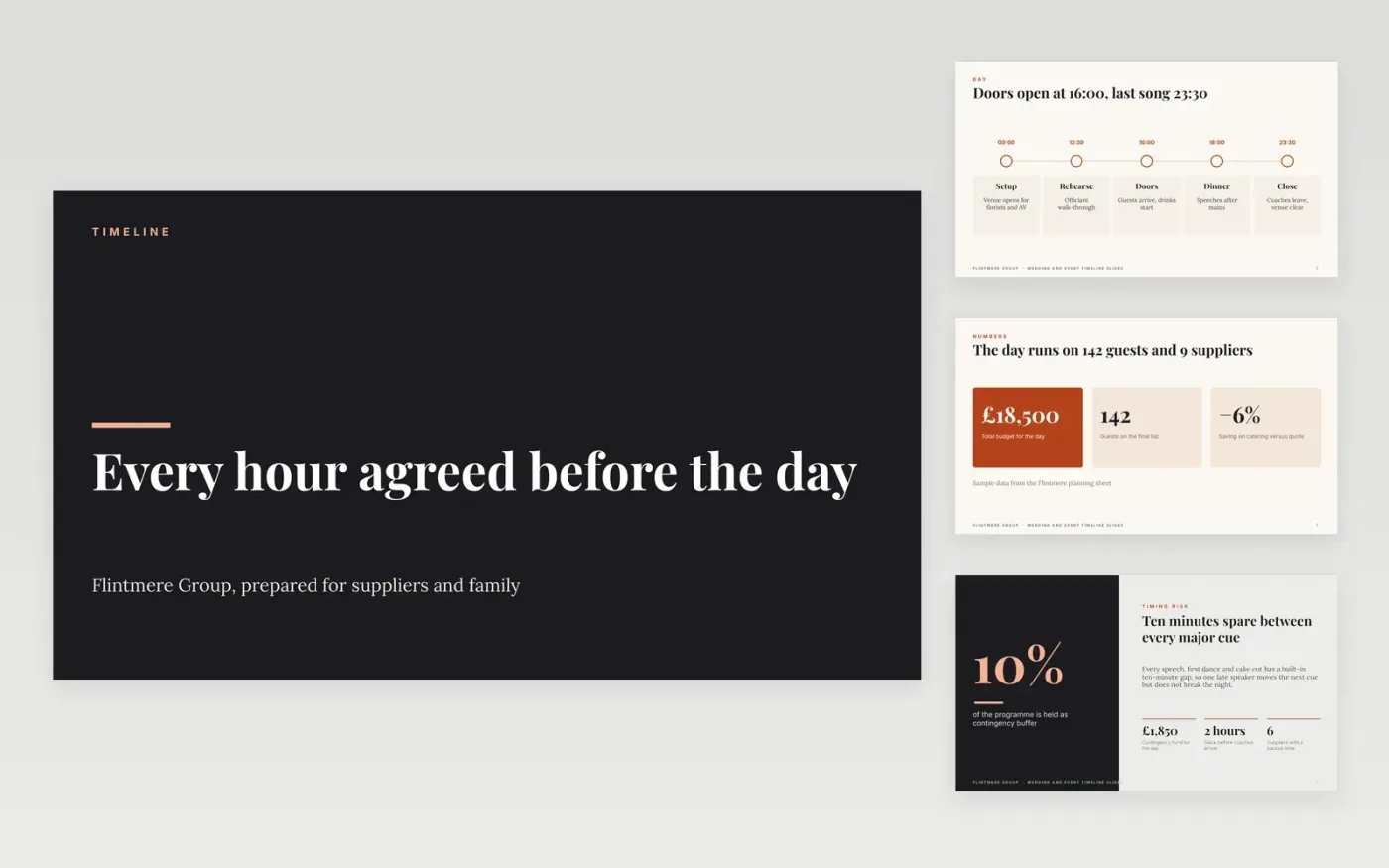
Most event timelines fail on the day because cues have no owner and no backup, and suppliers work from different versions of the plan. This deck gives one run through the day in slides: an overview of the timeline, the hour-by-hour roles and the contacts. Each slide carries the times, the owners and the fallback, so a planner can see the whole day at a glance and check it against the programme.
The sample follows a fictional wedding for Flintmere Group, with 142 guests, nine suppliers and a budget of £18,500. Its names, times and figures are invented for illustration. Replace the timings with your own, set the venue and show-call times on the cover, and add a mobile number for each contact before you send the deck to suppliers and family.
Click Make a copy in Google Slides, then confirm on the Google page. The copy is saved to your own Google Drive.
Set the event name, date, venue and show-call time, then replace each timeline row with real timings.
Give every cue one owner and a backup, and remove any line that names two people.
Delete the guide slide at the end, then share the deck with suppliers or present it at the run-through.
Yes, once you replace every name, time and figure. The organisation, people and figures in the sample are fictional, so keep none of them unless you have checked them yourself.
Show the start and end of every cue, with a duration for each item. The sample uses five times across the day, but a larger event can carry twenty items, each with a time, an owner and a note.
Keep edit rights for the planner only and give suppliers view access. Send each supplier the final timings by Friday so the caterer, florist and AV team all work from one version.
More Google Slides templatesMore project management templates
Slides + PowerPoint12 slides
Free
Slides + PowerPoint10 slides
Free
Slides + PowerPoint11 slides
Free
Slides + PowerPoint11 slides
Free
Slides + PowerPoint10 slides
Free
Docs + Word6 pages
Free
Slides + PowerPoint11 slides
Free
Slides + PowerPoint11 slides
Free
Docs + Word6 pages
Free
Slides + PowerPoint11 slides
Free
Slides + PowerPoint10 slides
Free
Slides + PowerPoint12 slides
Free










