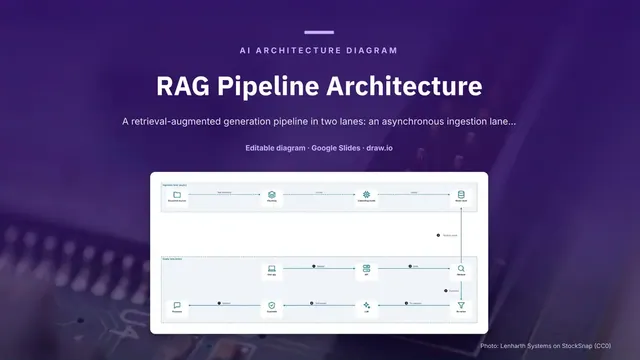
RAG Pipeline Architecture
Slides + PowerPoint5 slides
Free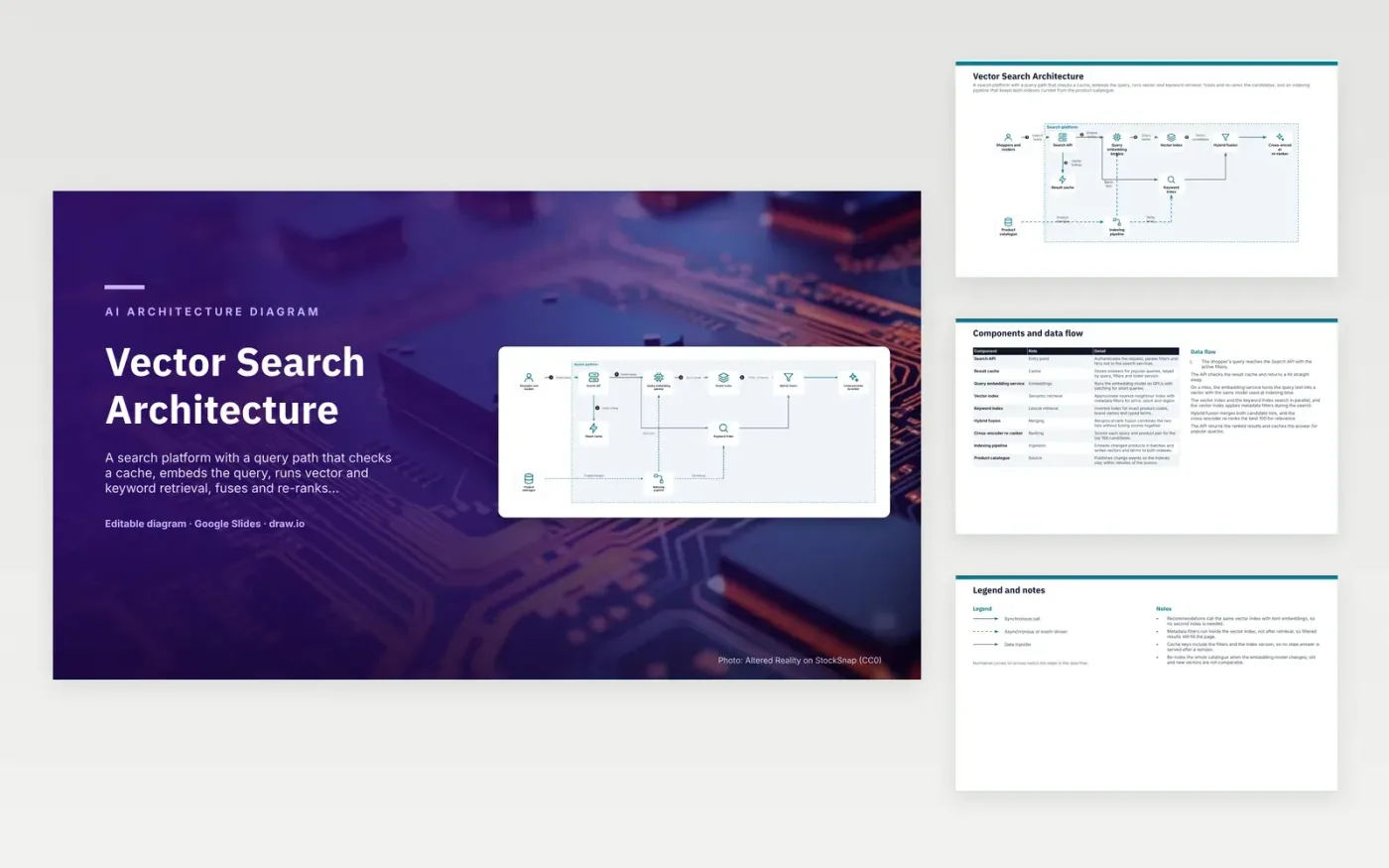
A shopper's query reaches the Search API with its active filters, which checks the result cache first. On a miss, the query embedding service turns the text into a vector using the same model as the indexer. The vector index and the keyword index search in parallel, and the vector index applies metadata filters during the search. Hybrid fusion merges both candidate lists, and the cross-encoder re-ranker scores the top 100. The API returns ranked results and caches popular ones.
Metadata filters run inside the vector index rather than after retrieval, so filtered results still fill the page. Cache keys include the filters and the index version, so no stale answer survives a reindex. Re-index the whole catalogue when the embedding model changes, because old and new vectors are not comparable. Recommendations can reuse the same vector index with item embeddings. To adapt it, point the indexing pipeline at your own catalogue events.
Click Make a copy in Google Slides, then confirm on the Google page. The copy is saved to your own Google Drive.
Rename Shoppers and readers, Product catalogue, Search API and the other boxes inside Search platform to your own components, and delete the ones your system does not have.
Rewrite the 6-step data flow and the 9-row components table so they match the arrows you keep.
For the draw.io version, download vector-search-architecture-diagram.drawio and open it at app.diagrams.net.
Vector search finds items with similar meaning, but it can miss exact product codes and brand names. A keyword index catches those exact terms. Fusing both lists, here with reciprocal rank fusion, gives results that cover both kinds of match.
A cross-encoder reads the query and each candidate together, so it scores relevance more precisely than first-stage retrieval. It is slower per item, which is why it only scores the top 100 candidates. The first stage keeps the overall cost low.
Each model maps text to its own vector space, so distances only mean something between vectors from the same model. A query embedded with a different model would match unrelated items. Changing the model means re-indexing the whole catalogue.
More Google Slides templatesMore developer workflows templates
Slides + PowerPoint5 slides
Free
Slides + PowerPoint5 slides
Free
Slides + PowerPoint5 slides
Free
Slides + PowerPoint5 slides
Free
Slides + PowerPoint5 slides
Free
Slides + PowerPoint5 slides
Free
Slides + PowerPoint5 slides
Free
Slides + PowerPoint5 slides
Free
Slides + PowerPoint5 slides
Free
Slides + PowerPoint5 slides
Free
Slides + PowerPoint5 slides
Free










