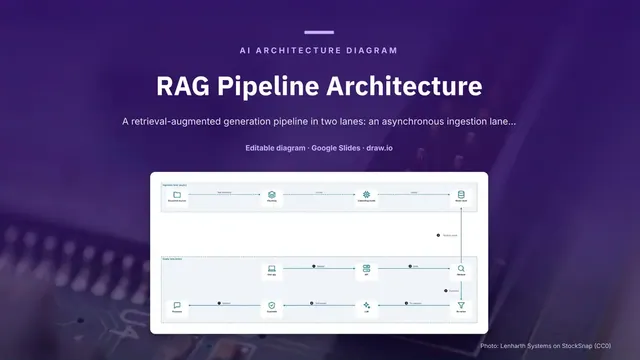
RAG Pipeline Architecture
Slides + PowerPoint5 slides
Free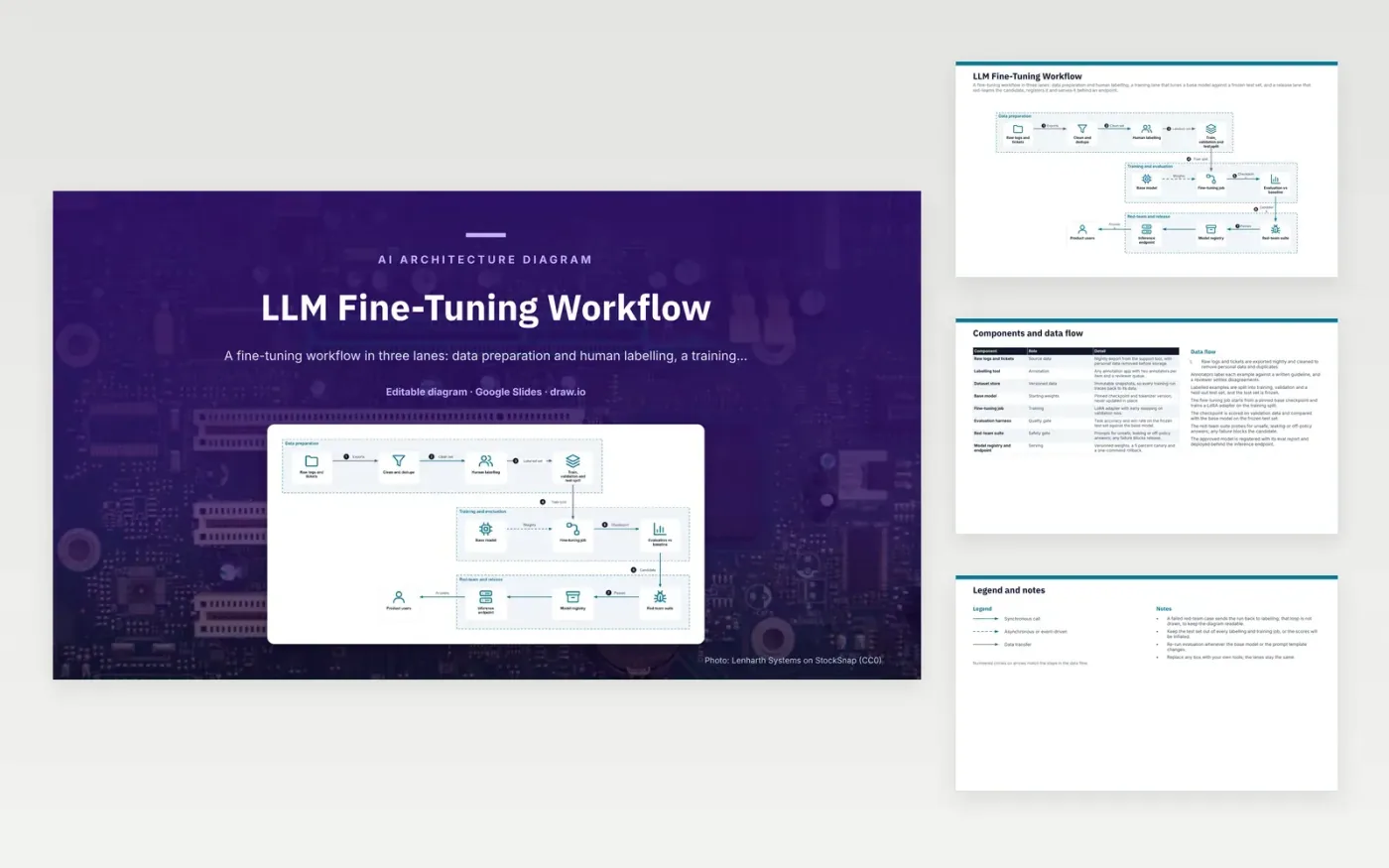
Raw logs and tickets are exported nightly, then cleaned to remove personal data and near-duplicates. Two annotators label each example against a written guideline, and a reviewer settles disagreements. The labelled set is split into training, validation and a held-out test set, and the test set is frozen. The fine-tuning job starts from a pinned base checkpoint and trains a LoRA adapter on the training split. The checkpoint is then scored against the base model.
A red-team suite probes for unsafe, leaking or off-policy answers, and any failure blocks the candidate. The loop back to labelling for failed cases is left out of the drawing to keep it readable. To adapt it, swap the labelling tool and training framework, and keep the frozen test set and the red-team gate. Re-run evaluation whenever the base model or the prompt template changes.
Click Make a copy in Google Slides, then confirm on the Google page. The copy is saved to your own Google Drive.
Rename Raw logs and tickets, Clean and dedupe, Human labelling and the other boxes inside Data preparation to your own components, and delete the ones your system does not have.
Rewrite the 7-step data flow and the 8-row components table so they match the arrows you keep.
For the draw.io version, download llm-fine-tuning-workflow-diagram.drawio and open it at app.diagrams.net.
A frozen test set is never used for labelling or training, so its scores show how the model does on unseen examples. If it leaks into training, the scores look better than real performance. Freezing it keeps comparisons with earlier runs fair.
LoRA trains small low-rank matrices added to a frozen base model, rather than updating all of its weights. This needs far less memory and storage, and each adapter is a small file. The base checkpoint stays unchanged, so it can be reused.
A canary sends a small share of live traffic, here 5 percent, to the new model before the full rollout. Problems that offline tests missed show up on real requests while only a few users are affected. If the canary looks worse, traffic can be pointed back at the previous version.
More Google Slides templatesMore developer workflows templates
Slides + PowerPoint5 slides
Free
Slides + PowerPoint5 slides
Free
Slides + PowerPoint5 slides
Free
Slides + PowerPoint5 slides
Free
Slides + PowerPoint5 slides
Free
Slides + PowerPoint5 slides
Free
Slides + PowerPoint5 slides
Free
Slides + PowerPoint5 slides
Free
Slides + PowerPoint5 slides
Free
Slides + PowerPoint5 slides
Free
Slides + PowerPoint5 slides
Free










