RAG Pipeline Architecture
Slides + PowerPoint5 slides
Free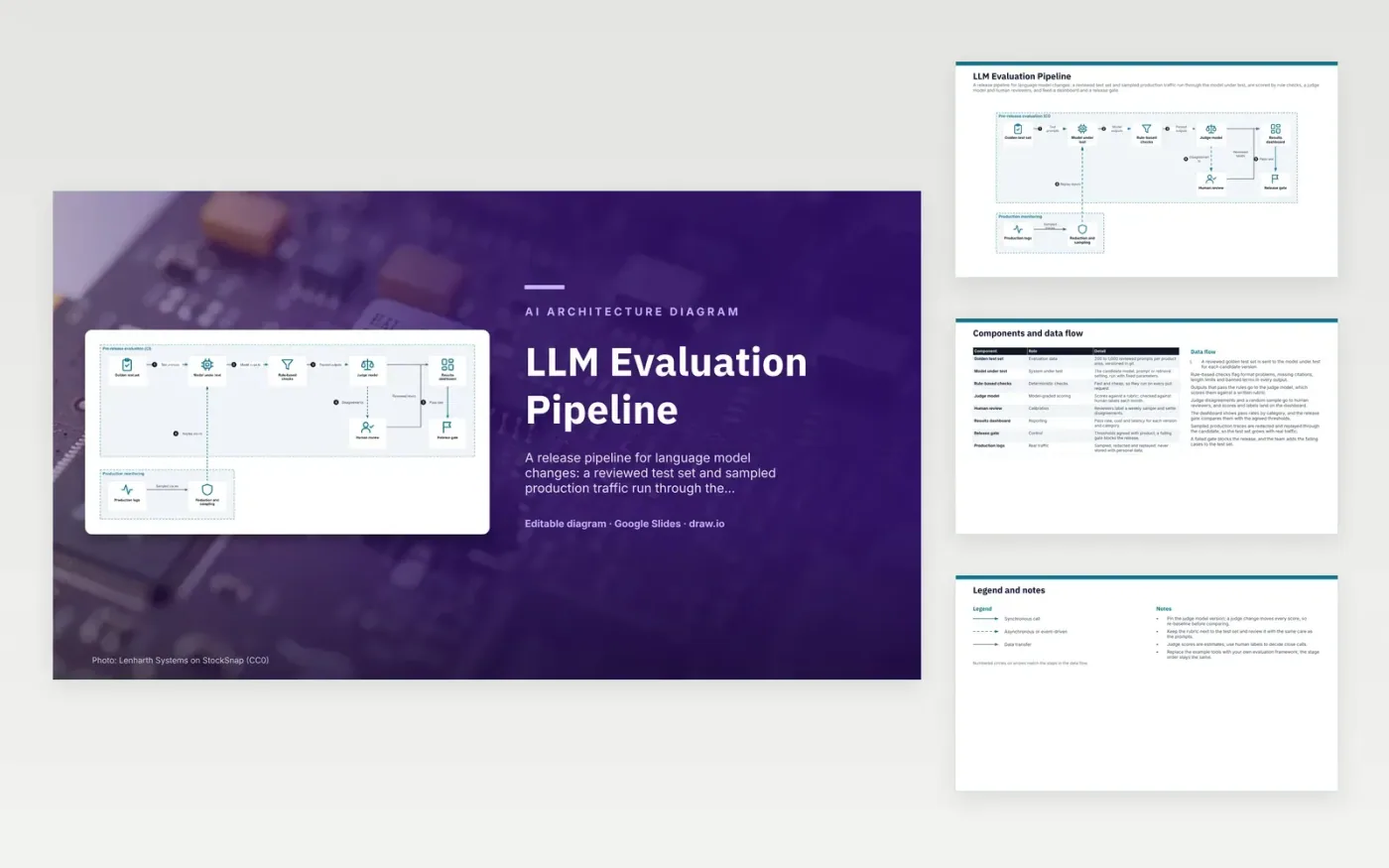
Each candidate model, prompt or retrieval setting runs against a reviewed golden test set. Rule-based checks flag format problems, missing citations, length limits and banned terms in every output. Outputs that pass go to a judge model, which scores helpfulness and grounding against a written rubric. Disagreements and a random sample go to human reviewers. Scores and labels reach the results dashboard, and the release gate compares pass rates with agreed thresholds.
Layered scoring keeps the cost down. Rules are cheap, so they run on every pull request, while the judge and human reviewers handle the harder calls. Sampled production traces are redacted and replayed, so the test set grows with real traffic. Pin the judge model version, because a judge change moves every score and needs a new baseline. To adapt it, swap in your own evaluation framework and rubric, and keep the stage order.
Click Make a copy in Google Slides, then confirm on the Google page. The copy is saved to your own Google Drive.
Rename Golden test set, Model under test, Rule-based checks and the other boxes inside Pre-release evaluation (CI) to your own components, and delete the ones your system does not have.
Rewrite the 7-step data flow and the 8-row components table so they match the arrows you keep.
For the draw.io version, download llm-evaluation-pipeline-diagram.drawio and open it at app.diagrams.net.
Rules can check format and length but not whether an answer is helpful or grounded. A judge model scores those qualities against a rubric, and humans check its calls on close cases.
A new judge version can change every score, so results from before and after would not be comparable. Pinning it keeps the baseline fixed, and any judge upgrade needs a new baseline.
Yes, with care. Sampled traces are redacted to remove personal data before replay, and failing cases are added to the golden set so the same failure is caught next time.
More Google Slides templatesMore developer workflows templates
Slides + PowerPoint5 slides
Free
Slides + PowerPoint5 slides
Free
Slides + PowerPoint5 slides
Free
Slides + PowerPoint5 slides
Free
Slides + PowerPoint5 slides
Free
Slides + PowerPoint5 slides
Free
Slides + PowerPoint5 slides
Free
Slides + PowerPoint5 slides
Free
Slides + PowerPoint5 slides
Free
Slides + PowerPoint5 slides
Free
Slides + PowerPoint5 slides
Free










