RAG Pipeline Architecture
Slides + PowerPoint5 slides
Free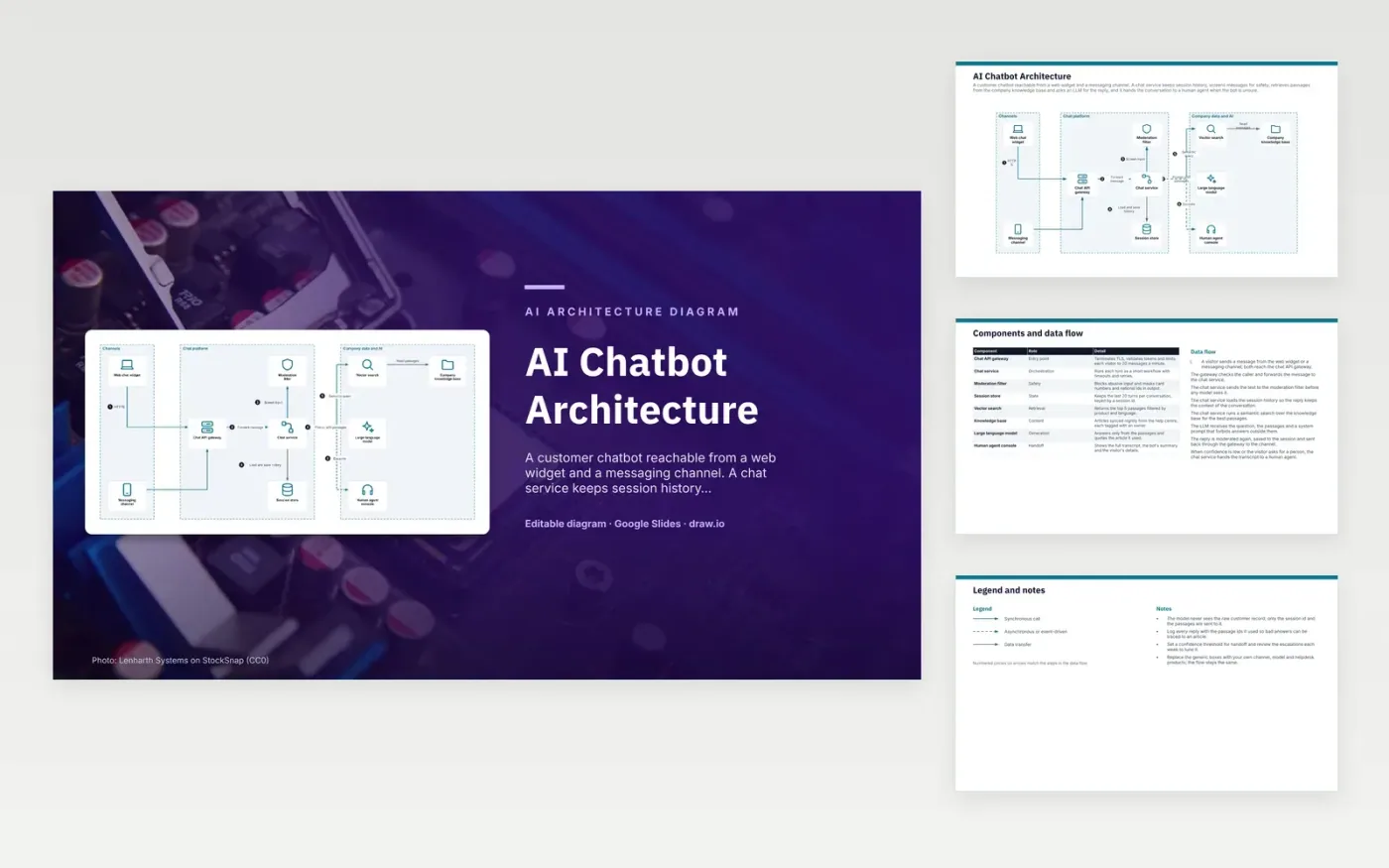
A visitor's message arrives from the web widget or a messaging channel and passes the chat API gateway, which checks the caller and rate limits it. The chat service sends the text to the moderation filter, loads the session history from the session store, and runs a semantic search over the knowledge base. The LLM writes a reply only from the returned passages. The reply is moderated again, saved, and sent back through the gateway to the channel.
The model never receives the raw customer record. It sees the passages and a session id, and each reply logs the passage ids it used, so a bad answer traces back to one article. The main trade-off is handoff. A confidence threshold sends weak answers to the human agent console, and a team running this should review those escalations each week and adjust the threshold.
Click Make a copy in Google Slides, then confirm on the Google page. The copy is saved to your own Google Drive.
Rename Web chat widget, Messaging channel, Chat API gateway and the other boxes inside Channels to your own components, and delete the ones your system does not have.
Rewrite the 8-step data flow and the 8-row components table so they match the arrows you keep.
For the draw.io version, download ai-chatbot-architecture-diagram.drawio and open it at app.diagrams.net.
Input is screened first, so abusive text is blocked before any model reads it. The reply is screened again on the way out, which masks card numbers and national ids.
The chat service escalates when its confidence is low or when the visitor asks for a person. It passes the full transcript, the bot's summary and the visitor's details to the agent console, so the visitor does not repeat themselves.
A short window keeps each prompt small and the cost predictable. The session store also expires idle conversations after 30 minutes.
More Google Slides templatesMore developer workflows templates
Slides + PowerPoint5 slides
Free
Slides + PowerPoint5 slides
Free
Slides + PowerPoint5 slides
Free
Slides + PowerPoint5 slides
Free
Slides + PowerPoint5 slides
Free
Slides + PowerPoint5 slides
Free
Slides + PowerPoint5 slides
Free
Slides + PowerPoint5 slides
Free
Slides + PowerPoint5 slides
Free
Slides + PowerPoint5 slides
Free
Slides + PowerPoint5 slides
Free










