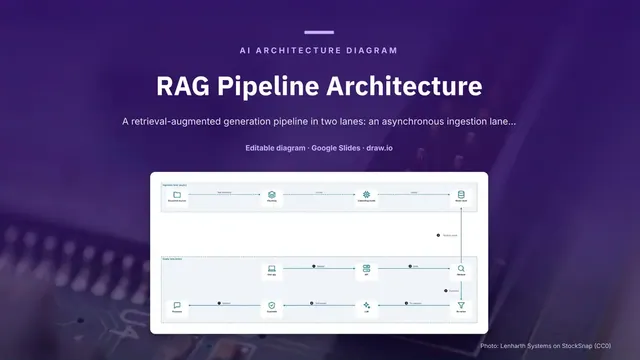
RAG Pipeline Architecture
Slides + PowerPoint5 slides
Free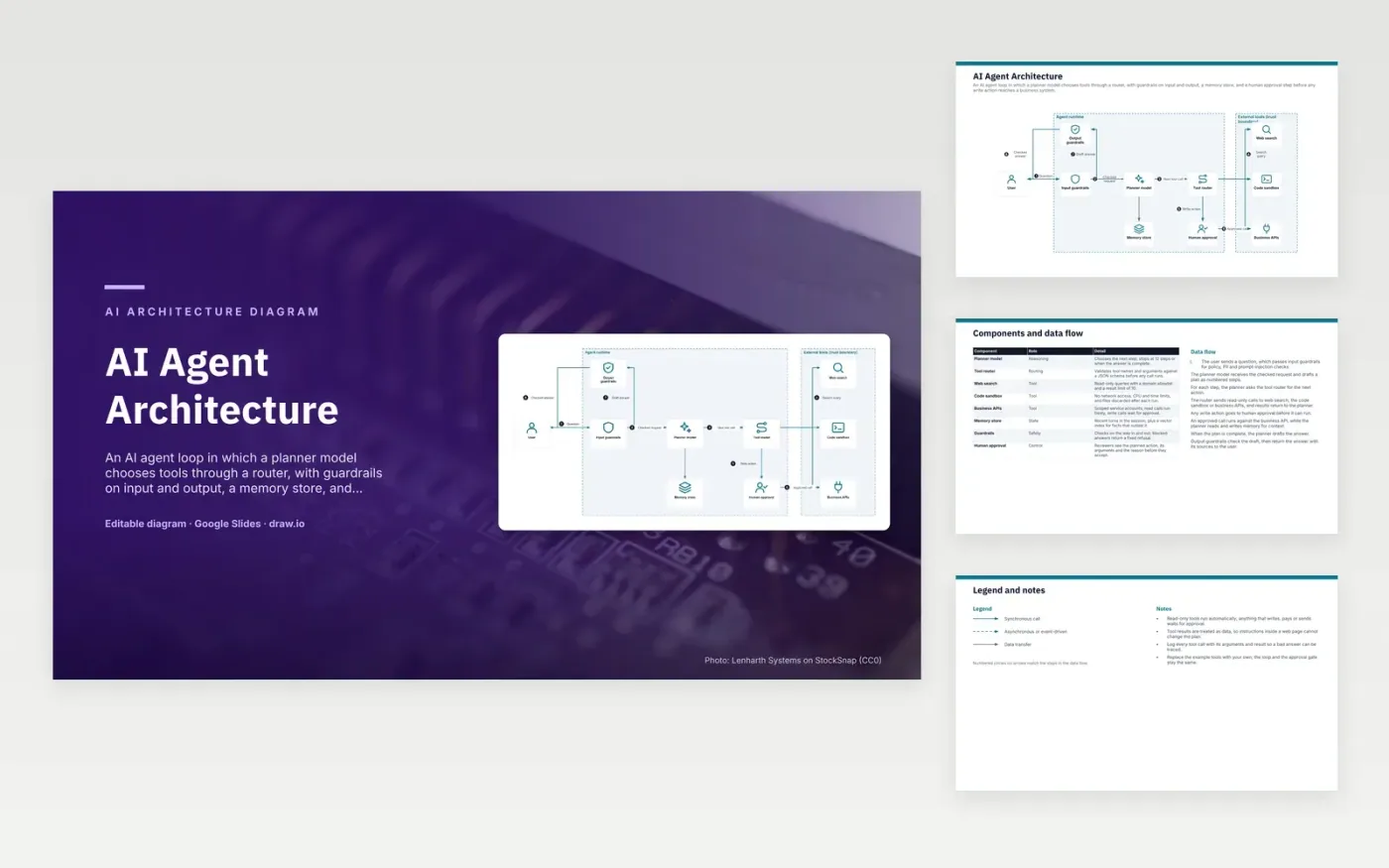
A user question passes input guardrails for policy, PII and prompt-injection checks, then reaches the planner model. The planner breaks the goal into steps and asks the tool router for each next action. The router validates the call against a schema, then sends read-only requests to web search, the code sandbox or business APIs. Write actions wait at human approval. When the plan is complete, the planner drafts an answer, and output guardrails check it before it returns to the user.
The approval gate is the main design choice. Read-only tools run automatically, while anything that writes, pays or sends waits for a reviewer who sees the action, its arguments and the reason. Tool results are treated as data, so instructions inside a web page cannot change the plan. To adapt the design, replace the example tools with your own APIs, keep the loop and the gate, and log every tool call so a bad answer can be traced.
Click Make a copy in Google Slides, then confirm on the Google page. The copy is saved to your own Google Drive.
Rename User, Input guardrails, Output guardrails and the other boxes inside Agent runtime to your own components, and delete the ones your system does not have.
Rewrite the 8-step data flow and the 8-row components table so they match the arrows you keep.
For the draw.io version, download ai-agent-architecture-diagram.drawio and open it at app.diagrams.net.
The example caps the planner at 12 steps per task, so a loop cannot keep calling tools and running up cost. The planner stops at the cap or when the answer is complete.
A write action changes a business system, such as sending a message or updating a ticket, and a wrong call may be hard to reverse. The reviewer sees the planned action, its arguments and the reason before accepting it. Read-only calls run without waiting.
The router checks each tool name and its arguments against a JSON schema before any call runs. Malformed calls are rejected, so the planner cannot call a tool that does not exist or pass arguments in the wrong shape.
More Google Slides templatesMore developer workflows templates
Slides + PowerPoint5 slides
Free
Slides + PowerPoint5 slides
Free
Slides + PowerPoint5 slides
Free
Slides + PowerPoint5 slides
Free
Slides + PowerPoint5 slides
Free
Slides + PowerPoint5 slides
Free
Slides + PowerPoint5 slides
Free
Slides + PowerPoint5 slides
Free
Slides + PowerPoint5 slides
Free
Slides + PowerPoint5 slides
Free
Slides + PowerPoint5 slides
Free










