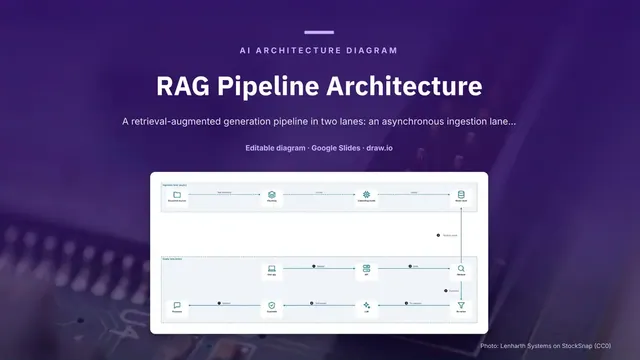
RAG Pipeline Architecture
Slides + PowerPoint5 slides
Free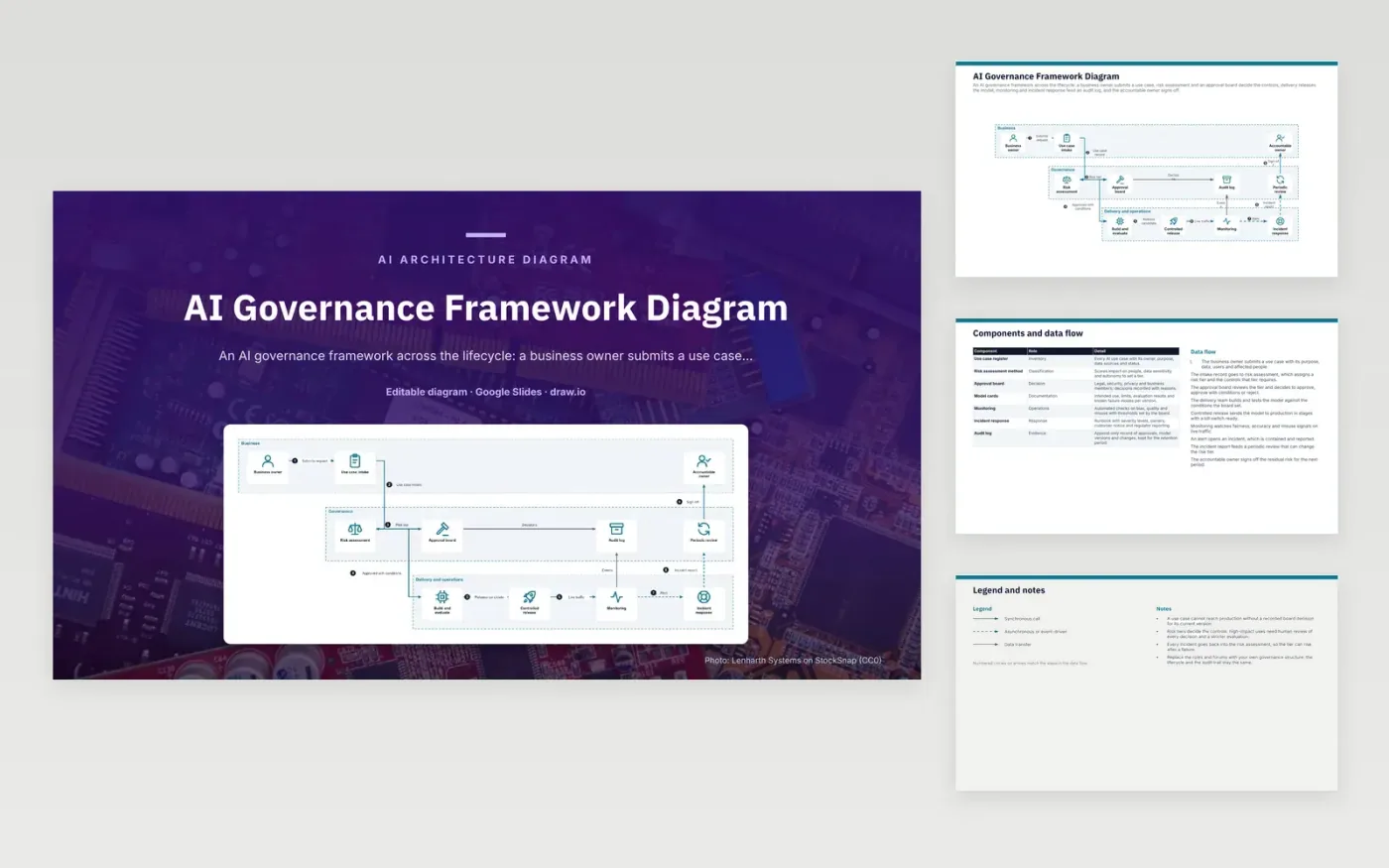
A business owner submits a use case, and the intake record goes to risk assessment, which sets a risk tier and the controls that tier needs. The approval board decides to approve, approve with conditions or reject. The delivery team builds and tests the model against those conditions, then a controlled release sends it to production in stages with a kill switch. Monitoring watches live traffic, and an alert opens an incident that feeds a periodic review and the accountable owner's sign-off.
The audit trail is the hard requirement: a use case cannot reach production without a recorded board decision for its current version. Risk tiers set the controls, so high-impact uses get human review of every decision and a stricter evaluation. Every incident returns to the risk assessment, so a tier can rise after a failure. To adapt it, replace the roles and forums with your own governance structure, but keep the lifecycle and the append-only log.
Click Make a copy in Google Slides, then confirm on the Google page. The copy is saved to your own Google Drive.
Rename Business owner, Use case intake, Accountable owner and the other boxes inside Business to your own components, and delete the ones your system does not have.
Rewrite the 9-step data flow and the 7-row components table so they match the arrows you keep.
For the draw.io version, download ai-governance-framework-diagram.drawio and open it at app.diagrams.net.
The tier sets the controls a use case must meet. High-impact uses need human review of every decision and a stricter evaluation before release. Lower tiers can use lighter checks.
An incident can show that a use case carries more risk than its original tier assumed. Feeding the incident report into a periodic review lets the board raise the tier and add controls.
Each entry records the use case, its owner, its purpose, the data it uses and its status. Model cards and board decisions are linked to it so every version can be traced.
More Google Slides templatesMore developer workflows templates
Slides + PowerPoint5 slides
Free
Slides + PowerPoint5 slides
Free
Slides + PowerPoint5 slides
Free
Slides + PowerPoint5 slides
Free
Slides + PowerPoint5 slides
Free
Slides + PowerPoint5 slides
Free
Slides + PowerPoint5 slides
Free
Slides + PowerPoint5 slides
Free
Slides + PowerPoint5 slides
Free
Slides + PowerPoint5 slides
Free
Slides + PowerPoint5 slides
Free










