
CI/CD Pipeline Diagram
Slides + PowerPoint5 slides
Free9 templates
Slides + PowerPoint5 slides
Free
Slides + PowerPoint5 slides
Free
Slides + PowerPoint5 slides
Free
Slides + PowerPoint5 slides
Free
Slides + PowerPoint5 slides
Free
Slides + PowerPoint5 slides
Free
Slides + PowerPoint5 slides
Free
Slides + PowerPoint5 slides
Free
Slides + PowerPoint5 slides
Free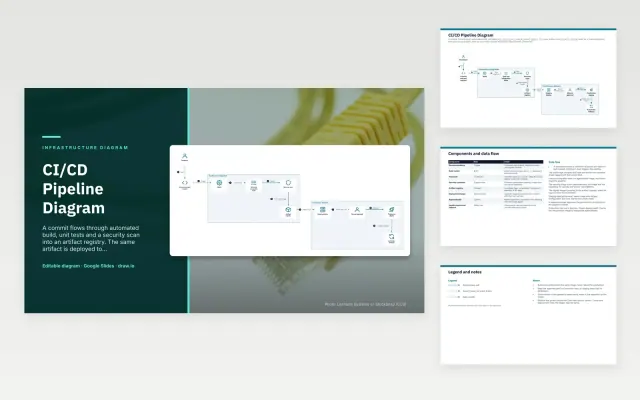 CI/CD Pipeline Diagram |  Data Center Rack Diagram |  Data Pipeline Architecture Diagram |  Disaster Recovery Architecture | |
|---|---|---|---|---|
| Format | Presentation | Presentation | Presentation | Presentation |
| Works in | Google Slides and PowerPoint | Google Slides and PowerPoint | Google Slides and PowerPoint | Google Slides and PowerPoint |
| Length | 5 slides | 5 slides | 5 slides | 5 slides |
| Style | Not listed | Not listed | Not listed | Not listed |
An infrastructure diagram maps the servers, networks, clusters and pipelines that run your systems and how they connect. It is used to plan changes, onboard engineers, prepare for audits and recover faster when something breaks.
Cover sites, networks and trust boundaries, the main servers, clusters or services, how traffic and data move between them, deployment and build pipelines, monitoring, backup and recovery paths, and a legend for line styles and icons.
Draw one diagram per question it answers: a network view for connectivity, a deployment view for releases. One diagram that tries to show everything is hard to read and goes out of date fastest.
Compare CI/CD Pipeline Diagram, Data Center Rack Diagram, and Data Pipeline Architecture Diagram, all 5 pages long, then pick the closest match and replace the sample text with your own.
An infrastructure diagram maps the servers, networks, clusters and pipelines that run your systems and how they connect. It is used to plan changes, onboard engineers, prepare for audits and recover faster when something breaks.
Include sites, networks and trust boundaries, the main servers, clusters or services, how traffic and data move between them, deployment and build pipelines, monitoring, backup and recovery paths, and a legend for line styles and icons. Draw one diagram per question it answers: a network view for connectivity, a deployment view for releases. One diagram that tries to show everything is hard to read and goes out of date fastest.
A network diagram focuses on connectivity: links, firewalls, switches and address ranges. An infrastructure diagram is broader and also shows the servers, clusters, storage, pipelines and services that run on that network.
Yes. Each template includes a .drawio file you can open for free at app.diagrams.net, as well as a Google Slides version.
Start with CI/CD Pipeline Diagram: A commit moves through build, tests, a security scan and a registry. The same image then goes to staging, a manual approval and production, with automatic rollback on failed health checks. If that is not the right fit, compare it with Data Center Rack Diagram.
The templates here are 5 pages long. Cut any section you do not need; each template explains what its sections are for.
Yes. These infrastructure diagram templates work in Google Slides and Microsoft PowerPoint. All 9 templates are free, with no account or email needed.