RAG Pipeline Architecture
Slides + PowerPoint5 slides
Free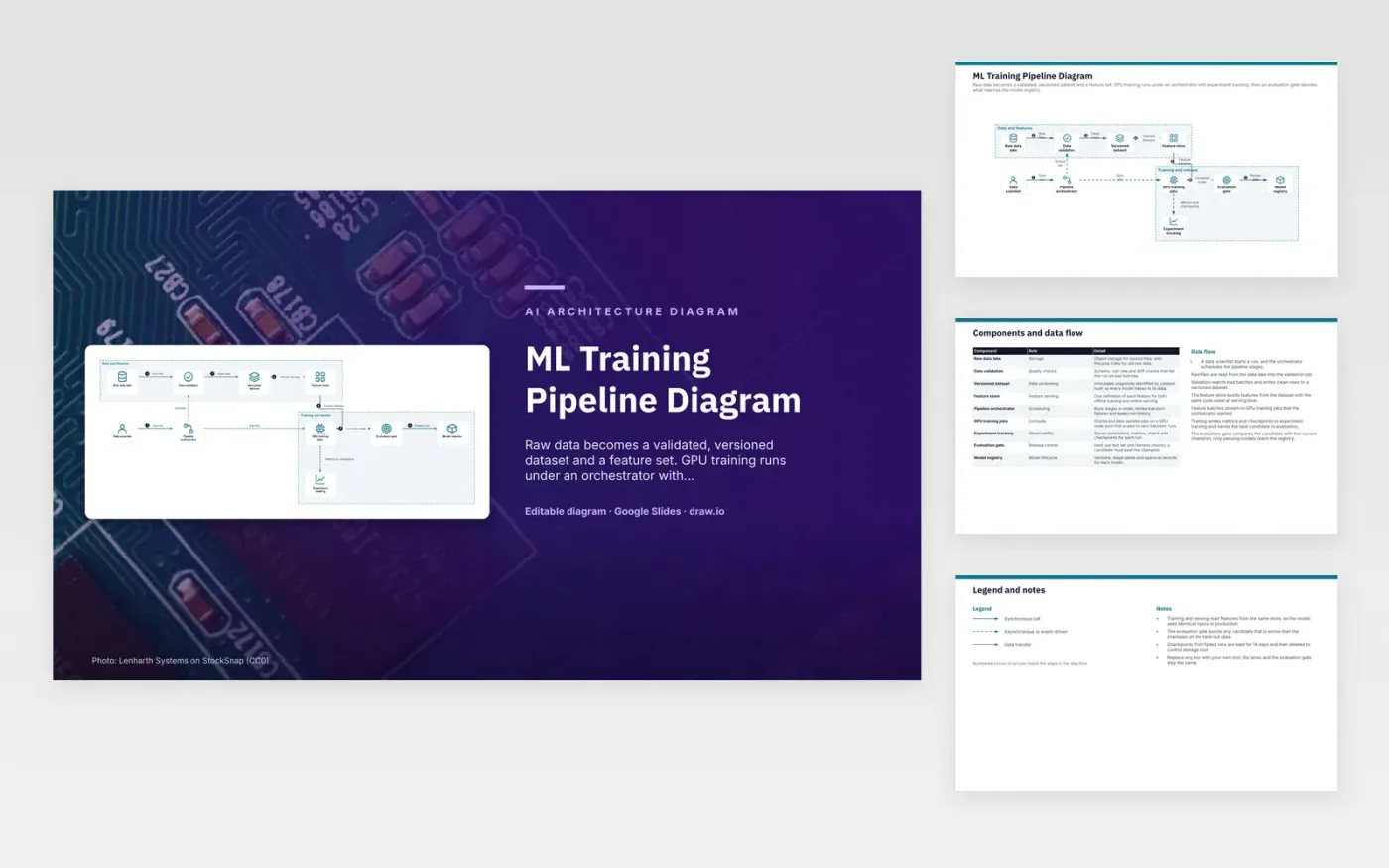
A data scientist starts a run, and the orchestrator schedules each stage. Validation reads raw files from the data lake, rejects bad batches and writes clean rows to an immutable, hashed dataset. The feature store builds features from that dataset using the same code that runs at serving time. Feature batches then stream to GPU training jobs, which write metrics and checkpoints to experiment tracking. The best candidate goes to the evaluation gate, and only a model that beats the champion reaches the registry.
Training and serving read features from one store, so the model sees the same inputs in production as it did in training. The evaluation gate is the release control: it scores a held-out test set and blocks any candidate that is worse than the current champion. Checkpoints from failed runs are kept for 14 days to limit storage cost. A team adopting this should swap the tools in each box but keep the gate between training and the registry.
Click Make a copy in Google Slides, then confirm on the Google page. The copy is saved to your own Google Drive.
Rename Data scientist, Raw data lake, Data validation and the other boxes inside Data and features to your own components, and delete the ones your system does not have.
Rewrite the 7-step data flow and the 9-row components table so they match the arrows you keep.
For the draw.io version, download ml-training-pipeline-diagram.drawio and open it at app.diagrams.net.
It keeps one definition of each feature for both offline training and online serving. That avoids training-serving skew, where a model is trained on one calculation and served on a different one.
Each snapshot is immutable and identified by its hash, so a trained model can be traced to the exact data it saw. If the data changes, the hash changes, so a model cannot be quietly retrained on different rows.
It scores the candidate on a held-out test set and runs fairness checks, then compares it with the current champion. A candidate that is worse than the champion does not enter the model registry.
More Google Slides templatesMore developer workflows templates
Slides + PowerPoint5 slides
Free
Slides + PowerPoint5 slides
Free
Slides + PowerPoint5 slides
Free
Slides + PowerPoint5 slides
Free
Slides + PowerPoint5 slides
Free
Slides + PowerPoint5 slides
Free
Slides + PowerPoint5 slides
Free
Slides + PowerPoint5 slides
Free
Slides + PowerPoint5 slides
Free
Slides + PowerPoint5 slides
Free
Slides + PowerPoint5 slides
Free










