
Portfolio Status Deck
Slides + PowerPoint10 slides
Free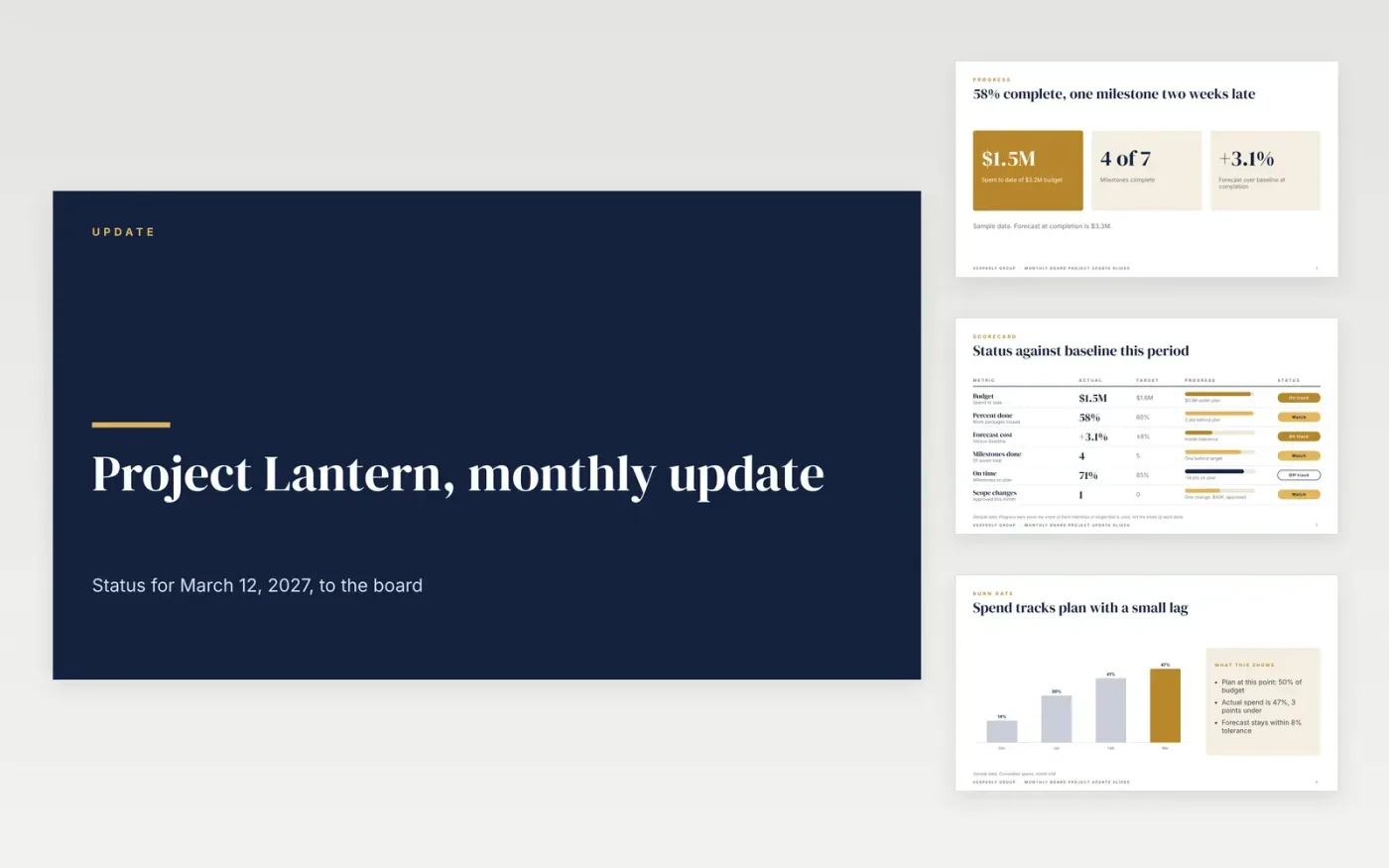
Board members rarely have time for a full status pack, so the headline has to answer three questions: is the work on schedule, is the money on plan, and what could still go wrong. This deck keeps to those three areas and puts any decision the board must make near the front. Each slide states a figure, a status and an owner, so the sponsor can see at a glance what changed since last month.
The sample reports Project Lantern at Vesperly Group, a fictional organization, with 58% complete, a $3.2M baseline, a forecast at completion 3.1% over budget and one decision on a $100K overrun. It includes a KPI scorecard, a spend curve, cost categories, a risk table and four actions. Replace the project, figures and owners with your own, and write your RAG thresholds into the key before the first board pack.
Click Make a copy in Google Slides, then confirm on the Google page. The copy is saved to your own Google Drive.
Replace the project name, sponsor and reporting period on the cover slide.
Set the RAG thresholds in the key, then rate each row against them honestly.
Update the milestone dates, budget and forecast with your current baseline.
Delete the guide slide, then share the deck with the board pack or present it at the meeting.
No. Vesperly Group, Project Lantern, the sponsor and every budget and milestone figure are fictional sample data, so replace them with your own before the board sees the deck.
Define it in the key before you report. A common rule is red when a milestone is more than two weeks late or the forecast is outside tolerance, but your PMO should set the thresholds and apply them to every project.
Spend to date says how much has gone out, not whether the project will finish within budget. The forecast at completion adds the cost still to come, so the board can see the final number and the margin left.
More Google Slides templatesMore project management templates
Slides + PowerPoint10 slides
Free
Slides + PowerPoint10 slides
Free
Slides + PowerPoint11 slides
Free
Slides + PowerPoint10 slides
Free
Docs + Word8 pages
Free
Docs + Word6 pages
Free
Docs + Word7 pages
Free
Docs + Word8 pages
Free
Docs + Word8 pages
Free
Slides + PowerPoint11 slides
Free
Docs + Word9 pages
Free
Docs + Word4 pages
Free
Docs + Word8 pages
Free










