Project Status Update Deck
Slides + PowerPoint11 slides
Free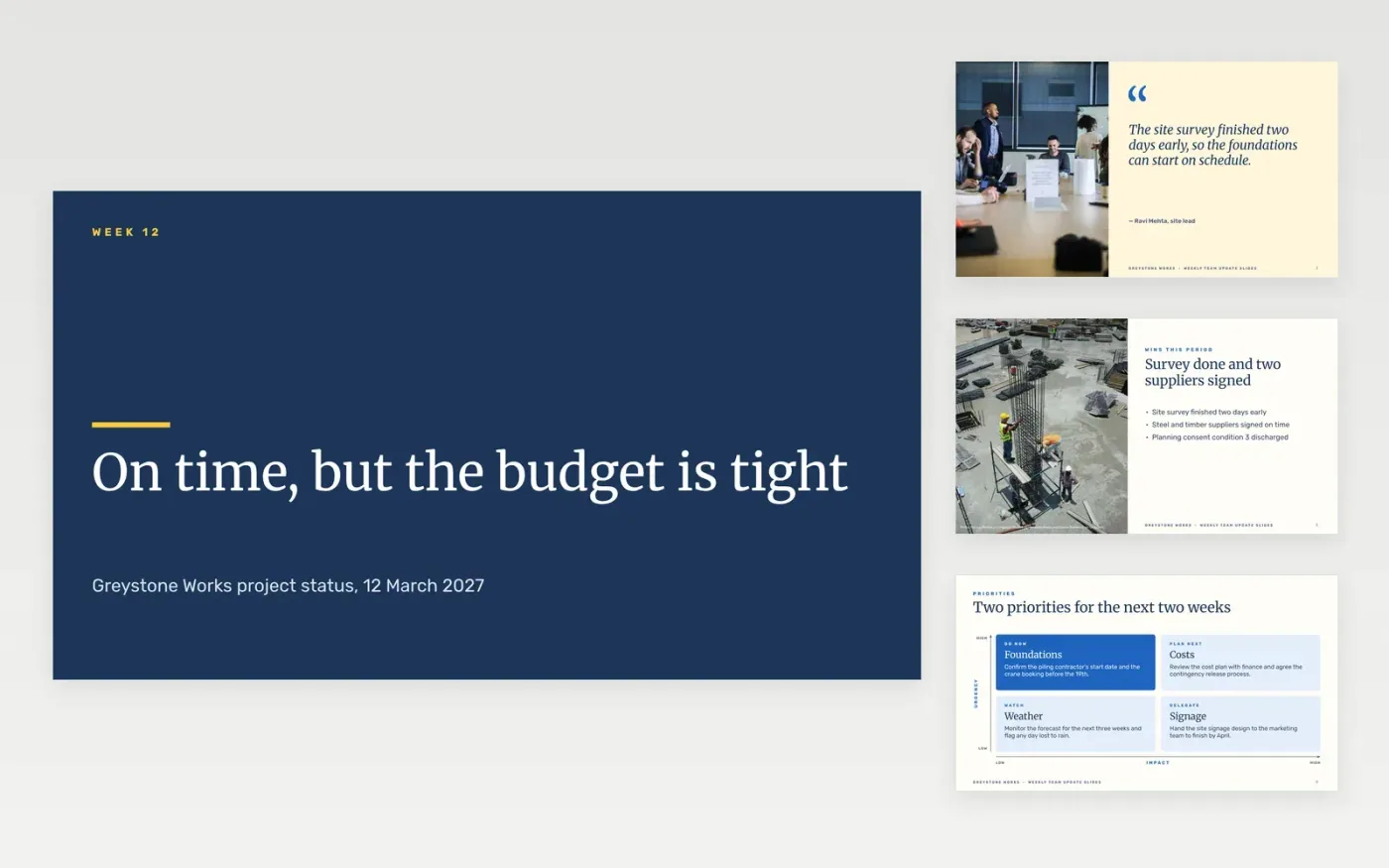
A project update loses its purpose when red news sits on page three and the sponsor finds it in the meeting. This deck opens with the overall status, moves to the wins and the priorities, then lists the blockers with owners and the decisions the steering group must take. A short roles slide shows who is responsible for what, so questions go to the right person.
The sample reports a fictional build for Greystone Works, with £412k spent, a £60k contingency, a crane booking that threatens the piling start and two decisions needed from the steering group. Its names, figures and dates are invented. Replace the RAG rules, milestones and budget with your baseline, and keep only the risks worth steering time.
Click Make a copy in Google Slides, then confirm on the Google page. The copy is saved to your own Google Drive.
Set the reporting period and project name in the title block, then rewrite the RAG key to match your thresholds.
Replace the milestone dates and budget figures with your baseline and the current forecast.
Delete the guide slide at the end, then share the update with the steering group or present it.
Not until you replace each name, figure and date. Greystone Works, its people and its budget are fictional, so none of them should reach the steering group unchanged.
Write each rule as a threshold, such as amber when a milestone slips by one week and red when it slips by three or more. Put the key on the first slide so every colour is read the same way.
Delete the decisions box and say so in one line, such as no decisions needed this period. A clear empty box is better than a padded one, and it keeps the sponsor's attention on the status.
More Google Slides templatesMore project management templates
Slides + PowerPoint11 slides
Free
Slides + PowerPoint10 slides
Free
Slides + PowerPoint10 slides
Free
Slides + PowerPoint10 slides
Free
Docs + Word8 pages
Free
Docs + Word6 pages
Free
Docs + Word7 pages
Free
Docs + Word8 pages
Free
Docs + Word8 pages
Free
Slides + PowerPoint12 slides
Free
Docs + Word9 pages
Free
Docs + Word4 pages
Free
Docs + Word8 pages
Free










