Monthly Project Status Report
Docs + Word8 pages
Free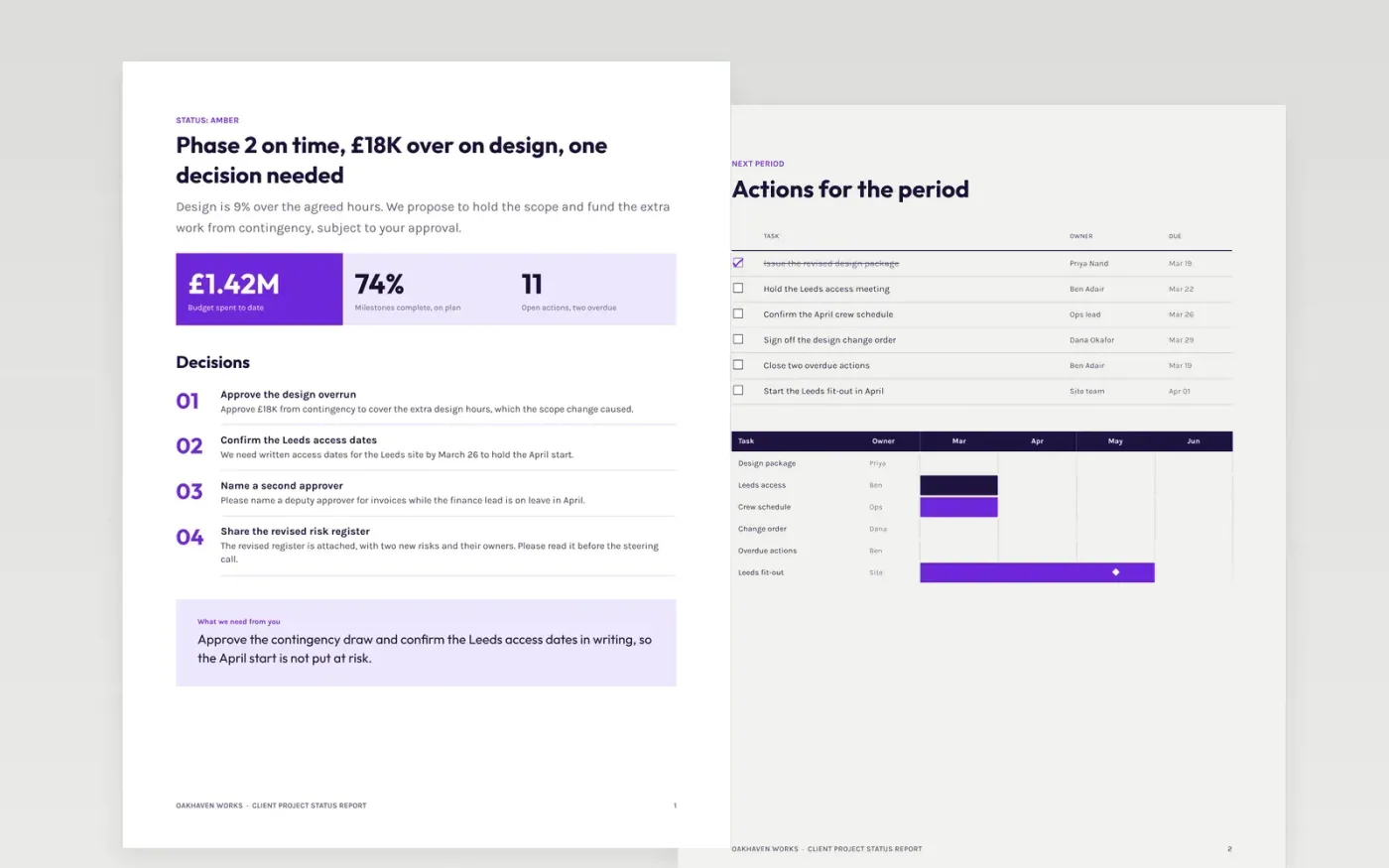
This free Google Docs template gives a delivery team a client project status report that tells the sponsor, in a few minutes, whether the project will land on time, on budget and in scope. It opens with the headline status and the decisions needed, then covers progress, milestones, hours and budget, risks and the plan for the next period. Bad news comes first and is stated plainly.
The sample is a March status report from Oakhaven Works, a fictional contractor, to a fictional client on a Leeds site refurbishment. Its figures, names and dates are invented. Replace the status, decisions and milestones with your own, and keep each figure tied to the plan so the client can check it against the baseline.
Click Make a copy in Google Docs, then confirm on the Google page. The copy is saved to your own Google Drive.
Replace the status, decisions and milestones with your own, and state the overall status first.
Keep each figure tied to the plan, and name the source of every hours and cost number.
Ask the client for each decision as a question with a date, so they can answer in one line.
Delete the guide page, then send the report to the sponsor or present it from the first page.
Yes, and early. Say what is off track, what it costs and what you are doing about it. A report that hides a problem for a month costs more trust than the problem itself.
No. Oakhaven Works, the Leeds site, the people, budgets, hours and dates are fictional sample data. Replace them with your own figures from the plan before the report is sent.
Monthly for most projects, and every two weeks during critical phases. Send it on the same day each time so the client knows when to expect it.
Docs + Word8 pages
Free
Docs + Word3 pages
Free
Docs + Word5 pages
Free
Slides + PowerPoint10 slides
Free
Slides + PowerPoint11 slides
Free










