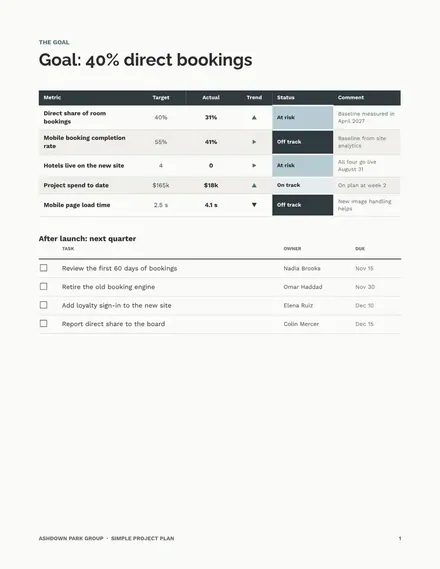
Simple Project Plan
Docs + Word8 pages
Free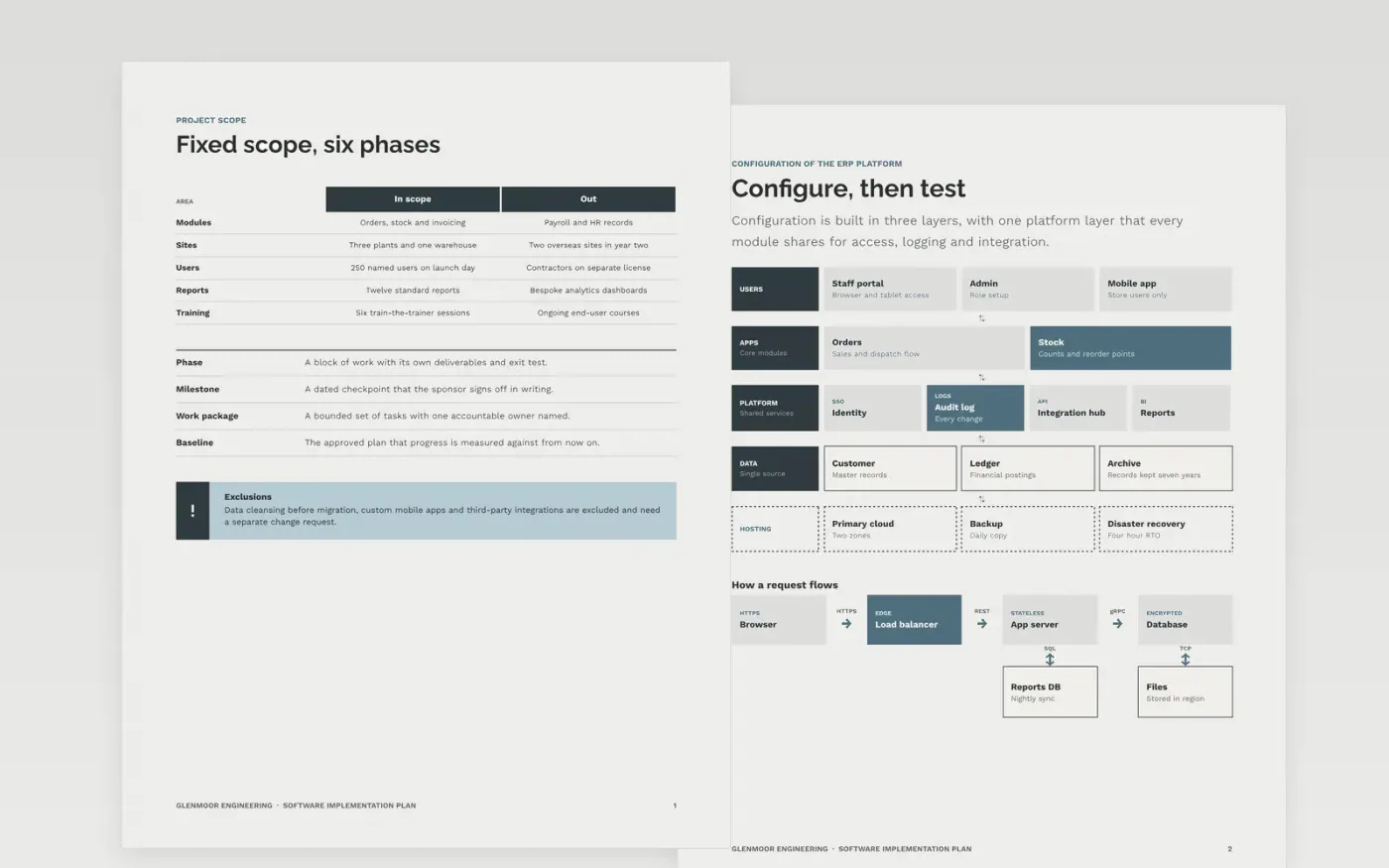
Rollouts of a bought system slip when configuration, data, testing and training run on separate calendars with no shared owner. This project plan template puts them on one baseline, with a scope, an architecture page, a week-by-week schedule, a test process, a training agenda, the go-live gates and the hypercare dates. Each section names an owner, so progress can be tracked against the baseline from the first week.
The sample shows Glenmoor Engineering, a fictional firm, moving three plants and one warehouse onto a new operations platform over six months, with 250 named users and a fixed scope. Replace the dates, owners, modules and gates with your own, then keep the milestones on the Gantt pages matching the go-live timeline before the plan goes to the sponsor for approval.
Click Make a copy in Google Docs, then confirm on the Google page. The copy is saved to your own Google Drive.
Replace Glenmoor Engineering, the sample names and the contact details with your own.
Set your phase dates, owners and critical path milestones on the Gantt and timeline pages.
Check the budget, risks and approvers with the sponsor before the plan is marked as the baseline.
Delete the make-it-yours guide page, then share the plan with the team or present it at kickoff.
Yes. The plan works for a four-week rollout as well as a nine-month one. Delete the sections your project does not need, but keep the scope, milestones, risks and approvals so the baseline stays intact.
Yes. Glenmoor Engineering, the named staff, the email addresses, the phone numbers and every date and figure in the plan are fictional sample data, so replace them before using the plan.
Save the signed version as the baseline, then record changes as numbered versions with the reason and the approver. Compare progress against the baseline each week, so any slip shows up early.
Docs + Word8 pages
Free
Docs + Word10 pages
Free
Docs + Word10 pages
Free
Docs + Word8 pages
Free
Slides + PowerPoint11 slides
Free
Docs + Word8 pages
Free
Docs + Word7 pages
Free
Docs + Word8 pages
Free
Slides + PowerPoint11 slides
Free
Docs + Word9 pages
Free
Slides + PowerPoint10 slides
Free
Slides + PowerPoint11 slides
Free










