Project Management Plan
Docs + Word8 pages
Free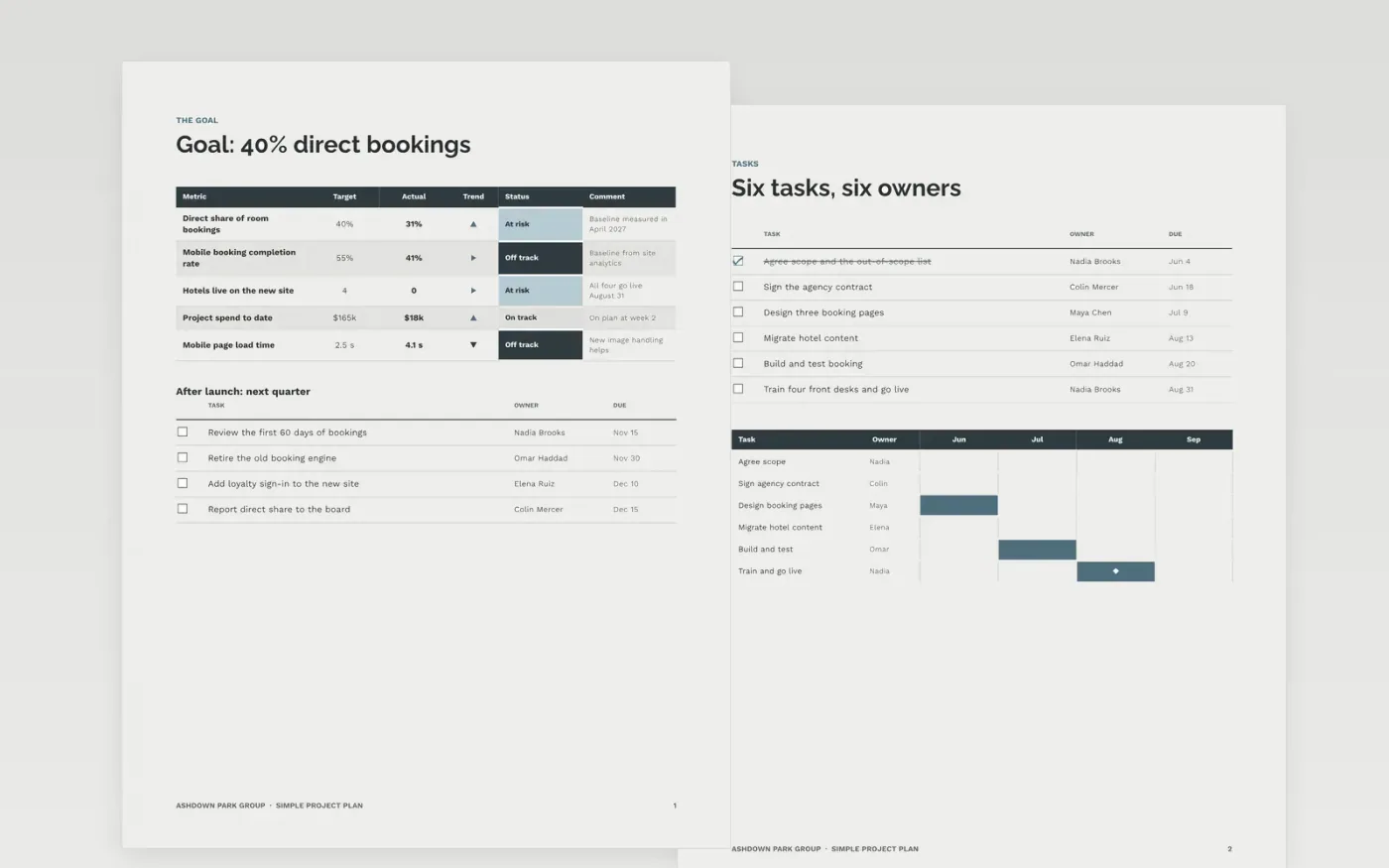
Small teams and first-time project leads often skip the plan or bury it in jargon. This template keeps it plain: one goal with measures, six tasks with one owner and one date each, a weekly chart with two protected milestones, a budget with contingency, and a risk heat map with a register.
The sample is a 14-week plan for a fictional hotel group, Ashdown Park Group, to launch a new direct-booking website with a $165k budget. Replace the goal, tasks, dates, costs and risks with your own, mark your two critical milestones, and get your sponsor to sign before work starts.
Click Make a copy in Google Docs, then confirm on the Google page. The copy is saved to your own Google Drive.
Write your goal and measures on page 1, then give every task on page 2 one owner and one due date.
Replace the weekly schedule with your own estimates, and mark the two milestones that cannot slip.
Click the budget chart, choose Open source, enter your costs, and keep a 10% contingency. Rate each risk and name an owner.
Delete the Make it yours guide page, then share the plan with your sponsor and team.
It suits projects of four to sixteen weeks with five to nine people and budgets from about $60k to $1.5M. Larger programs need a fuller plan with change control.
Delete sections your project does not need, but keep the risks and the approvals. Those are the two parts you will be judged on if the project slips.
No. Ashdown Park Group, the people named and every figure and chart are fictional sample data. Replace them with your own project before you share the plan.
Docs + Word8 pages
Free
Slides + PowerPoint11 slides
Free
Docs + Word5 pages
Free
Docs + Word9 pages
Free
Slides + PowerPoint10 slides
Free










