Simple Project Plan
Docs + Word8 pages
Free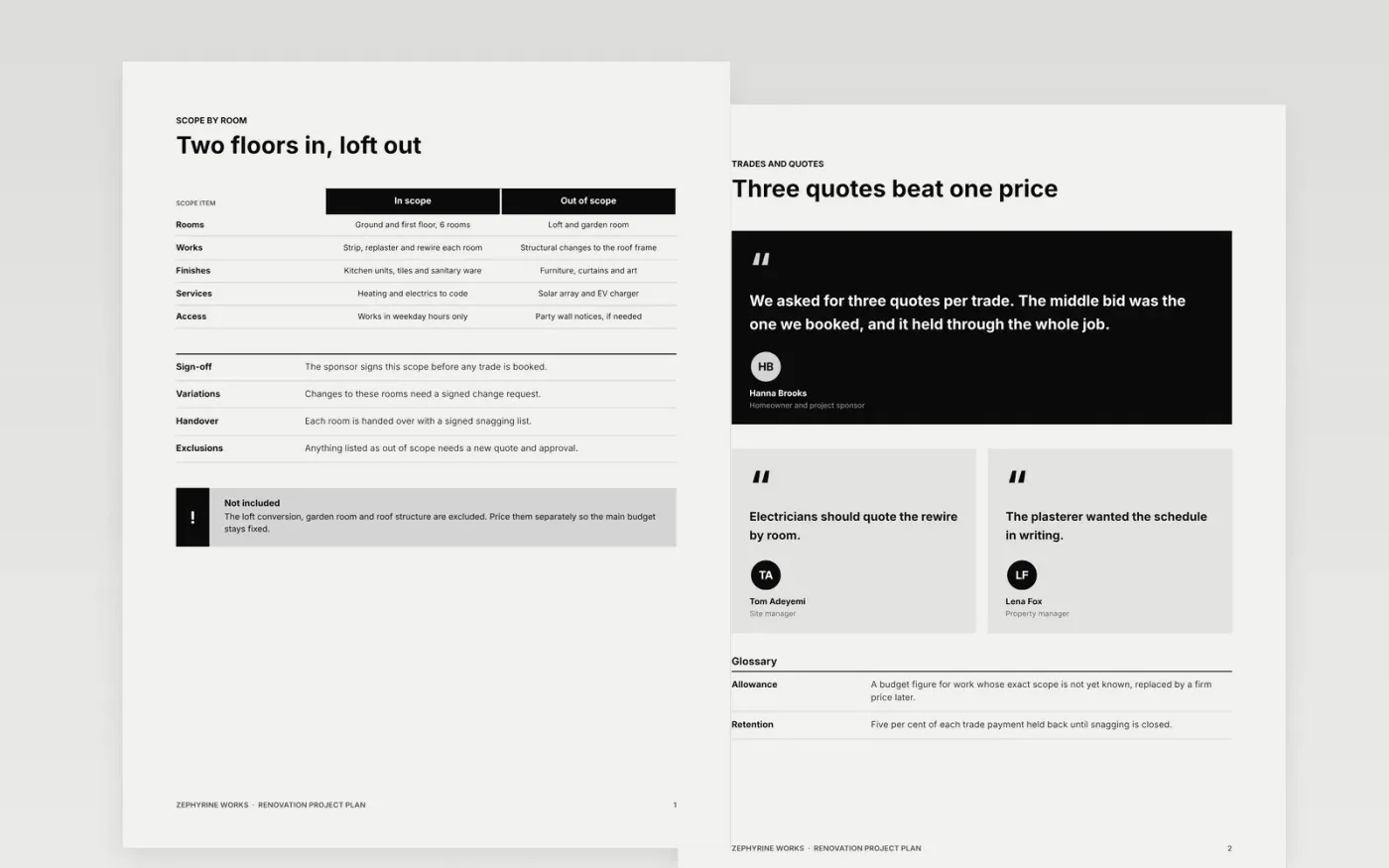
A renovation fails on paperwork and sequence more often than on craft. Plasterers arrive before the electrician signs off, permits lag behind the order, and nobody owns the snag list. This Google Docs template gives homeowners and property managers one plan that runs from scope to snagging. It is arranged as eight pages: scope by room, trades and quotes, permits, the build sequence, the budget and contingency, a risk heat map, a risk register and a guide.
The sample follows a fictional two-floor house refit delivered by Zephyrine Works, with a budget of £160k before contingency and an 18-week programme. Every figure, name and date is invented, and the arithmetic adds up across pages. Replace the scope, the trades, the permit references and the milestone dates with your own, then version the plan once it is signed.
Click Make a copy in Google Docs, then confirm on the Google page. The copy is saved to your own Google Drive.
Replace Zephyrine Works, the project manager and the sponsor names with your own project details.
Enter your scope, trades, permit references and milestone dates, then mark the two critical path dates.
Update the budget table and the contingency, keeping the arithmetic in the total row correct.
Delete the guide page, then share the plan with the sponsor for approval or present it from Google Docs.
No. The budget, quotes, names and dates are fictional and shown as sample content for Zephyrine Works. The totals add up, so you can see how a contingency sits on top of the trade costs.
Update the risk register and milestones each week, and version the whole plan at each approved change so the original baseline stays on record.
Yes. Keep the scope, risks and approvals sections even on a small job, and delete the rest if your project size does not need them.
Docs + Word8 pages
Free
Docs + Word9 pages
Free
Docs + Word10 pages
Free
Docs + Word8 pages
Free
Slides + PowerPoint11 slides
Free
Docs + Word7 pages
Free
Docs + Word8 pages
Free
Docs + Word9 pages
Free
Slides + PowerPoint11 slides
Free
Docs + Word10 pages
Free
Slides + PowerPoint10 slides
Free
Slides + PowerPoint11 slides
Free










