
Project Plan Presentation
Slides + PowerPoint11 slides
Free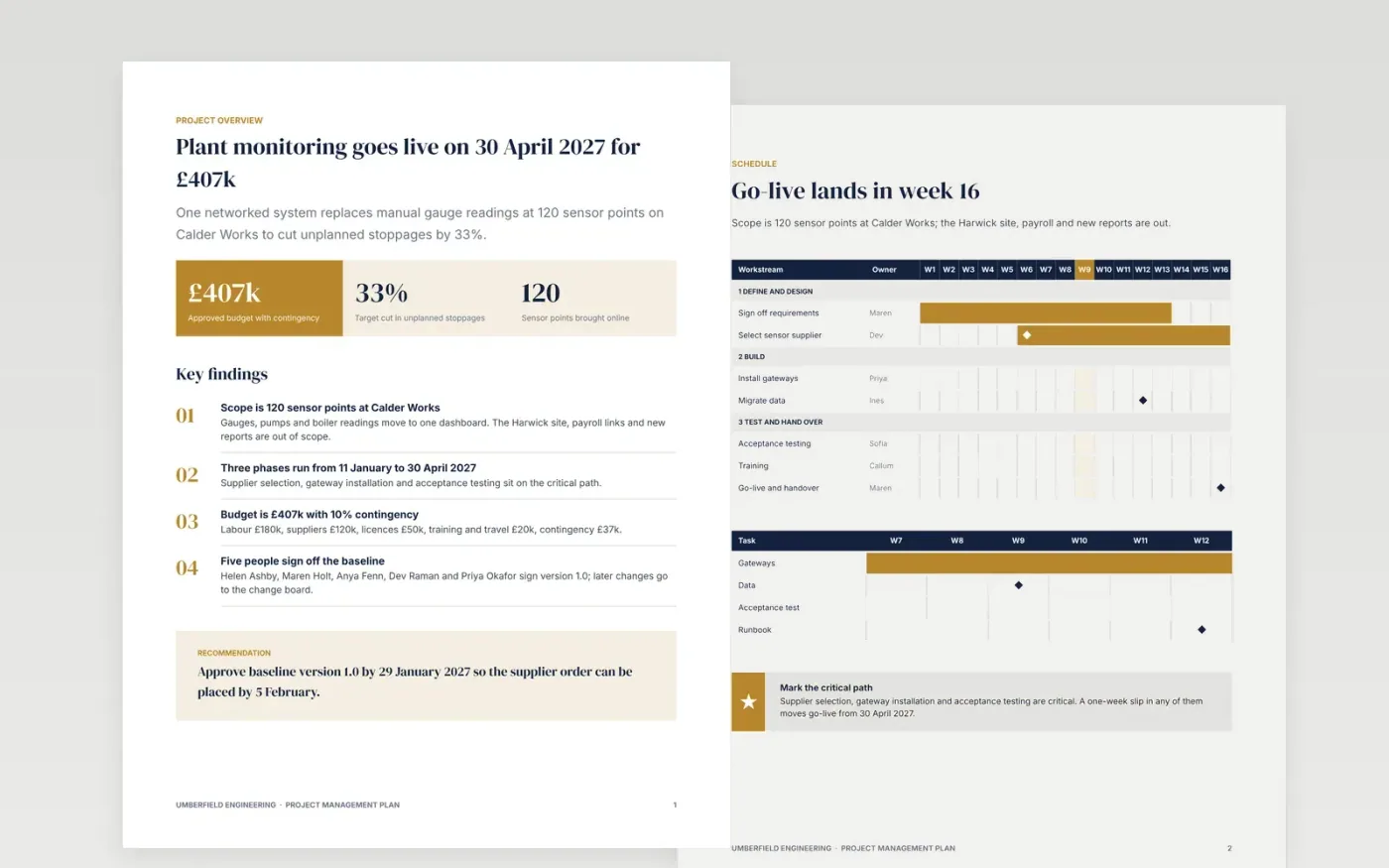
A project without an agreed baseline cannot be measured, and a plan scattered across emails cannot be held to. This free project plan template puts scope, schedule, budget, quality, risk and approvals in one controlled Google Doc. Page 1 works as a project plan on a page, and each later page answers one question a sponsor, team member or PMO reviewer will ask.
The sample follows a fictional 16-week plant monitoring upgrade at Umberfield Engineering: a £407k budget with 10% contingency, a Gantt chart with named owners, a RACI matrix, a five-item risk register and a sign-off sheet. Replace the figures, dates and names with your own, rewrite the scope and out-of-scope list, and delete any section your project does not need except risks and approvals.
Click Make a copy in Google Docs, then confirm on the Google page. The copy is saved to your own Google Drive.
Fill in the title block: project name, manager, sponsor and version. Mark the plan as draft until it is signed.
Rewrite the scope as numbered deliverables, add at least three out-of-scope items, then replace the dates, budget and team with your own.
Mark the two milestones on your critical path, give each task one owner, and keep the risks and approvals pages.
Delete the guide page, save the plan as version 1.0 once it is signed, then share the document or present it.
Yes. Make a copy in your own Google Drive and edit it as often as you like. Nothing is locked, and you need nothing beyond a Google account.
No. The organisation, Umberfield Engineering, its staff, the Calder Works site and every figure are fictional sample data, there only to show what a finished plan looks like.
Yes. Delete the sections you do not need and shorten the Gantt to your own weeks, but keep the risks and approvals pages so the plan can still be signed and baselined.
Slides + PowerPoint11 slides
Free
Docs + Word9 pages
Free
Docs + Word5 pages
Free
Docs + Word9 pages
Free
Slides + PowerPoint10 slides
Free
Docs + Word7 pages
Free










