Simple Project Plan
Docs + Word8 pages
Free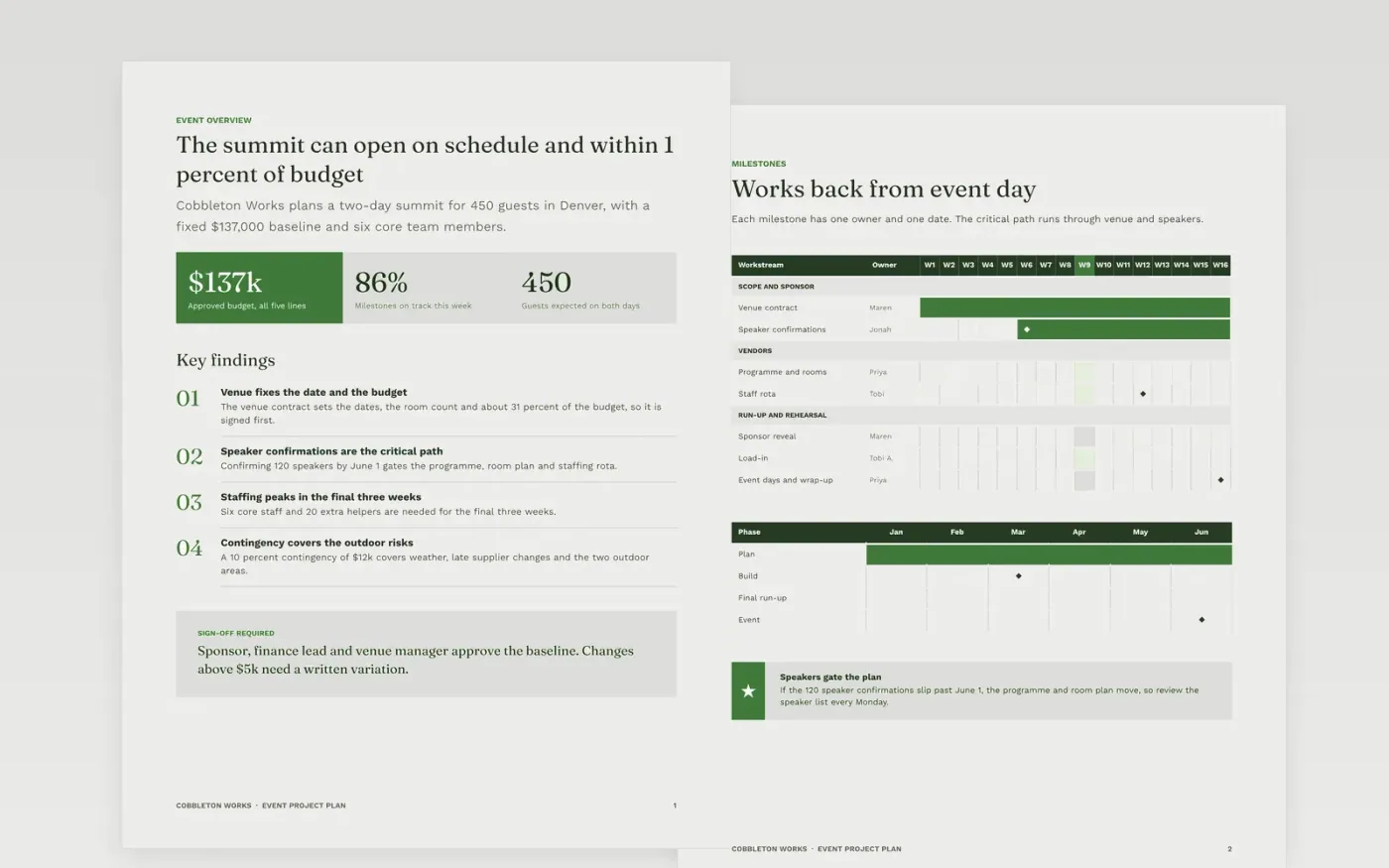
Event plans often start with a date and end in a scramble, because the run-up work was never estimated from the bottom up. This template starts from event day and works backwards through milestones, suppliers, budget, staffing and contingencies, so each dependency is visible. It gives the sponsor one baseline to measure progress against, and gives every team member a single owner and date for the work they must deliver.
The sample follows Cobbleton Works, a fictional US events team delivering a two-day summit in Denver for 450 guests. It shows a $137,000 budget with a 10 percent contingency, 120 confirmed speakers and six core team members. Replace the venue, speaker count, suppliers and costs with your own estimates, then reconcile them before you publish the baseline.
Click Make a copy in Google Docs, then confirm on the Google page. The copy is saved to your own Google Drive.
Fill the title block with your project name, manager, sponsor and version, and mark the plan as draft until signed.
Replace the milestone dates and the critical path with your own, and check that each one has a single owner.
Update the budget lines, set your contingency and write down the approval threshold for changes.
Delete the guide page, then share the plan with your sponsor for sign-off or present it from Google Docs.
No. Cobbleton Works, the summit in Denver, every person listed, each supplier and all of the costs are fictional sample data. Replace them with your own project facts before you ask anyone to approve the plan.
Estimate each task from the bottom up, starting from event day, then reconcile those estimates with the end date you need. Where they clash, change the scope or the resources rather than squeezing the estimates to fit.
A 10 percent contingency is a common starting point for an event budget with outdoor areas or new suppliers. Track what you draw from it, and report the balance to the sponsor each month alongside the variance.
Docs + Word8 pages
Free
Docs + Word9 pages
Free
Docs + Word10 pages
Free
Slides + PowerPoint11 slides
Free
Docs + Word8 pages
Free
Docs + Word7 pages
Free
Docs + Word8 pages
Free
Docs + Word9 pages
Free
Slides + PowerPoint11 slides
Free
Docs + Word10 pages
Free
Slides + PowerPoint10 slides
Free
Slides + PowerPoint11 slides
Free










