
Project Plan Presentation
Slides + PowerPoint11 slides
Free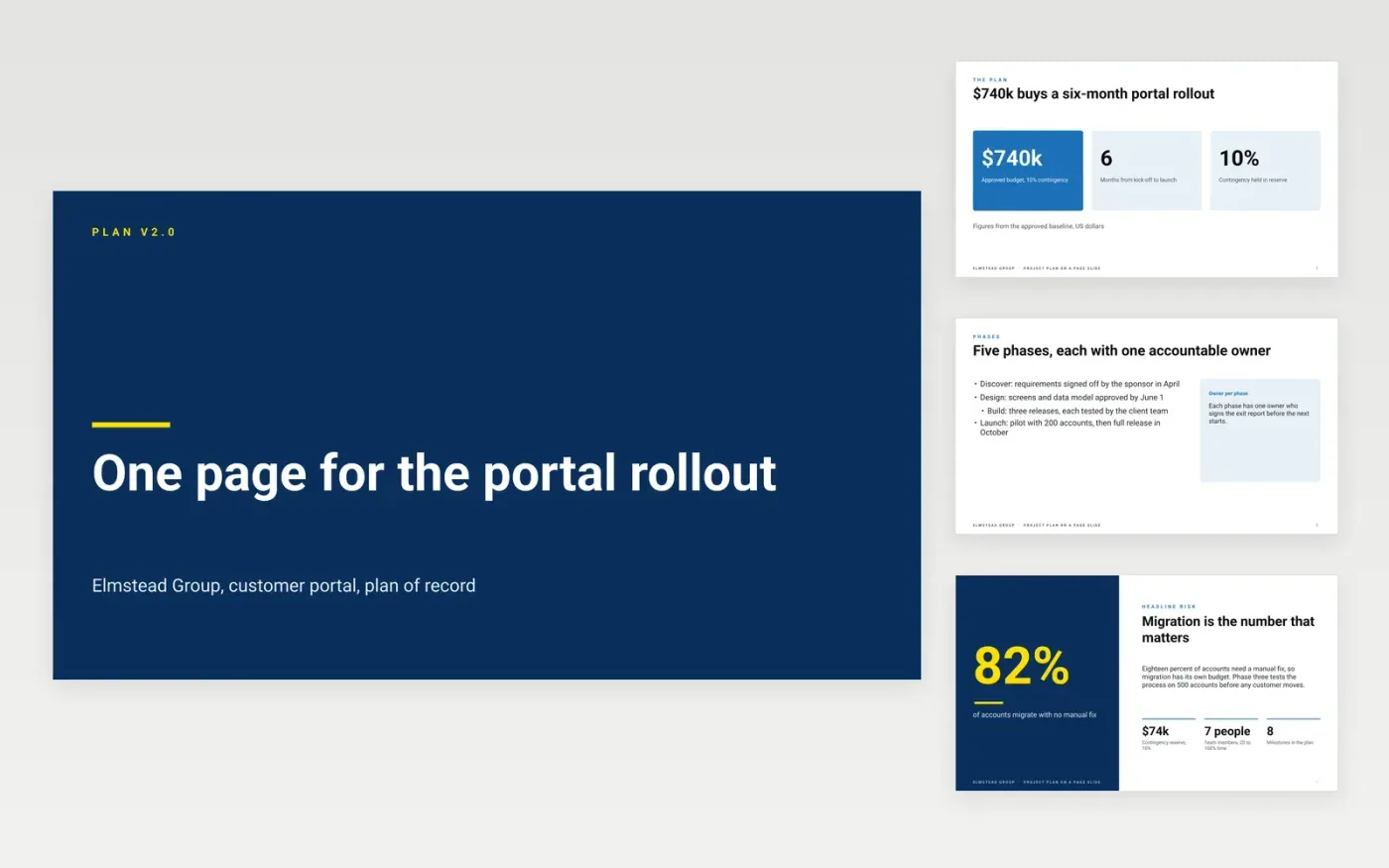
Executives rarely read a forty-page plan, so the plan has to fit on a page or it will not be read at all. This eleven-slide deck puts the whole project onto one dense slide: the objective, the phases, the milestones, the owner of each piece and the current status. Supporting slides hold the detail behind each figure, so the sponsor can drill down without losing the summary.
The sample plan belongs to Elmstead Group, a fictional company rolling out a customer portal for $740k over six months. It shows a headline stats slide, phase detail, a headline risk, change control rules, appendix cards and a closing slide with contacts. Replace the budget, dates and owners with your own, and keep the baseline figures fixed so progress can be measured against them.
Click Make a copy in Google Slides, then confirm on the Google page. The copy is saved to your own Google Drive.
Fill in the objective, budget, contingency and dates on the first slide before anyone else reads it.
Replace the phases, owners and milestones with your own, and mark the critical path.
Check that every figure matches the baseline, then mark the plan as a draft until it is signed.
Delete the guide slide, then share the deck with the sponsor or present it at the steering meeting.
Yes. Elmstead Group, its people, their email addresses and every budget, date and risk figure in this deck are fictional. Replace them with your own details before the plan is shared outside your team.
Executives need the objective, the money, the dates and the owners in one view. The full plan still exists behind it; the summary slide is the page the sponsor reads and approves.
Yes, if they follow one rule everyone agrees to in advance, such as amber for a milestone less than two weeks late. Without an agreed rule, a green or red mark starts an argument rather than a decision.
More Google Slides templatesMore project management templates
Slides + PowerPoint11 slides
Free
Slides + PowerPoint10 slides
Free
Slides + PowerPoint11 slides
Free
Docs + Word8 pages
Free
Docs + Word8 pages
Free
Docs + Word7 pages
Free
Docs + Word8 pages
Free
Docs + Word9 pages
Free
Docs + Word10 pages
Free
Docs + Word9 pages
Free
Docs + Word8 pages
Free
Docs + Word10 pages
Free










