
Project Plan Presentation
Slides + PowerPoint11 slides
Free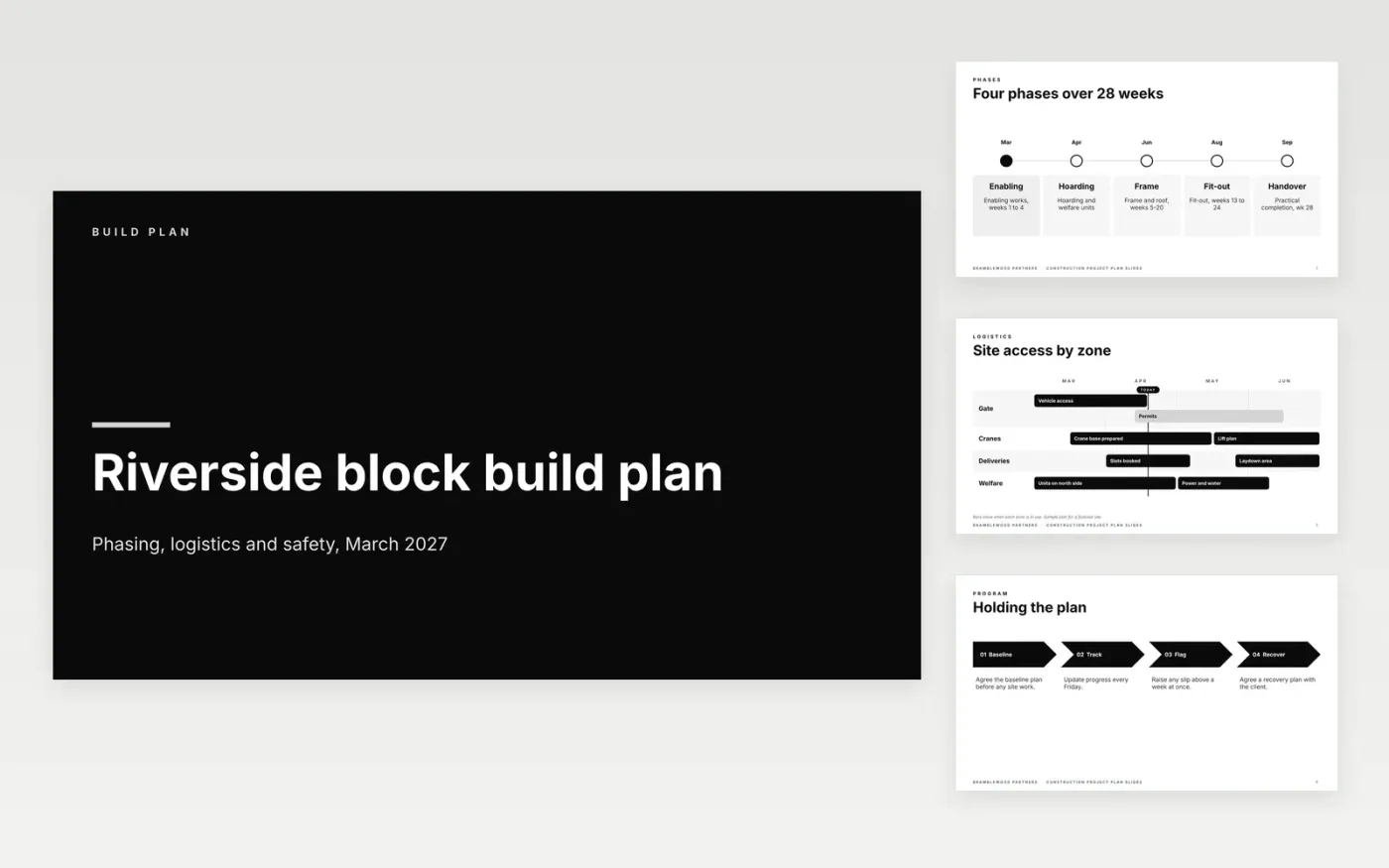
This free Google Slides template presents a construction build plan to a client and sponsor. It sets out the phases, how site access is organised, the program and its baseline, the safety measures, the budget and the team. The aim is one agreed answer to what will be delivered, when and for how much, so progress can later be measured against it.
The sample is the build plan for the Riverside block by Bramblewood Partners, a fictional contractor, with invented phases, budgets and names. Replace the phases, dates and budget with the figures in your contract, keep the safety measures to one line each, and get the baseline agreed before any site work starts.
Click Make a copy in Google Slides, then confirm on the Google page. The copy is saved to your own Google Drive.
Replace the phases and dates with the baseline agreed in your contract.
Show the budget against the contract, not against last year's estimate.
Add a named owner and a phone number for each part of the build.
Delete the guide slide, then share the plan with the client or present it from the first slide.
Show the main phases and the packages that carry risk or cost. Put the detailed trade schedule in an appendix, so the sponsor can read the plan in one sitting.
No. Bramblewood Partners, the Riverside block, the people, budgets and dates are fictional sample data. Replace them with your own contract figures before the plan is shared.
Freeze it when the contract is signed and the client has approved the program. Record every later change through change control, so the original baseline stays visible.
More Google Slides templatesMore project management templates
Slides + PowerPoint11 slides
Free
Docs + Word5 pages
Free
Slides + PowerPoint11 slides
Free
Docs + Word9 pages
Free
Docs + Word8 pages
Free
Docs + Word7 pages
Free









