Market Research Report
Docs + Word6 pages
FeaturedFree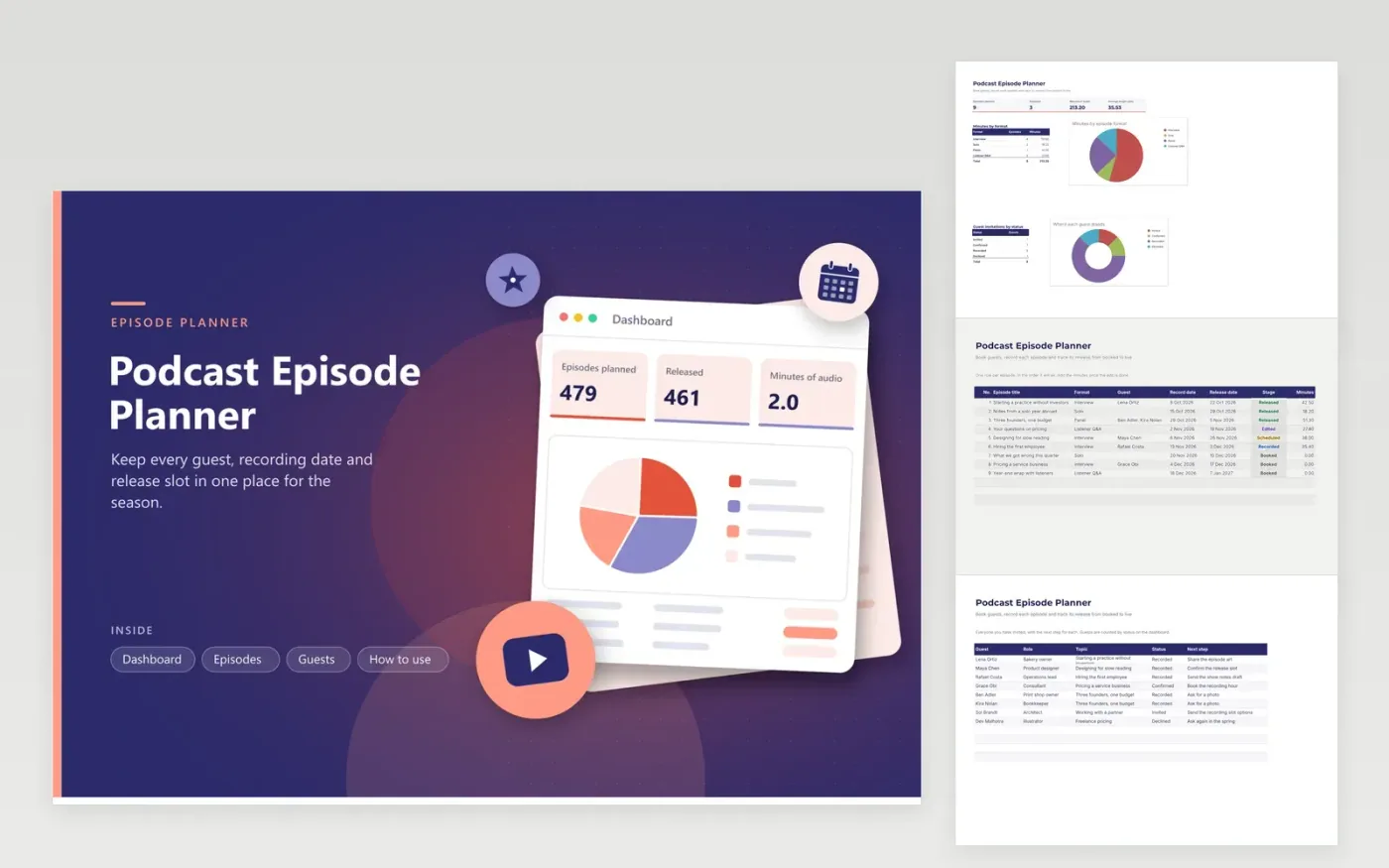
The Podcast Episode Planner is for a host or small production team running a show on a weekly or fortnightly schedule. The Episodes tab lists each show in air order with its format, guest, record date, release date, stage and running time in minutes. The Guests tab tracks every invitation from first contact to recorded, with the next step written beside each name. The dashboard totals the audio, averages the episode length and breaks the minutes down by format.
Enter a release date as soon as an episode is booked, even if it is months away, so the season takes shape on the page. Log the minutes after the edit rather than the rough cut, since the final length is what listeners see. Revisit the Guests tab after every round of emails, and word the next step so it reads in a glance.
Click Make a copy in Google Sheets, then confirm on the Google page. The copy is saved to your own Google Drive.
Start on the Episodes tab: replace the sample rows with your own.
Keep the formula columns as they are; they fill in as you type.
Read the How to use tab for tips. For Excel, download the .xlsx file instead.
Pick Panel from the Format list, then enter every guest's name in the Guest cell with commas between them. Then add each person on the Guests tab with their own status, so you can see who has confirmed and who still needs a reminder.
Use the length after editing, because that is what listeners hear. Leave the minutes at zero until the episode is finished, so the averages and the format breakdown only include shows that are ready or nearly so.
Change the release date on the Episodes tab and update the stage if the show is no longer Scheduled. Keep the earlier date written in Next step on the Guests tab and you will recall why the slot moved.
Docs + Word6 pages
FeaturedFree
Google Sheets
FeaturedFree
Sheets + Excel4 tabs
Free
Sheets + Excel5 tabs
Free
Sheets + Excel5 tabs
Free
Sheets + Excel5 tabs
Free
Sheets + Excel5 tabs
Free
Sheets + Excel4 tabs
Free
Sheets + Excel4 tabs
Free