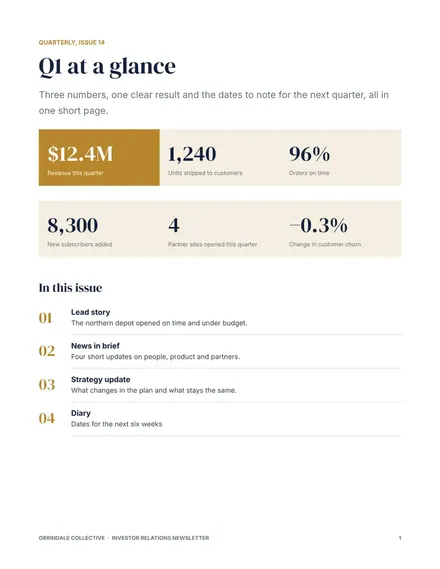
Market Research Report
Docs + Word6 pages
FeaturedFree
The Blog Post Tracker is for a writer, marketer or small editorial team that publishes articles on a steady schedule. The Posts tab records each article with its category, author, target keyword, word count, status from Idea to Live, publish date, views and a tick for whether the meta description is written. The dashboard totals the live posts and their views, shows the average length of drafts and compares categories side by side.
Use the target keyword column to stop two articles from chasing the same search phrase, and scan it before you approve a new idea. Record the word count at the draft stage so the average stays current. Once a post has been live for about a month, review its views and decide whether it needs a refresh, a new internal link or a fresh headline.
Click Make a copy in Google Sheets, then confirm on the Google page. The copy is saved to your own Google Drive.
Start on the Posts tab: replace the sample rows with your own.
Keep the formula columns as they are; they fill in as you type.
Read the How to use tab for tips. For Excel, download the .xlsx file instead.
Sort the Posts tab by the Target keyword column before you approve a new idea. If a similar phrase already appears, either choose a different angle or merge the two plans into one stronger article. Duplicate targets split the traffic between pages.
Once a month is enough for most blogs. Take the figure from your analytics tool for a fixed date range, such as the last thirty days, so each update is comparable with the one before. Add a column for the update date if you want a history.
Tick it after you have written the snippet that sits under the title in search results and checked its length. Leave it empty for drafts. The box helps you find live posts that still need a summary, since they often attract fewer clicks.
Docs + Word6 pages
FeaturedFree
Google Sheets
FeaturedFree
Sheets + Excel5 tabs
Free
Sheets + Excel5 tabs
Free
Sheets + Excel5 tabs
Free
Sheets + Excel5 tabs
Free
Sheets + Excel5 tabs
Free
Sheets + Excel4 tabs
Free
Sheets + Excel4 tabs
Free