Market Research Report
Docs + Word6 pages
FeaturedFree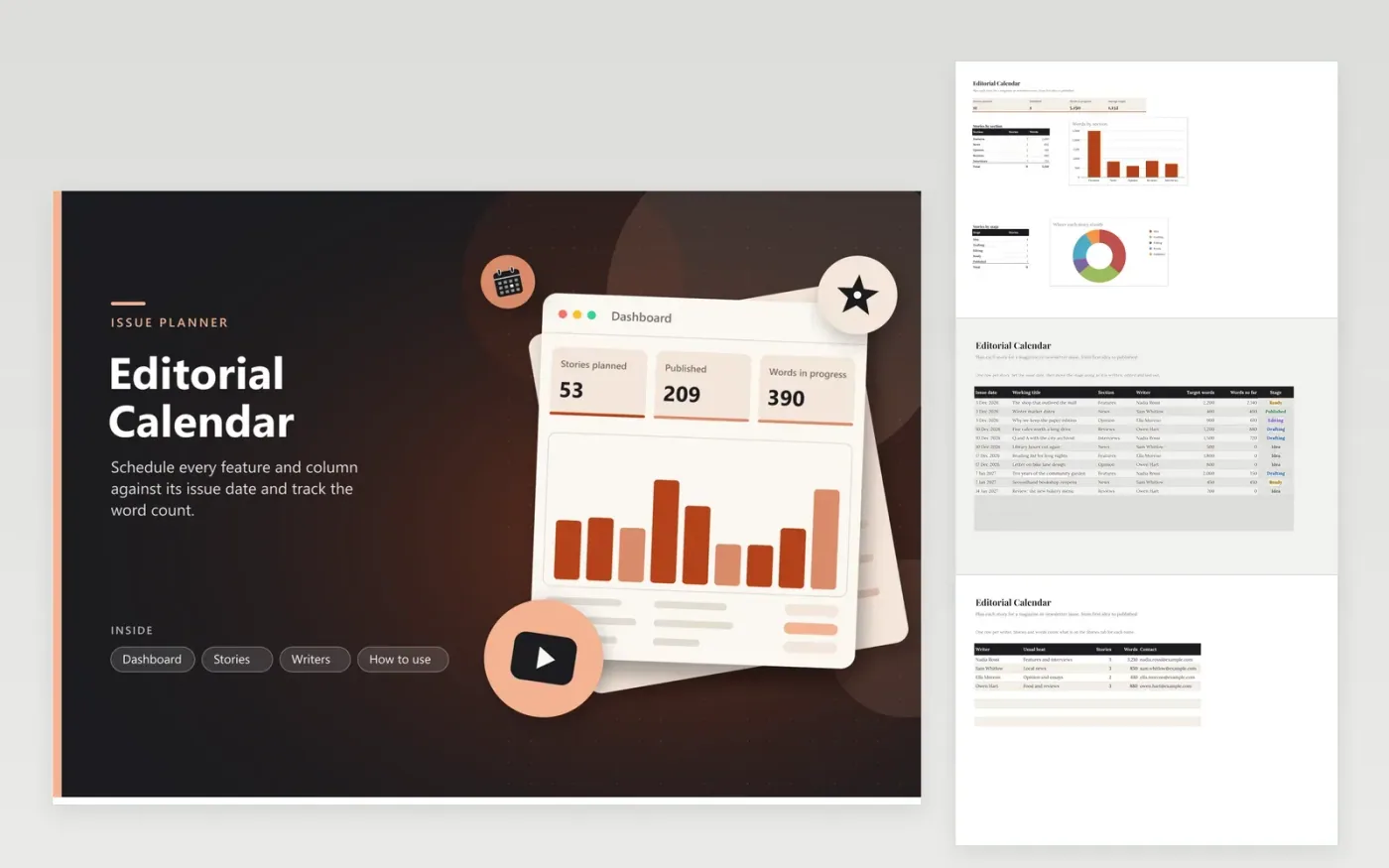
The Editorial Calendar is built for a magazine, zine or newsletter that runs on a set issue schedule. The Stories tab lists each piece with its issue date, section, writer, target length, words so far and stage from Idea to Published. The Writers tab totals the stories and words for each person. The dashboard shows how many pieces are planned and how the words split across sections and stages.
Set the issue date before anything else, because the calendar flags any story that is past its date and not yet published. Update the words so far after each draft pass rather than at the end, so the progress figures stay honest. Keep one writer name spelled the same way on both tabs, and review the In progress count each week to see where an issue is thin.
Click Make a copy in Google Sheets, then confirm on the Google page. The copy is saved to your own Google Drive.
Start on the Stories tab: replace the sample rows with your own.
Keep the formula columns as they are; they fill in as you type.
Read the How to use tab for tips. For Excel, download the .xlsx file instead.
Add it with the stage set to Idea and leave the issue date blank for now. Fill in the date once the editor agrees the slot. Idea stories still count in the stage breakdown, so the dashboard shows how much of the pipeline is still unscheduled.
Yes. Each row is one piece, so a writer can appear as many times as needed. The Writers tab adds up their stories and words across the whole Stories list, so anyone carrying too much work stands out.
The row turns red if the issue date has passed and the stage is not Published. Check the red rows at each planning meeting, then either move the issue date or change the stage so the calendar matches what is really happening.
Docs + Word6 pages
FeaturedFree
Google Sheets
FeaturedFree
Sheets + Excel4 tabs
Free
Sheets + Excel5 tabs
Free
Sheets + Excel5 tabs
Free
Sheets + Excel5 tabs
Free
Sheets + Excel5 tabs
Free
Sheets + Excel4 tabs
Free
Sheets + Excel4 tabs
Free