
Market Research Report
Docs + Word6 pages
Free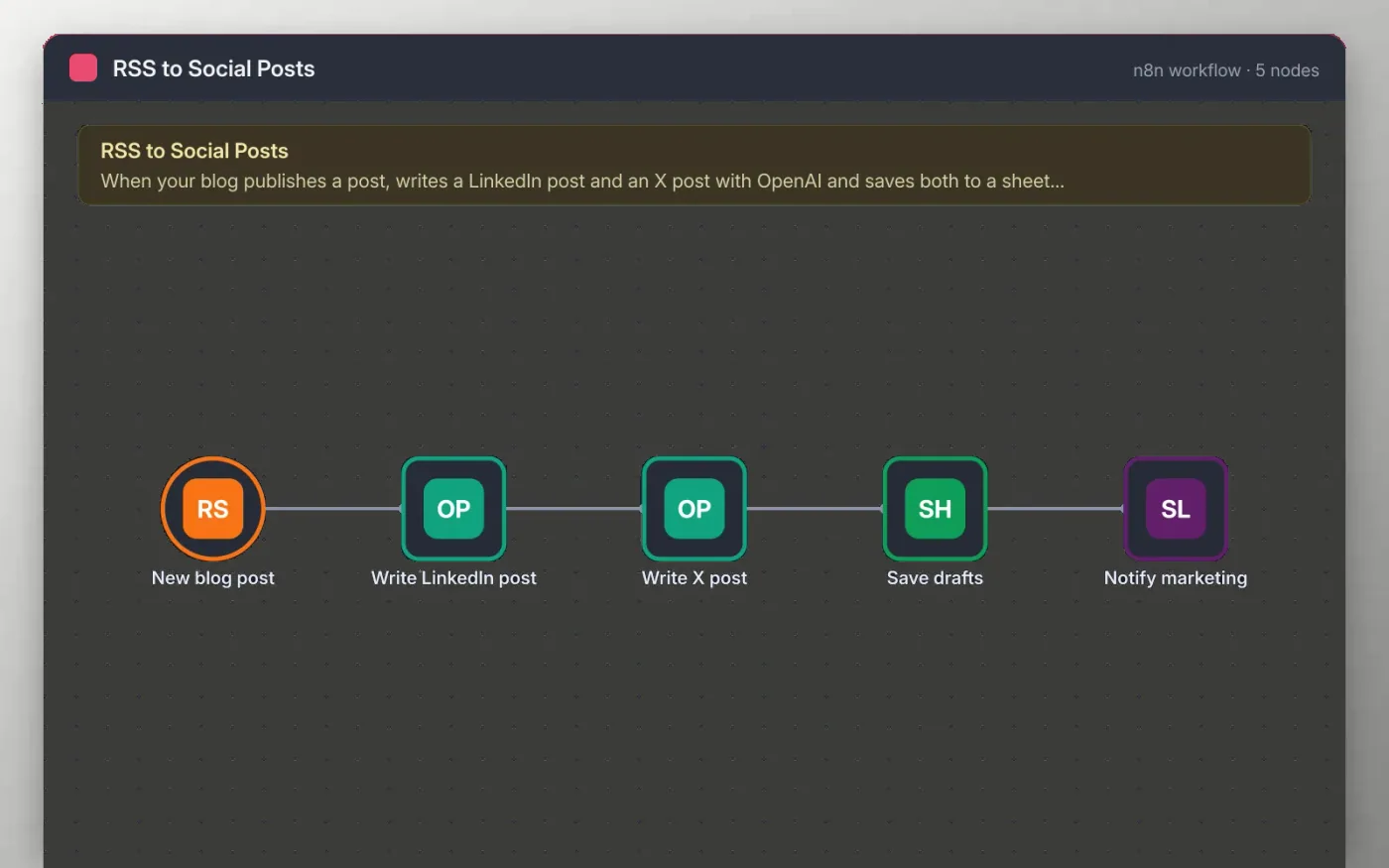
This workflow polls your blog RSS feed every hour. When a new post appears, OpenAI writes a LinkedIn post of about 100 words, then a shorter X post that ends with the link.
Both drafts are saved as one row in a Google Sheet with status Draft, and Slack tells the marketing channel they are ready. Nothing is published automatically, so a person approves each post first.
Download the workflow JSON.
In n8n, create a workflow, open the … menu, choose Import from File and select the JSON.
Replace the feed URL on New blog post with your RSS feed and connect OpenAI on both writing nodes.
Connect Google Sheets on Save drafts and Slack on Notify marketing.
Publish a test post or run the trigger once, check the sheet row, then activate.
The workflow is free. OpenAI usage is billed by OpenAI to your own account.
No. The file has no keys or tokens. You connect your own OpenAI, Google and Slack accounts after importing.
Not in this template. It writes drafts for a person to approve and post, which keeps your accounts safe.
Docs + Word6 pages
Free
Google Sheets
Free
n8n
Free
n8n
Free
n8n
Free
n8n
Free
n8n
Free
n8n
Free








