Content Marketing Strategy
Docs + Word9 pages
Free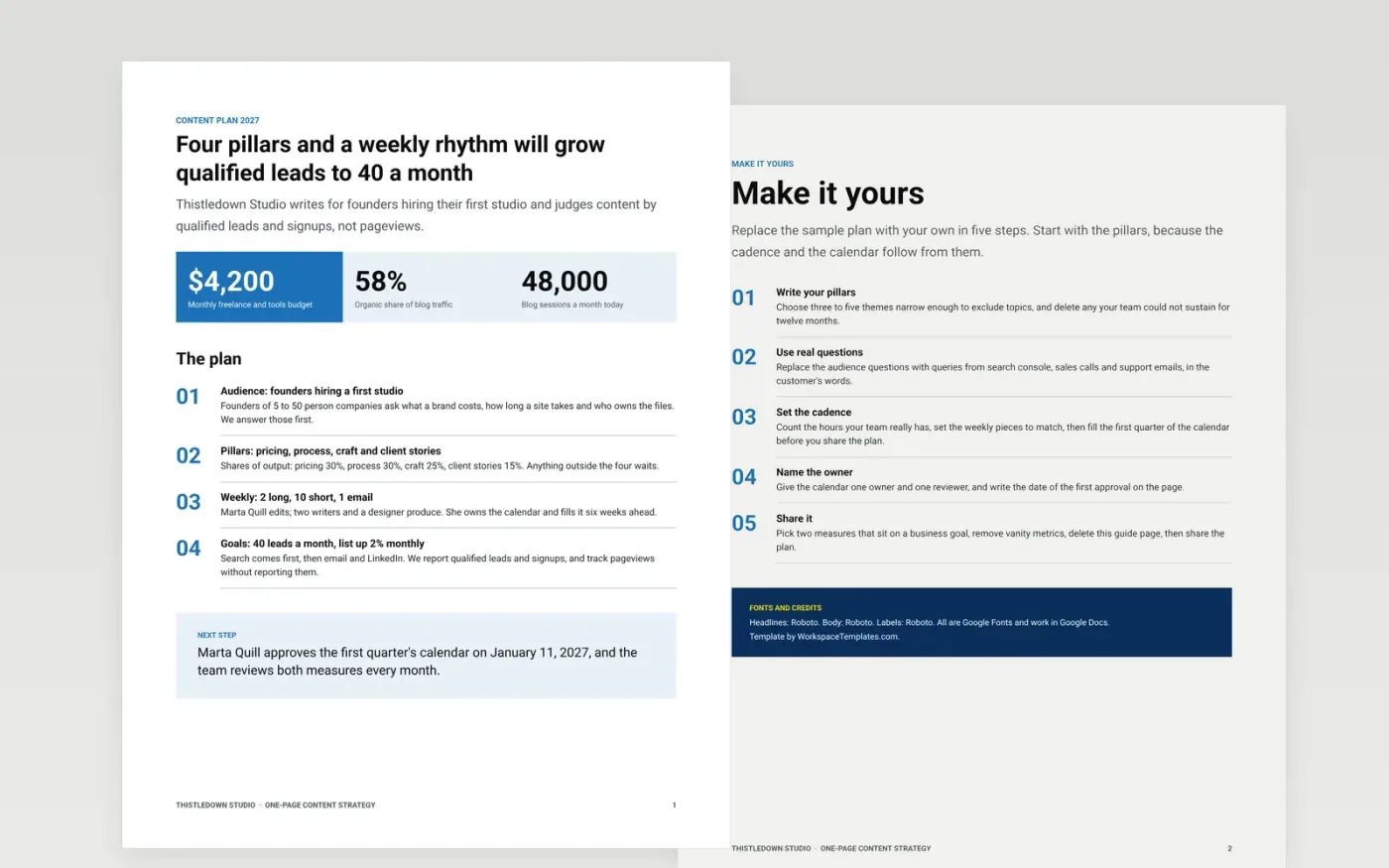
Small teams and solo marketers rarely have time for a 30-page content plan, and without one the editorial effort turns ad hoc. This template fits the plan on a single page: who you write for and what they ask, the pillars that decide what is in and out, the weekly rhythm, the channels and the two measures that tell you it is working. A second page guides you through replacing the sample.
The sample is a content plan for Thistledown Studio, a fictional design studio with 48,000 monthly blog sessions, 58% of them from search. It sets four pillars, a weekly cadence for a team of four and goals tied to leads, not pageviews. Replace the audience questions, pillars, cadence, owner and measures with your own, and keep only plans your team can sustain for twelve months.
Click Make a copy in Google Docs, then confirm on the Google page. The copy is saved to your own Google Drive.
Write your own three to five pillars and delete any your team could not sustain for twelve months.
Replace the audience questions with real queries from search console and sales calls, and set the cadence to your headcount.
Name an owner for the calendar, pick two measures tied to a business goal and remove vanity metrics.
Delete the guide page, then share the plan or present it.
Three to five. Each should take 15 to 35% of output and be narrow enough to exclude topics. If anything fits a pillar, it is too broad to guide choices.
Pick two that sit on a business goal, such as qualified leads and email signups. Track pageviews if you like, but do not report them as success.
No. The organization, people and figures are fictional sample data. Replace every name, email address and number with your own before sharing the plan.
Docs + Word9 pages
Free
Slides + PowerPoint12 slides
Free
Docs + Word12 pages
Free
Google Sheets
Free
Docs + Word6 pages
Free
Slides + PowerPoint12 slides
Free
Docs + Word8 pages
Free










