One-Page Content Strategy
Docs + Word2 pages
Free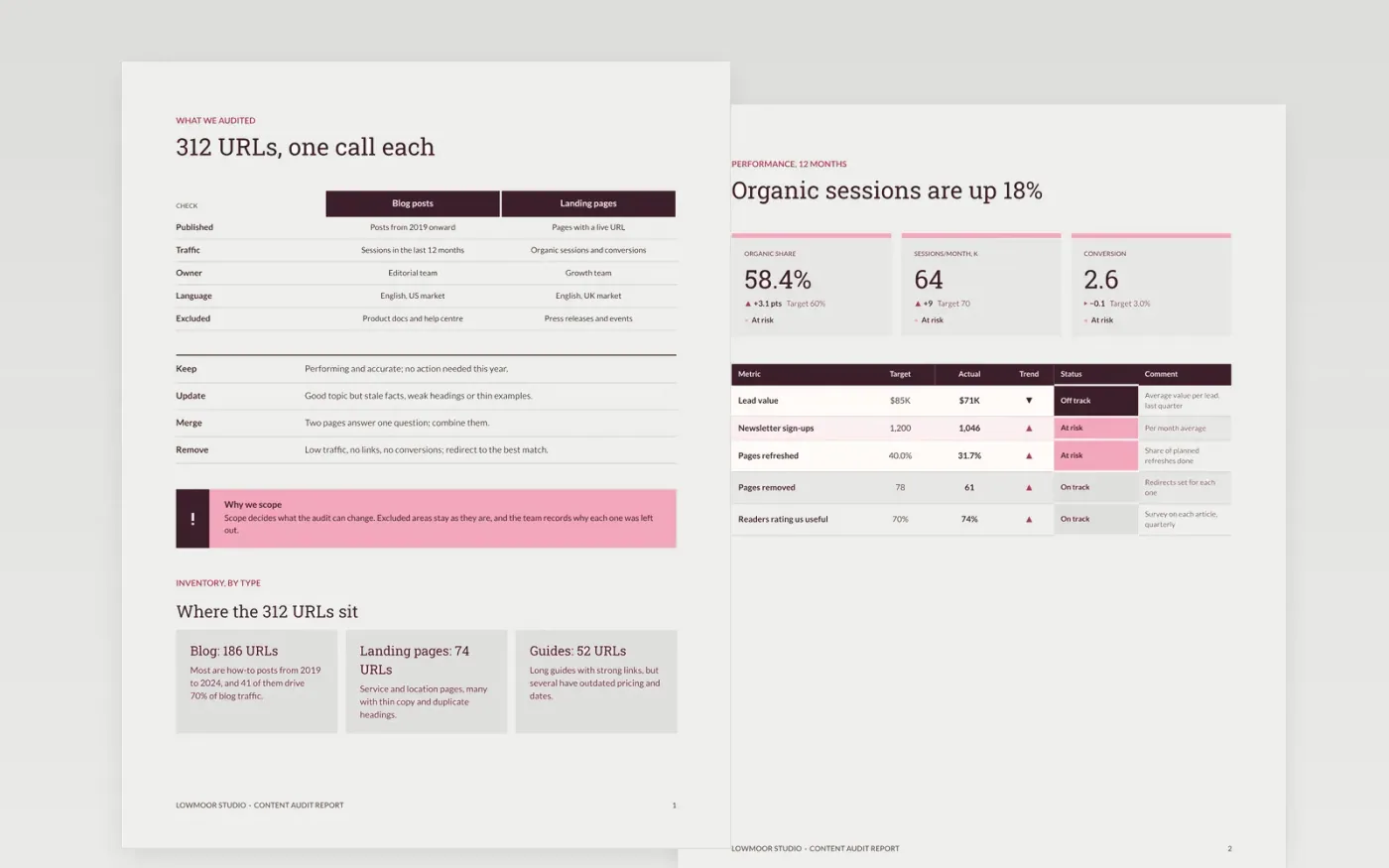
Content teams publish a lot and still struggle to show results, usually because nobody decided what to keep, what to fix and what to stop making. This template sets a content strategy in one document: an audit scope, an inventory summary, performance, the keep, update, merge and remove decisions, and priorities with owners. It is written for an editor-in-chief to present and a team to follow.
The sample is for Lowmoor Studio, a fictional content team that audited 312 URLs and measured an organic share of traffic of 58.4 percent. Its figures, decisions and owners are sample data. Replace the pillars, audit results and calendar with your own, and keep only the measures that tie back to a business goal.
Click Make a copy in Google Docs, then confirm on the Google page. The copy is saved to your own Google Drive.
Write your own three to five pillars, and remove any the team could not sustain for a year.
Replace the audit counts and decisions with your own URL inventory and rules.
Set cadence to your real headcount, then fill the first quarter of the calendar.
Delete the guide page, name owners for each stage, then share the strategy for approval.
Yes, free to use. The copy in your Drive can record each keep, update, merge or remove decision as you go.
No. Lowmoor Studio, its team, pages and audit counts are fictional sample data. Replace every figure with results from your own content inventory before use.
Most teams review the full library once a year and check high-traffic pages every quarter, so decisions stay current as products and search behaviour change.
Docs + Word2 pages
Free
Docs + Word9 pages
Free
Docs + Word8 pages
Free
Google Sheets
Free
Slides + PowerPoint12 slides
Free
Slides + PowerPoint12 slides
Free










