
Campaign Brief Deck
Slides + PowerPoint12 slides
Free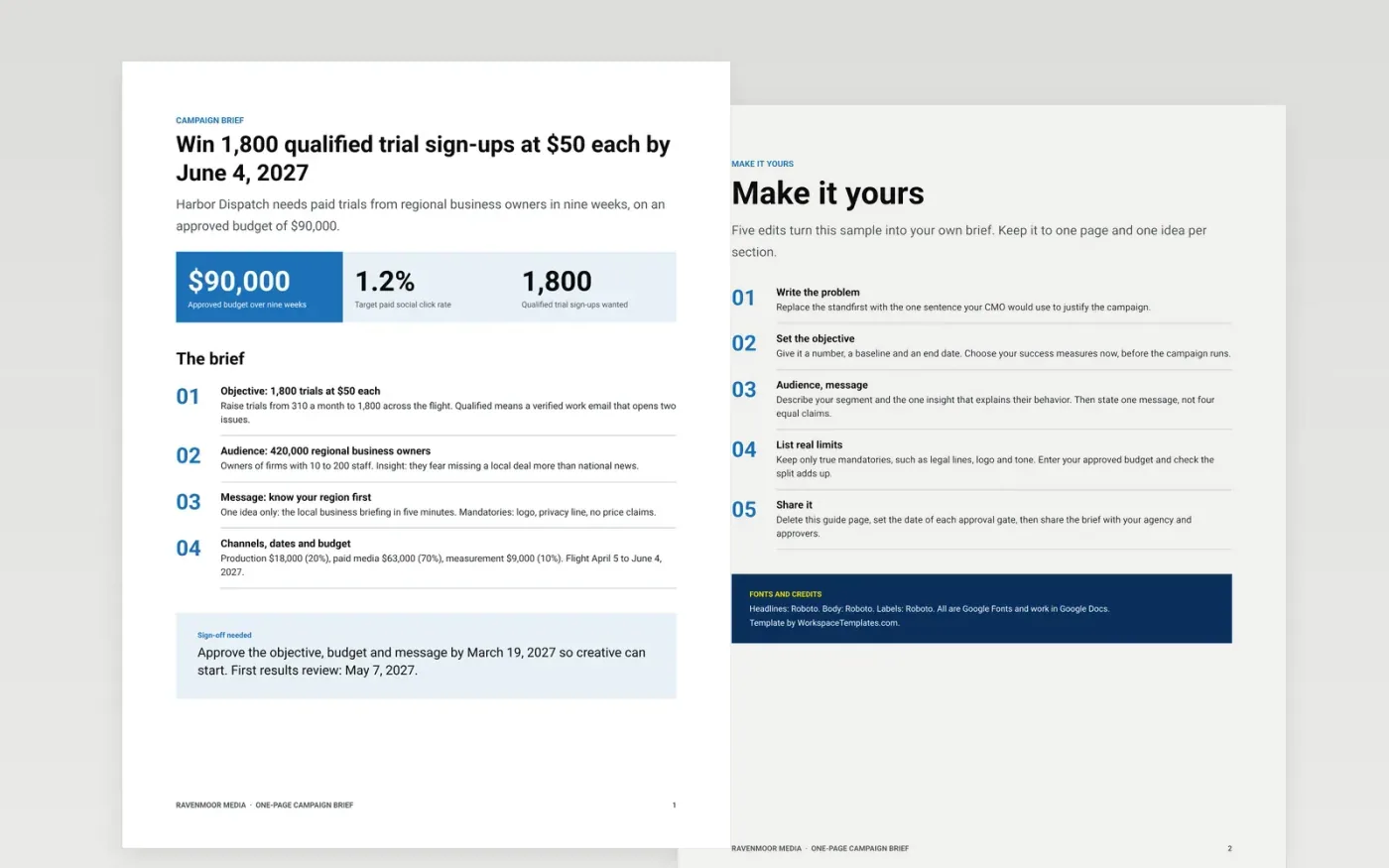
Campaigns go wrong when creative starts before anyone agrees what success is. This brief puts the objective, audience and insight, the single message, the channels and dates, and the budget on one page, so approvers can sign off and the team can judge the work against it later.
The sample is a nine-week campaign for a fictional regional newsletter: 1,800 qualified trials at $50 each on a $90,000 budget, split 20% production, 70% paid media and 10% measurement. Replace the problem, the objective, the audience insight and the budget with your own.
Click Make a copy in Google Docs, then confirm on the Google page. The copy is saved to your own Google Drive.
Rewrite the objective with a number, a baseline and an end date, then replace the audience with your segment and the one insight that explains their behavior.
Enter your approved budget and check that production, media and measurement add up to it.
Replace the mandatories with only the real ones, such as legal lines, logo and tone, and set the date of each approval gate.
Delete the guide page, then share the brief with your agency and approvers or present it.
A single page forces one objective and one message, and it gives approvers something they can read in minutes and later use to judge whether the creative did its job.
The sample uses 20% production, 70% media and 10% measurement. Most campaigns put 15 to 25% into production and 60 to 75% into media, so adjust to your channels.
No. Ravenmoor Media, the Harbor Dispatch newsletter, the people and every figure are fictional sample data. Replace them with your own before sharing.
Slides + PowerPoint12 slides
Free
Docs + Word12 pages
Free
Docs + Word6 pages
Free
Slides + PowerPoint11 slides
Free
Slides + PowerPoint10 slides
Free
Docs + Word7 pages
Free
Docs + Word10 pages
Free









