
Campaign Brief Deck
Slides + PowerPoint12 slides
Free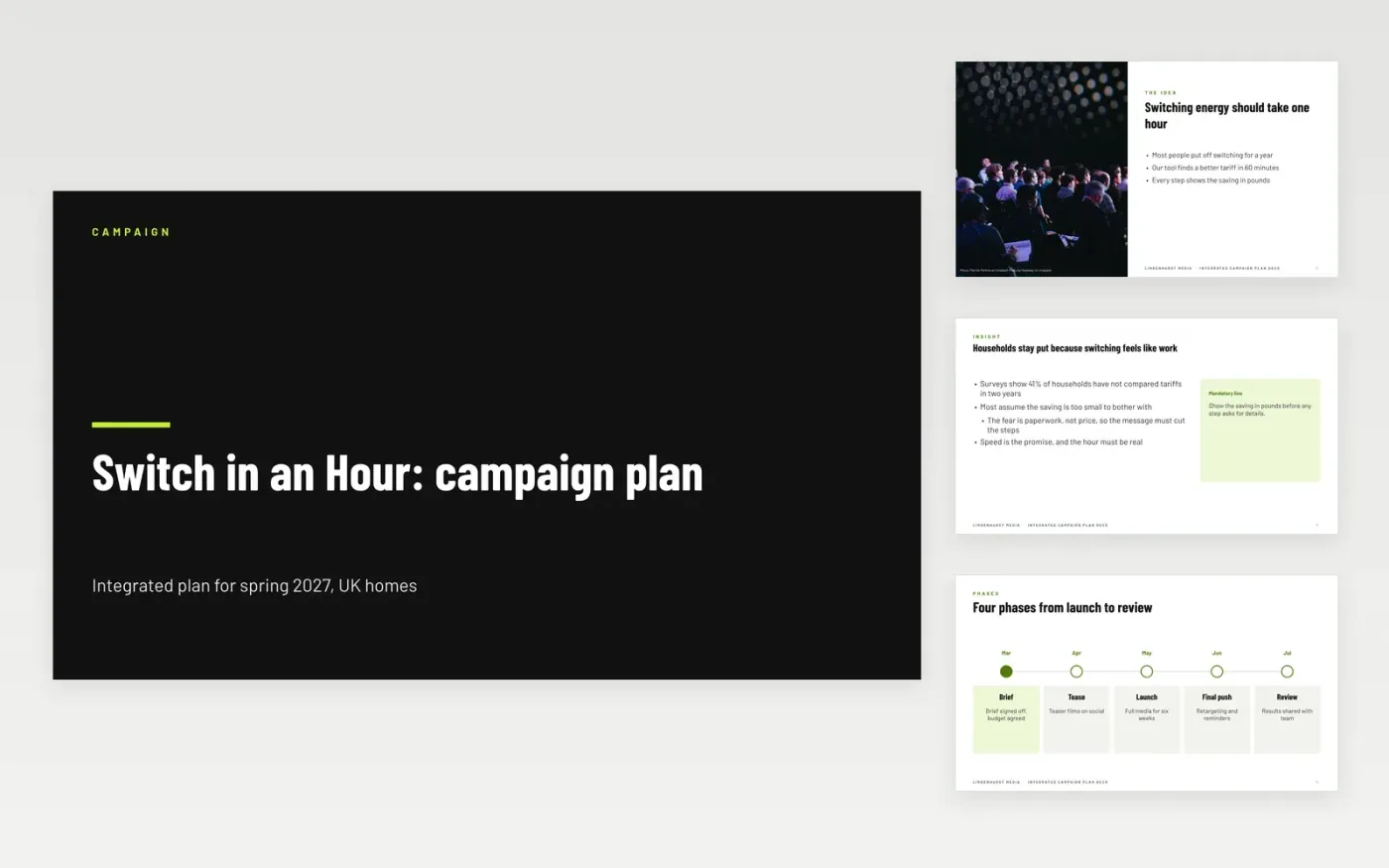
Campaigns drift when the idea, the objective and the budget live in separate documents, and agencies spend weeks on work nobody can judge. This campaign brief template puts the campaign on one line of logic: the idea, the phases it runs in, the role of each channel, the assets it needs, the timeline and the measures. Each slide has one point, so creatives and approvers can work from the same page.
The sample describes Lindenhurst Media's Switch in an Hour campaign for UK households, with a £180K budget, 4,200 qualified leads and a ten-week flight. Replace the insight, the channels, the budget and the approval dates with your own, and set the objective with a baseline and an end date. Keep the mandatories to the few lines that must appear, so the creative stays free to work.
Click Make a copy in Google Slides, then confirm on the Google page. The copy is saved to your own Google Drive.
Replace the insight, objective and audience with your own, and set a number and an end date.
Enter your approved budget, channel shares and the dates of each approval gate on the timeline.
List only the real mandatories, then check the scorecard targets with your finance team.
Delete the guide slide, then share the deck with the agency or present it from Google Slides.
No. Lindenhurst Media, its planners, the Switch in an Hour campaign, the audience survey, the budget and every measure are fictional sample data. Replace them with your own approved figures before you brief an agency.
One idea, stated in one sentence that a customer could repeat. If the message needs four equal claims, the brief has four campaigns in it, and the creative will split its effort across them.
The objective, the target, the baseline and the end date, each with the source it will be counted from. Choose them before the creative is made, so results can be judged fairly afterwards.
Slides + PowerPoint12 slides
Free
Slides + PowerPoint11 slides
Free
Docs + Word6 pages
Free
Docs + Word7 pages
Free
Docs + Word10 pages
Free
Docs + Word2 pages
Free









