AWS Serverless API Architecture
Slides + PowerPoint5 slides
Free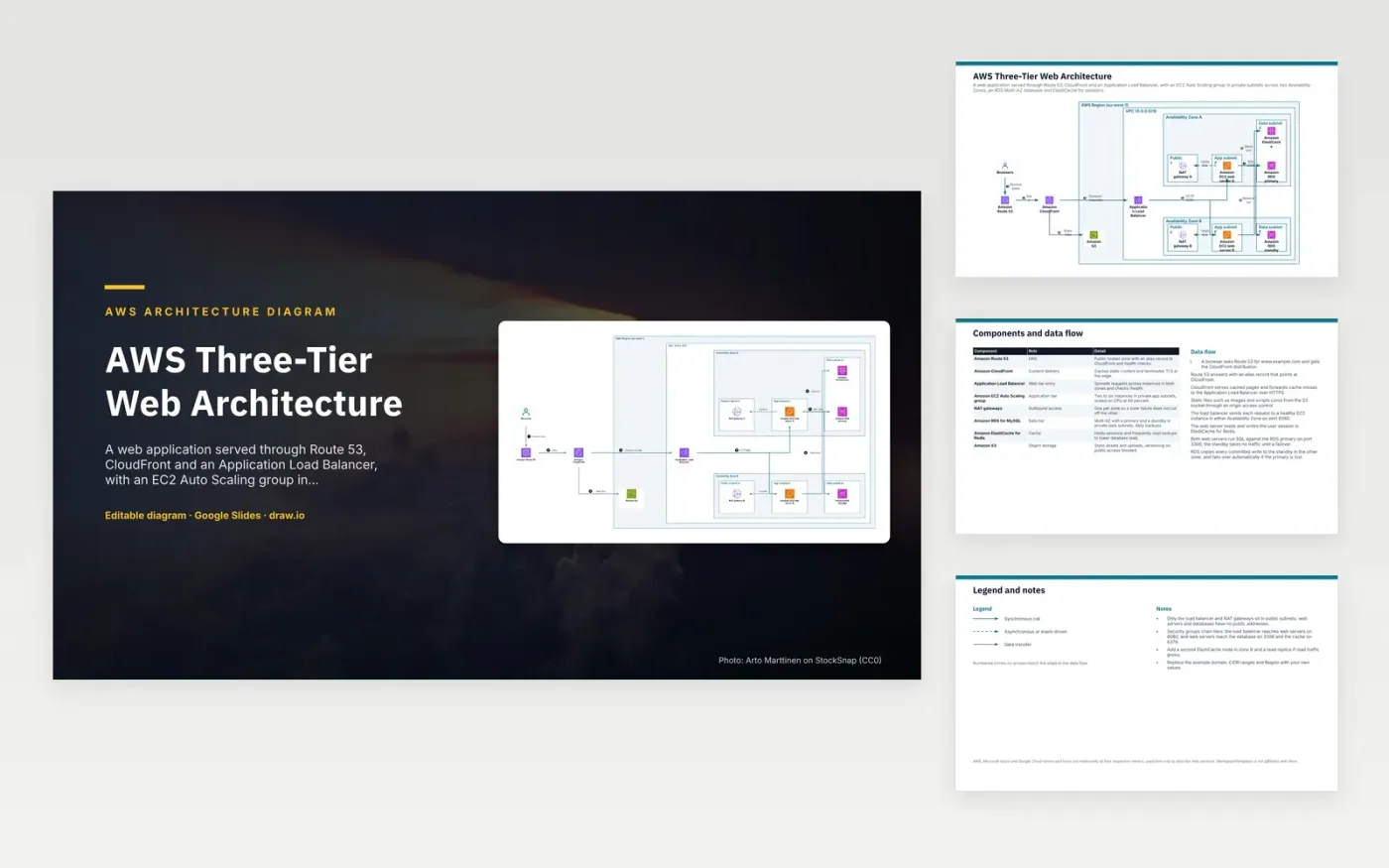
A browser resolves the site name through Amazon Route 53, whose alias record points at CloudFront. CloudFront serves cached static files from S3 and forwards dynamic requests to the Application Load Balancer. The load balancer sends each request to an EC2 web server in either zone on port 8080. Web servers keep sessions in ElastiCache and run SQL against the RDS primary. RDS copies every committed write to the standby in the other zone and fails over automatically if the primary is lost.
The split into tiers limits exposure. Only the load balancer and NAT gateways sit in public subnets, so web servers and databases have no public addresses. Security groups allow only the next tier: port 8080 from the load balancer, 3306 to the database and 6379 to the cache. There is one NAT gateway per zone, so losing one zone does not cut off outbound traffic from the other. When read traffic grows, add a cache node and a read replica, since the standby is not used for reads.
The diagram uses the official AWS architecture icons, each labelled with its service name. AWS, Microsoft Azure and Google Cloud names and icons are trademarks of their respective owners, used here only to describe their services. WorkspaceTemplates is not affiliated with them.
Click Make a copy in Google Slides, then confirm on the Google page. The copy is saved to your own Google Drive.
Rename Browsers, Amazon Route 53, Amazon CloudFront and the other boxes inside AWS Region (eu-west-1) to your own components, and delete the ones your system does not have.
Rewrite the 8-step data flow and the 8-row components table so they match the arrows you keep.
For the draw.io version, download aws-three-tier-web-architecture-diagram.drawio and open it at app.diagrams.net.
A standby in another zone takes over if the primary's zone or instance fails. RDS copies each committed write to it synchronously, so a failover does not lose committed data. The database endpoint name stays the same after failover.
Private addresses keep the servers out of direct reach from the internet, so only the load balancer is exposed. Servers that need to download updates send that traffic out through NAT gateways.
Use it to hold sessions and frequently read lookups, so repeat reads do not hit the database. It helps most when the same data is read many times and changes rarely.
More Google Slides templatesMore developer workflows templates
Slides + PowerPoint5 slides
Free
Slides + PowerPoint5 slides
Free
Slides + PowerPoint5 slides
Free
Slides + PowerPoint5 slides
Free
Slides + PowerPoint5 slides
Free
Slides + PowerPoint5 slides
Free
Slides + PowerPoint5 slides
Free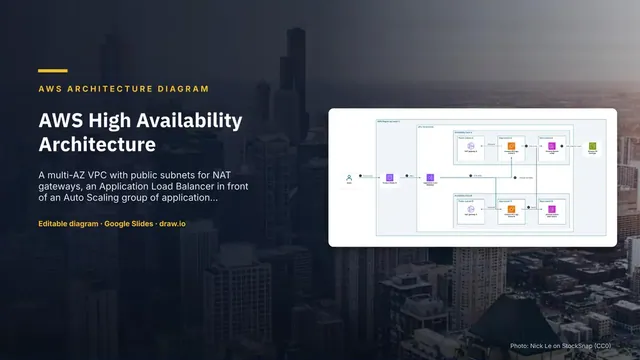
Slides + PowerPoint5 slides
Free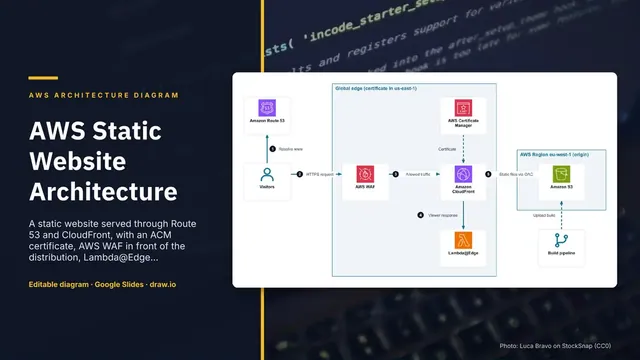
Slides + PowerPoint5 slides
Free










