
Annual Report
Docs + Word6 pages
FeaturedFree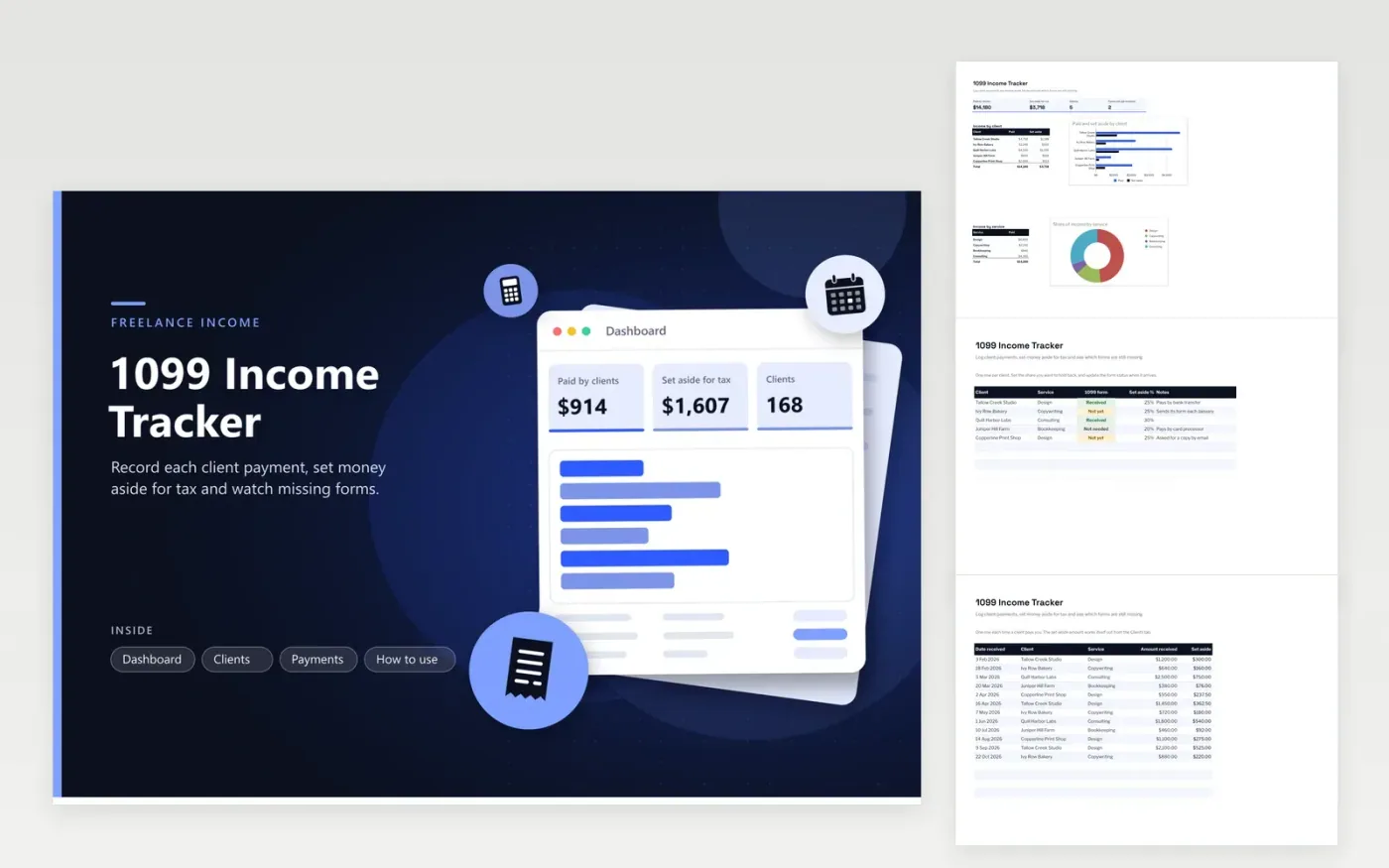
Freelancers and contractors whose several clients issue 1099 forms will get the most from this tracker. The Clients tab lists each client, the service they buy, the status of their form and the share of each payment you want to set aside. The Payments tab works out the set-aside amount on every payment, and the Dashboard shows money received, money set aside, client count, forms still missing and two charts, by client and by service.
Begin by adding your clients and the percentage you want to hold back, then log each payment the day it lands. Compare the Dashboard with your bank statements at month end, since a client's form can show a different total from your own records. The percentages are a planning choice, so ask a preparer what amount your situation needs.
Click Make a copy in Google Sheets, then confirm on the Google page. The copy is saved to your own Google Drive.
Start on the Clients tab: replace the sample rows with your own.
Keep the formula columns as they are; they fill in as you type.
Read the How to use tab for tips. For Excel, download the .xlsx file instead.
Not always. Clients send a form only in certain cases, and the rules depend on how they paid you and how much. Keep your own payment record for every client, whether or not a form turns up.
It lets you choose a share for each client and watch the money held back for tax build up as payments come in. The percentage is your own planning figure, not a tax rate, so confirm the amount with a tax preparer.
Compare the form with your invoices and bank deposits. Ask the client to correct it if the figures differ, and note the gap until your preparer has settled it.
Docs + Word6 pages
FeaturedFree
Excel
FeaturedFree
Sheets + Excel5 tabs
Free
Sheets + Excel6 tabs
Free
Sheets + Excel5 tabs
Free
Sheets + Excel6 tabs
Free
Sheets + Excel6 tabs
Free
Sheets + Excel5 tabs
Free
Sheets + Excel6 tabs
Free
Sheets + Excel6 tabs
Free
Sheets + Excel6 tabs
Free
Sheets + Excel5 tabs
Free
Sheets + Excel6 tabs
Free
Sheets + Excel5 tabs
Free
Sheets + Excel5 tabs
Free








