
Access Card Request Letter
Docs + Word2 pages
Free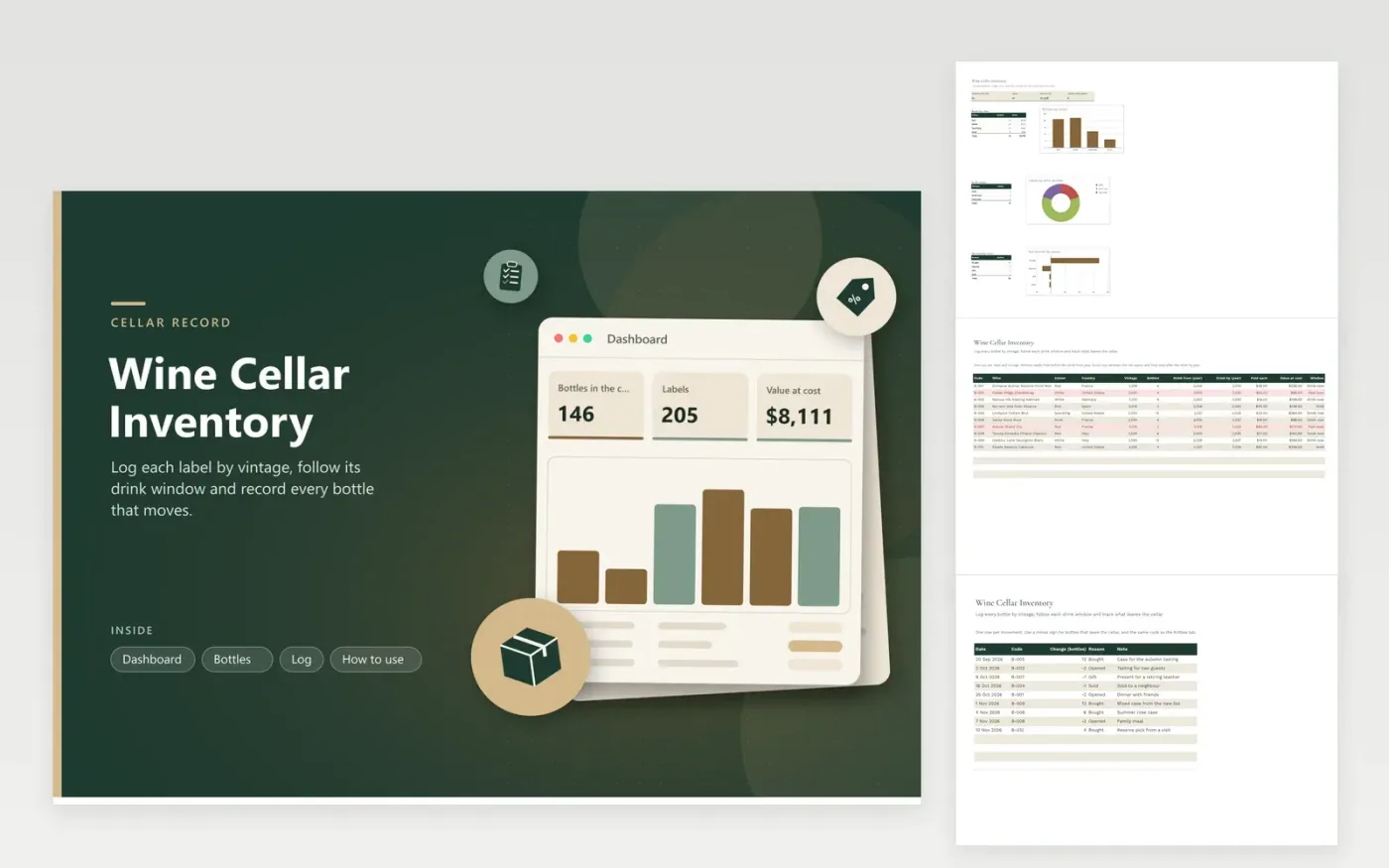
Home collectors and small restaurant cellars use this workbook to record each wine label with its code, colour, country, vintage, number of bottles, drink-from and drink-by years and the price paid. The Bottles tab works out the value at cost and a Window status of Hold, Drink now or Past best. The Log tab records bottles bought, opened, given away or sold. The Dashboard adds totals by colour, by drink window and by reason.
Enter each movement on the Log tab the same day, then correct the Bottles column so both tabs agree. Drink windows are general guides, so check the producer's note or ask a wine merchant before you choose a bottle for a particular occasion. If you want the value to match what you spent, include duties, shipping and storage costs in the Paid each figure.
Click Make a copy in Google Sheets, then confirm on the Google page. The copy is saved to your own Google Drive.
Start on the Bottles tab: replace the sample rows with your own.
Keep the formula columns as they are; they fill in as you type.
Read the How to use tab for tips. For Excel, download the .xlsx file instead.
Use the producer's advice where it is printed, or a wine merchant's guidance for that vintage. Enter the first year to drink in Drink from and the last good year in Drink by. The Window column updates each year on its own, so you never have to edit it.
The column stays blank while the Bottles cell is empty. Enter the number of bottles and the status appears. A label with zero bottles shows Empty, and that label drops out of the drink window chart.
Add a Location column to the Bottles tab, or keep one workbook per storage area. Keep one master total either way, so the Dashboard figures match the real count.
More Google Sheets templatesMore business operations templates
Docs + Word2 pages
Free
Docs + Word2 pages
Free
Docs + Word2 pages
Free
Sheets + Excel5 tabs
Free
Sheets + Excel4 tabs
Free
Sheets + Excel5 tabs
Free
Sheets + Excel5 tabs
Free
Sheets + Excel5 tabs
Free
Sheets + Excel5 tabs
Free
Sheets + Excel6 tabs
Free
Sheets + Excel5 tabs
Free
Sheets + Excel5 tabs
Free
Sheets + Excel5 tabs
Free
Sheets + Excel5 tabs
Free
Sheets + Excel6 tabs
Free










