
Access Card Request Letter
Docs + Word2 pages
Free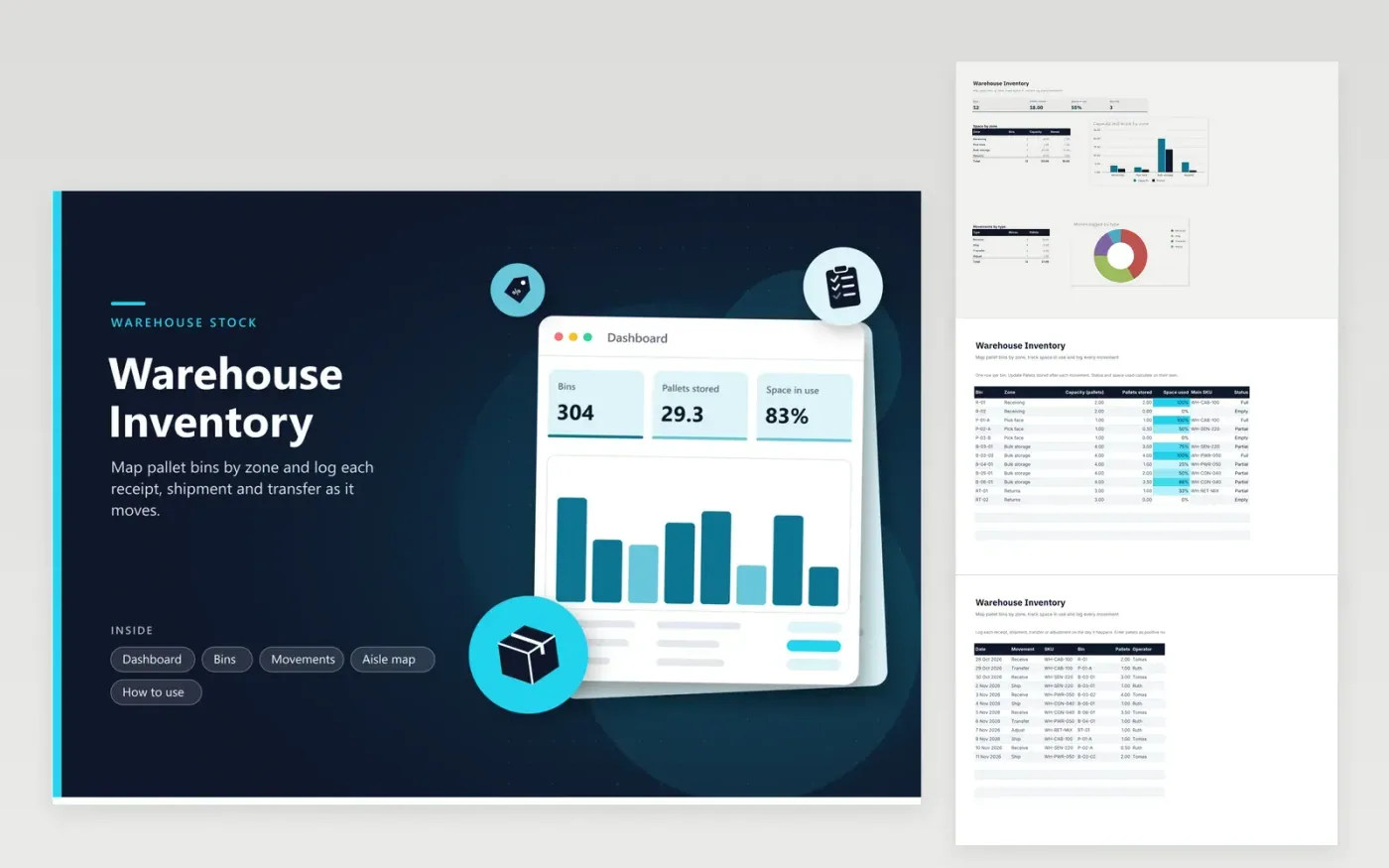
This template is for a small warehouse, fulfillment room or storage yard that keeps stock on pallets. The Bins tab lists each location with its zone, capacity in pallets, pallets stored, the main SKU and a status that changes to Full, Partial or Empty on its own. The Movements tab logs receipts, shipments, transfers and adjustments by date, bin and operator. The Aisle map grid sketches the layout, and the Dashboard shows space used by zone.
Set the capacity of each bin in pallets, then update pallets stored whenever a movement happens. Keep one SKU per bin where you can, so the main SKU column stays meaningful. Record each movement in the log on the same day, then match the Bins tab to it. When you plan where new stock should go, look at the Full status first, and use the Returns zone for items waiting to be checked.
Click Make a copy in Google Sheets, then confirm on the Google page. The copy is saved to your own Google Drive.
Start on the Bins tab: replace the sample rows with your own.
Keep the formula columns as they are; they fill in as you type.
Read the How to use tab for tips. For Excel, download the .xlsx file instead.
Enter a decimal in Pallets stored, such as 0.5 for half a pallet. The Space used column gives the percent of capacity taken, and the status reads Partial when stock sits between empty and full. Loose stock on the floor can go in its own bin row.
No. The Movements log is a record only. Update Pallets stored on the Bins tab at the same time you log a shipment, so the space figures stay right.
Use the Aisle map tab to sketch each aisle and bay, with a bin code or Free in each space. Keep the labels simple, like A and then a bay number. Match the codes to the bin names on the Bins tab, so the map and the list describe the same places.
More Google Sheets templatesMore business operations templates
Docs + Word2 pages
Free
Docs + Word2 pages
Free
Docs + Word2 pages
Free
Sheets + Excel5 tabs
Free
Sheets + Excel4 tabs
Free
Sheets + Excel5 tabs
Free
Sheets + Excel5 tabs
Free
Sheets + Excel5 tabs
Free
Sheets + Excel5 tabs
Free
Sheets + Excel6 tabs
Free
Sheets + Excel5 tabs
Free
Sheets + Excel5 tabs
Free
Sheets + Excel5 tabs
Free
Sheets + Excel5 tabs
Free
Sheets + Excel5 tabs
Free










