
Access Card Request Letter
Docs + Word2 pages
Free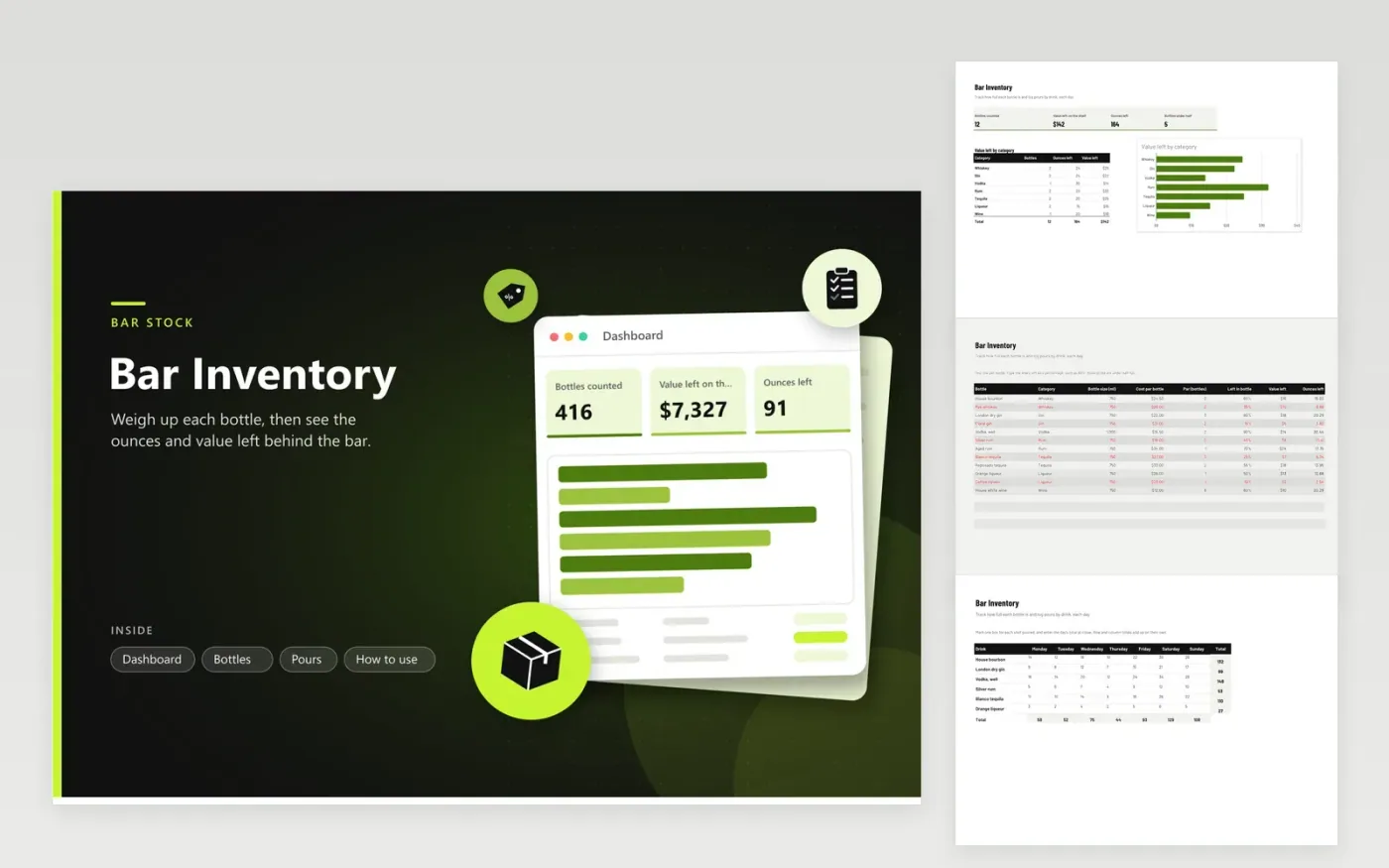
This template is for bar managers, bartenders and owners who count spirits, wine and liqueurs on a regular basis. The Bottles tab holds one row per bottle with its category, size, cost, par and the share left. Ounces left and value left calculate from those figures. The Pours grid counts the shots poured for each drink from Monday to Sunday, with row and column totals. The Dashboard shows the value and ounces on the shelf by category.
Estimate how full each bottle is as a percentage, then type that figure in the Left in bottle column. Use the same method at every count so the figures compare fairly. Count pours at the end of each shift to keep the grid accurate. The Bottles under half figure on the Dashboard tells you which bottles to check first. Compare value left with last month's total to spot stock that has gone missing.
Click Make a copy in Google Sheets, then confirm on the Google page. The copy is saved to your own Google Drive.
Start on the Bottles tab: replace the sample rows with your own.
Keep the formula columns as they are; they fill in as you type.
Read the How to use tab for tips. For Excel, download the .xlsx file instead.
Eyeballing a bottle is quick but rough, so the figure is only a guide. To improve it, weigh a full bottle and an empty one, then weigh each open bottle and work out the share left from the difference. Use the same method each time you count.
A standard US shot is 1.5 fluid ounces. Divide the ounces left by 1.5 to estimate how many shots remain in a bottle. The sheet keeps ounces in the Ounces left column, so you can check that figure against the pour count.
Yes. Put each bottle on its own row. For a sealed bottle, set Left in bottle to 100 percent and count it with the rest. Keep a separate row for each bottle size you stock, since a 1-liter bottle holds more than a 750 ml one.
More Google Sheets templatesMore business operations templates
Docs + Word2 pages
Free
Docs + Word2 pages
Free
Docs + Word2 pages
Free
Sheets + Excel4 tabs
Free
Sheets + Excel5 tabs
Free
Sheets + Excel5 tabs
Free
Sheets + Excel5 tabs
Free
Sheets + Excel5 tabs
Free
Sheets + Excel6 tabs
Free
Sheets + Excel5 tabs
Free
Sheets + Excel5 tabs
Free
Sheets + Excel5 tabs
Free
Sheets + Excel5 tabs
Free
Sheets + Excel6 tabs
Free
Sheets + Excel5 tabs
Free










