
Access Card Request Letter
Docs + Word2 pages
Free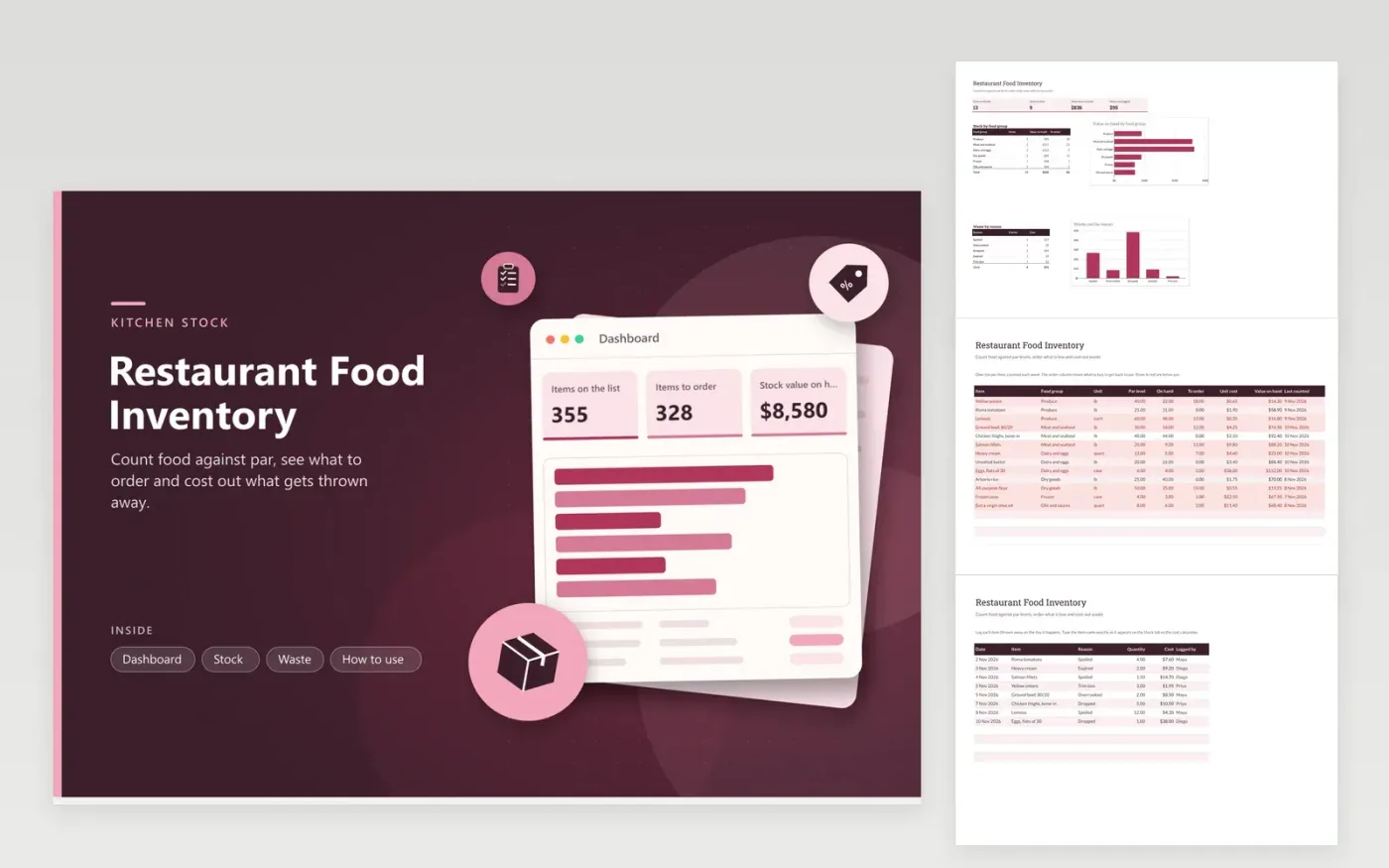
This template is for a restaurant or café kitchen that counts food and drink every week. On the Stock tab every item appears with a food group, unit, par level, count on hand, unit cost and last counted date. The To order column shows how much to buy to get back to par, and the value on hand adds up what the walk-in and dry store hold. The Waste tab records each item thrown away, its reason and its cost, which uses the unit cost from the Stock tab.
Set the par level as the amount you want on hand before the next delivery, based on how fast the item sells. Count on a fixed weekday, type the number into On hand and the order column calculates what to buy. Rows turn red when stock falls below par. Log waste the day it happens so the monthly cost is right. Keep item names matching the Stock tab exactly, or the cost will show zero.
Click Make a copy in Google Sheets, then confirm on the Google page. The copy is saved to your own Google Drive.
Start on the Stock tab: replace the sample rows with your own.
Keep the formula columns as they are; they fill in as you type.
Read the How to use tab for tips. For Excel, download the .xlsx file instead.
Start with how much of the item you use between deliveries, then add a margin for late orders and busy weekends. Review the level every few weeks, because menu changes and seasons shift the numbers. Par levels are a planning guide, so adjust them to match your own sales.
The cost looks up the item name in the Stock tab. If the name differs by a space or a capital letter, the lookup finds nothing and the formula returns zero. Copy the name from the Stock tab to fix it.
Yes. Add beer, wine and mixers as rows on the Stock tab and pick the group that fits best. Spirits are easier to count by bottle, so a bar-specific sheet can give you more accurate figures for those.
More Google Sheets templatesMore business operations templates
Docs + Word2 pages
Free
Docs + Word2 pages
Free
Docs + Word2 pages
Free
Sheets + Excel5 tabs
Free
Sheets + Excel4 tabs
Free
Sheets + Excel5 tabs
Free
Sheets + Excel5 tabs
Free
Sheets + Excel5 tabs
Free
Sheets + Excel5 tabs
Free
Sheets + Excel6 tabs
Free
Sheets + Excel5 tabs
Free
Sheets + Excel5 tabs
Free
Sheets + Excel5 tabs
Free
Sheets + Excel6 tabs
Free
Sheets + Excel5 tabs
Free










