
Access Card Request Letter
Docs + Word2 pages
Free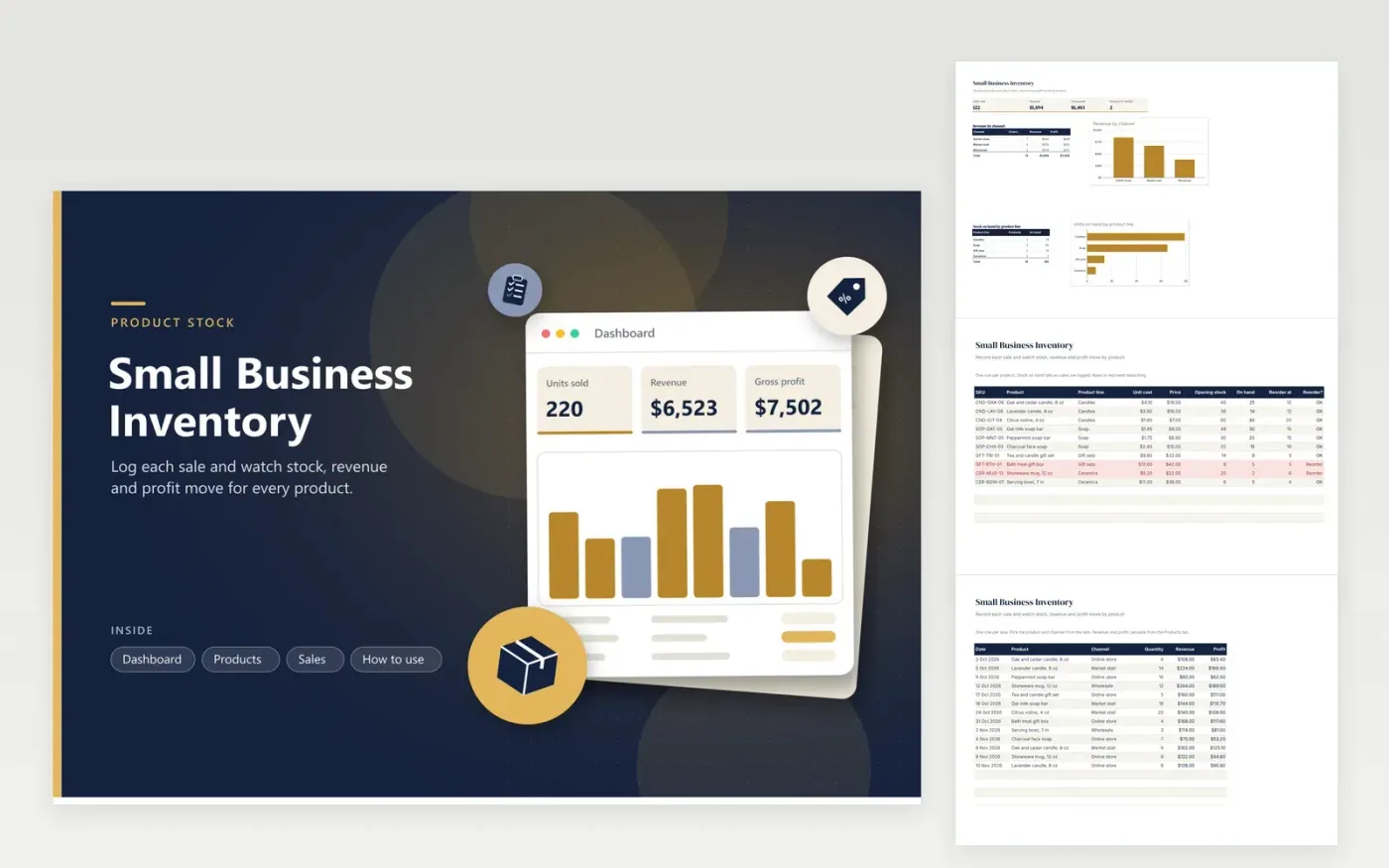
This template suits a small shop that makes or buys goods to sell online, at market stalls or to wholesale buyers. The Products tab holds the product list, one item per line, with unit cost, price, opening stock and reorder point. The Sales tab records each order by date, product and channel, and works out revenue and profit from the product's price and cost. On-hand stock and the reorder flag update after every sale.
Start by entering the opening stock for each product on the day you begin tracking. Add every sale to the Sales tab with the product picked from the list, so stock and profit stay accurate. Check the Products tab each week for rows marked Reorder. The Dashboard shows which channel brings in the most revenue, which helps you decide where to spend time on sales. Revenue uses the current price, so add a new row for a new price rather than changing an old one.
Click Make a copy in Google Sheets, then confirm on the Google page. The copy is saved to your own Google Drive.
Start on the Products tab: replace the sample rows with your own.
Keep the formula columns as they are; they fill in as you type.
Read the How to use tab for tips. For Excel, download the .xlsx file instead.
Profit is the sale's revenue minus the unit cost of each item sold. The Sales tab looks up the cost and price from the Products tab, so enter the product name exactly as it appears there. Shipping, fees, packaging and tax are not included, so record those separately.
On-hand stock is the opening stock minus every quantity sold for that product. Log a return as a sale with a negative quantity so the stock goes back up. Recount the shelf now and then, because breakage and free samples will not appear in the log.
This version keeps one stock count per product. If you hold stock in two places, use one copy of the Products tab per location and add the two counts together, or ask a bookkeeper how to set up your stock records for your business.
More Google Sheets templatesMore business operations templates
Docs + Word2 pages
Free
Docs + Word2 pages
Free
Docs + Word2 pages
Free
Sheets + Excel5 tabs
Free
Sheets + Excel4 tabs
Free
Sheets + Excel5 tabs
Free
Sheets + Excel5 tabs
Free
Sheets + Excel5 tabs
Free
Sheets + Excel5 tabs
Free
Sheets + Excel6 tabs
Free
Sheets + Excel5 tabs
Free
Sheets + Excel5 tabs
Free
Sheets + Excel5 tabs
Free
Sheets + Excel6 tabs
Free
Sheets + Excel5 tabs
Free










