
Access Card Request Letter
Docs + Word2 pages
Free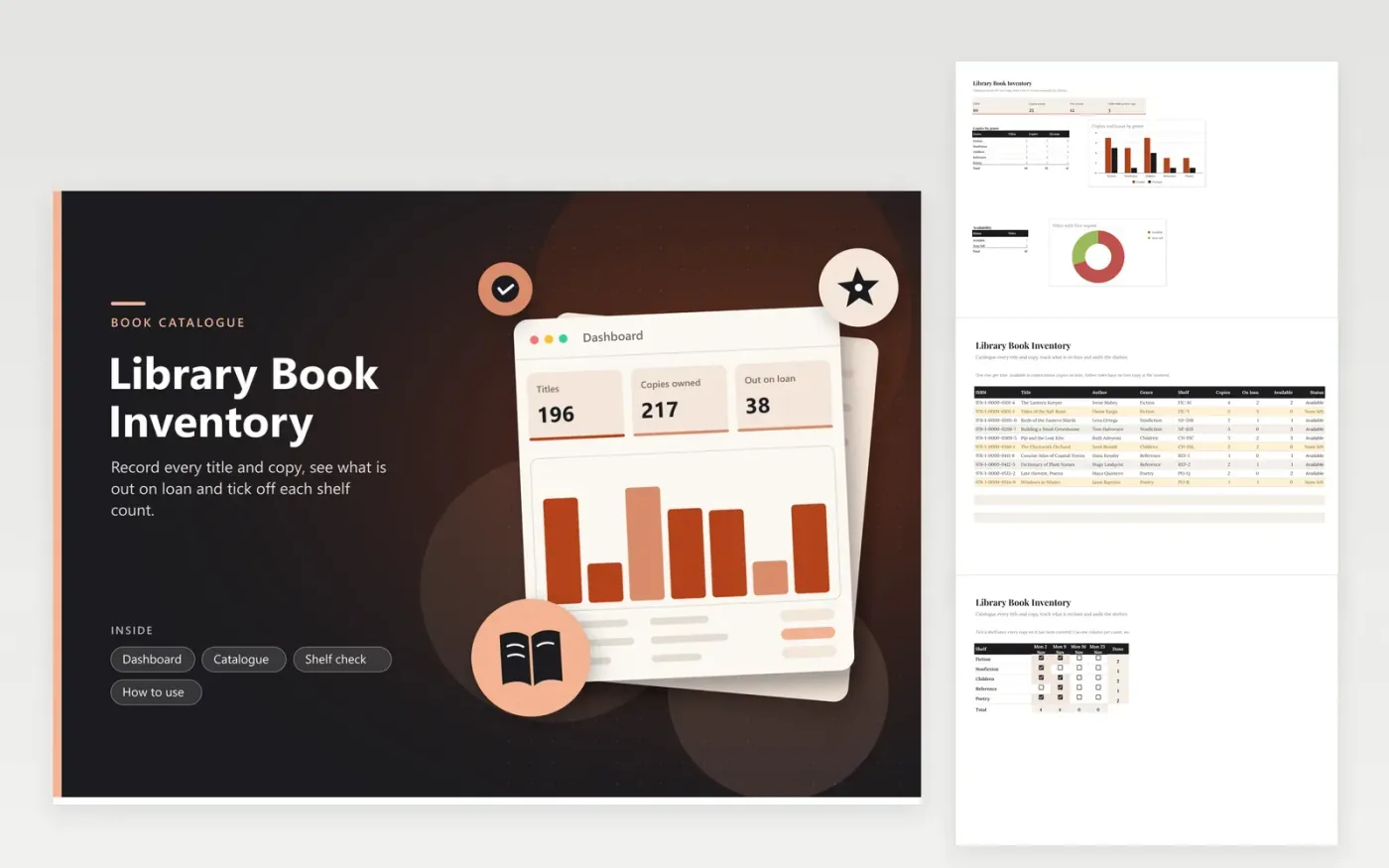
Small libraries, classroom reading corners and community book exchanges use this sheet to keep a catalogue of titles. The Catalogue tab lists each book with its ISBN, author, genre, shelf, number of copies and copies on loan, and calculates the copies available and a status for each title. The Dashboard totals copies, shows the genre split and flags titles with no free copy. The Shelf check tab is a grid of checkboxes for regular counts.
Change the On loan figure at the same moment the loan desk records a checkout or return, so the available count stays true. Run a shelf check once a month: tick a shelf only after you have counted every copy on it, then compare the column total with the Copies figure on the Dashboard. A gap usually means a misfiled copy or an unrecorded loss, so search the neighbouring shelves first.
Click Make a copy in Google Sheets, then confirm on the Google page. The copy is saved to your own Google Drive.
Start on the Catalogue tab: replace the sample rows with your own.
Keep the formula columns as they are; they fill in as you type.
Read the How to use tab for tips. For Excel, download the .xlsx file instead.
Reduce the Copies figure by one on the Catalogue tab once the copy has been written off. If that copy is still on loan, reduce the On loan figure as well. Keep the reason in a separate list, since the sheet holds only the counts.
The ISBN is printed on the back cover near the barcode and again on the copyright page. Use one style for every title, with or without hyphens, so that searching and sorting the catalogue finds each title reliably.
Yes. Select the table on the Catalogue tab and sort it from the Data menu. The formulas survive a sort, because Available and Status are calculated within the same row. The genre breakdown on the Dashboard is not affected by sort order.
More Google Sheets templatesMore business operations templates
Docs + Word2 pages
Free
Docs + Word2 pages
Free
Docs + Word2 pages
Free
Sheets + Excel5 tabs
Free
Sheets + Excel4 tabs
Free
Sheets + Excel5 tabs
Free
Sheets + Excel5 tabs
Free
Sheets + Excel5 tabs
Free
Sheets + Excel6 tabs
Free
Sheets + Excel5 tabs
Free
Sheets + Excel5 tabs
Free
Sheets + Excel5 tabs
Free
Sheets + Excel5 tabs
Free
Sheets + Excel6 tabs
Free
Sheets + Excel5 tabs
Free










