
Access Card Request Letter
Docs + Word2 pages
Free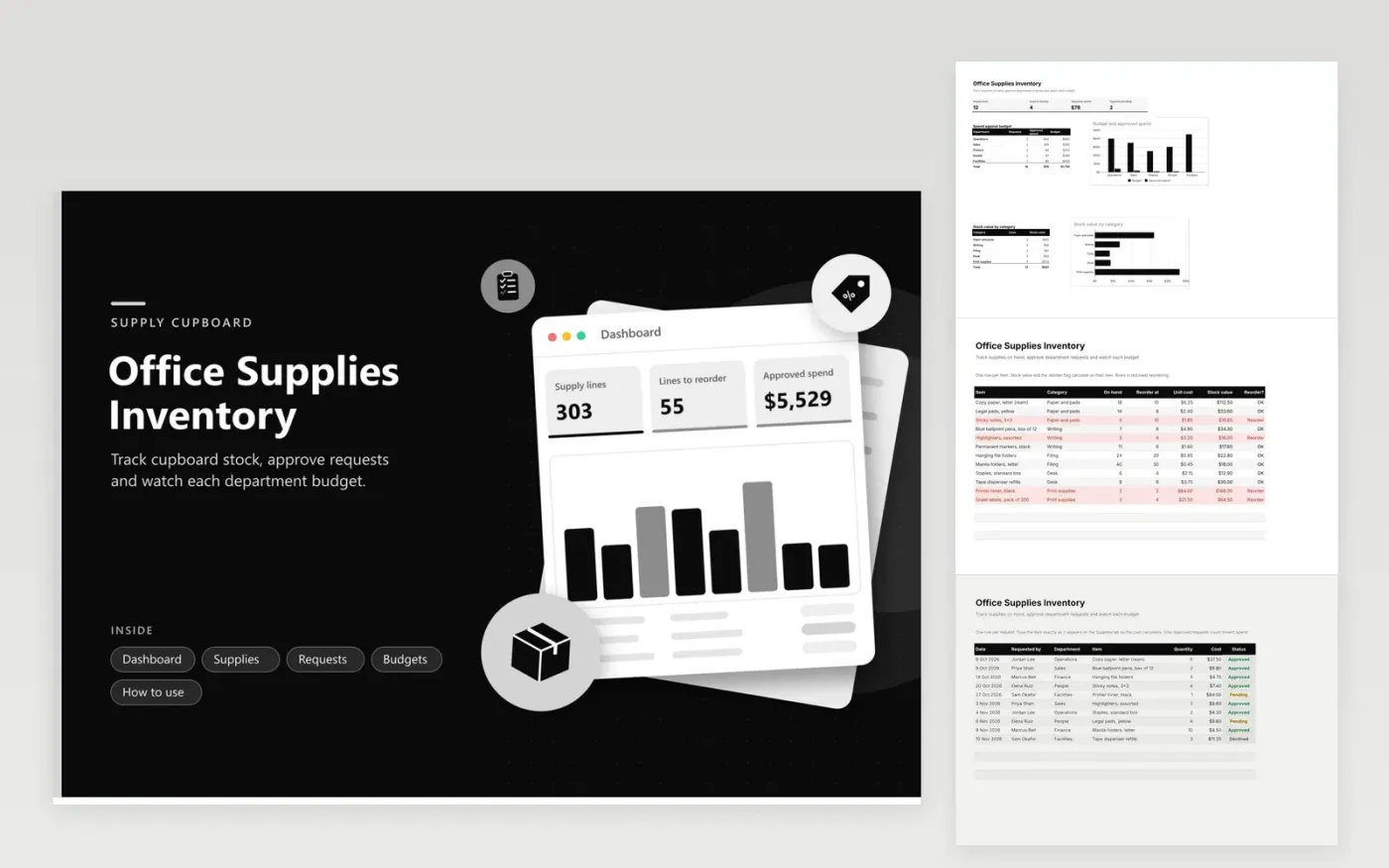
This template is for an office manager or admin team that keeps pens, paper, toner and filing supplies in a cupboard. The Supplies tab holds every item with its category, count on hand, reorder point, unit cost and stock value, and flags items to reorder. The Requests tab records each request by date, person, department and item, works out the cost and shows whether it is approved, pending or declined. The Budgets tab compares approved spend with each department's quarterly budget.
Enter the stock you hold and the reorder level for each item before you start. Log requests as they come in, choosing the department and typing the item exactly as it appears on the Supplies tab so the cost calculates. Only approved requests count toward spend. Once a month, review the Budgets tab and the Reorder flags, then place orders for anything running low.
Click Make a copy in Google Sheets, then confirm on the Google page. The copy is saved to your own Google Drive.
Start on the Supplies tab: replace the sample rows with your own.
Keep the formula columns as they are; they fill in as you type.
Read the How to use tab for tips. For Excel, download the .xlsx file instead.
Each request cost is found by matching the item name against the Supplies tab. If the name in the Requests tab does not match exactly, the formula shows zero. Choose the item name from the Supplies tab, or copy it across, to fix the line.
Yes. Enter the amount for whatever period you use in the Quarterly budget column on the Budgets tab. The sheet does not assume a set length of time, so a monthly figure works the same way. To start a new period, empty the Requests rows or duplicate the whole workbook.
No. The Budgets tab and the dashboard count only requests marked Approved. Pending requests appear in the pending count but not in spend, which gives a clear view of committed money. Declined requests stay in the list for your records.
More Google Sheets templatesMore business operations templates
Docs + Word2 pages
Free
Docs + Word2 pages
Free
Docs + Word2 pages
Free
Sheets + Excel5 tabs
Free
Sheets + Excel4 tabs
Free
Sheets + Excel5 tabs
Free
Sheets + Excel5 tabs
Free
Sheets + Excel5 tabs
Free
Sheets + Excel5 tabs
Free
Sheets + Excel5 tabs
Free
Sheets + Excel5 tabs
Free
Sheets + Excel5 tabs
Free
Sheets + Excel5 tabs
Free
Sheets + Excel6 tabs
Free
Sheets + Excel5 tabs
Free










