
Access Card Request Letter
Docs + Word2 pages
Free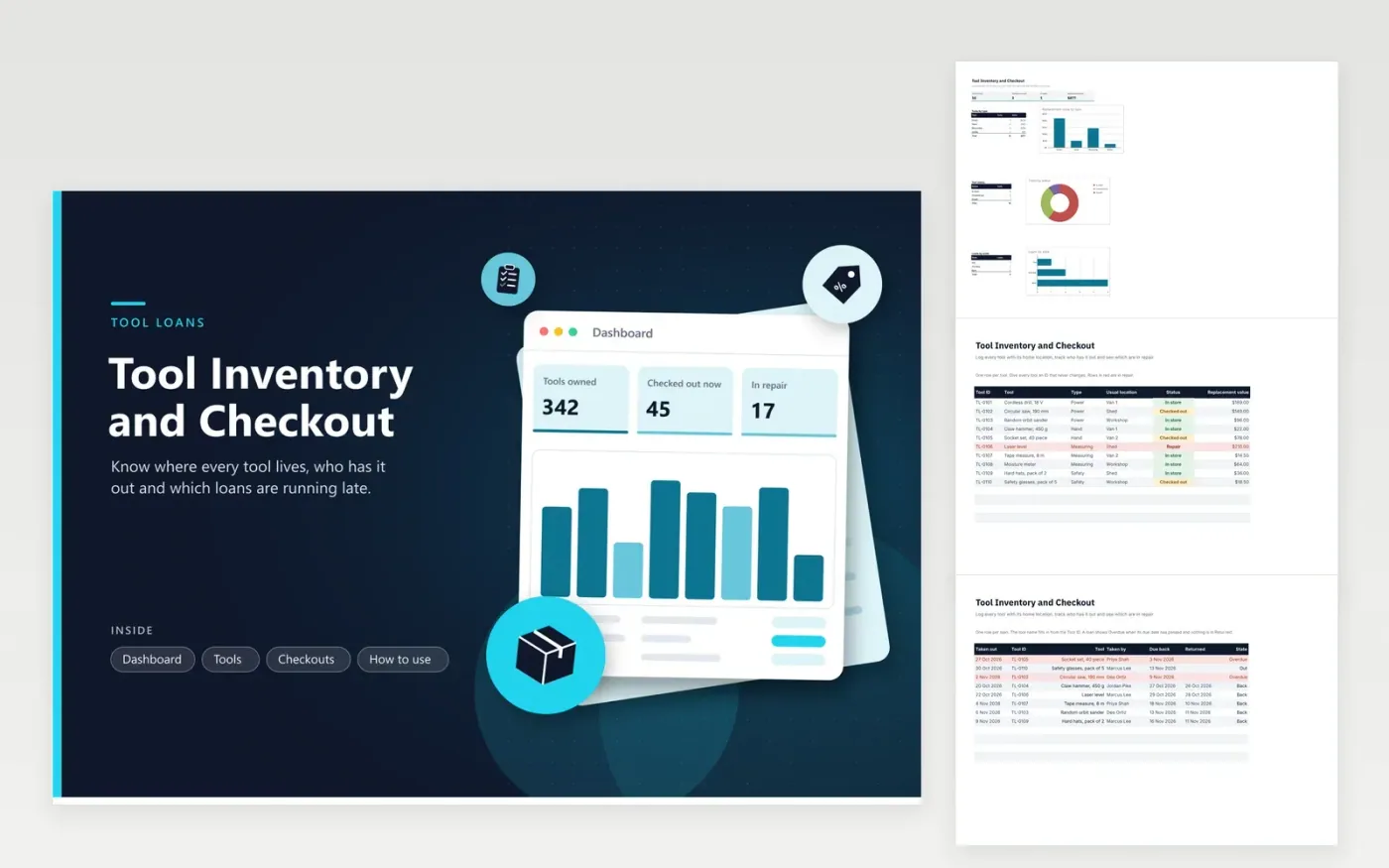
Tradespeople, workshop managers and facilities teams use this workbook to keep track of power tools, hand tools, measuring kit and safety gear. The Tools tab lists every item by ID, type, usual location, status and replacement value. The Checkouts tab records each loan, fills in the tool name from its ID and shows whether a loan is Out, Overdue or Back. The Dashboard counts tools by status and type.
When a tool leaves or returns, add or close the loan on the Checkouts tab and change the status on the Tools tab to match, since the two tabs do not update each other. Check the Overdue count at the start of each day and follow up before the end of the working day. Mark anything damaged as Repair straight away, so it never goes out on a job.
Click Make a copy in Google Sheets, then confirm on the Google page. The copy is saved to your own Google Drive.
Start on the Tools tab: replace the sample rows with your own.
Keep the formula columns as they are; they fill in as you type.
Read the How to use tab for tips. For Excel, download the .xlsx file instead.
Type a new ID, the tool name, its type, usual location, status and replacement value on the first empty row of the Tools tab. The dropdowns already hold the standard types and locations. Use one ID pattern, such as TL-0111, so the lookup on the Checkouts tab keeps working.
The name fills in only when the Tool ID exactly matches an ID on the Tools tab. Check for a typo, an extra space or a missing row, then type the ID again. A blank name means the ID is not on the list.
Enter the due date on each loan. The State column reads Overdue once the due date has passed and nothing is in the Returned column. The loans chart on the Dashboard counts these alongside the loans still out.
More Google Sheets templatesMore business operations templates
Docs + Word2 pages
Free
Docs + Word2 pages
Free
Docs + Word2 pages
Free
Sheets + Excel5 tabs
Free
Sheets + Excel4 tabs
Free
Sheets + Excel5 tabs
Free
Sheets + Excel5 tabs
Free
Sheets + Excel5 tabs
Free
Sheets + Excel5 tabs
Free
Sheets + Excel6 tabs
Free
Sheets + Excel5 tabs
Free
Sheets + Excel5 tabs
Free
Sheets + Excel5 tabs
Free
Sheets + Excel6 tabs
Free
Sheets + Excel5 tabs
Free










