
Access Card Request Letter
Docs + Word2 pages
Free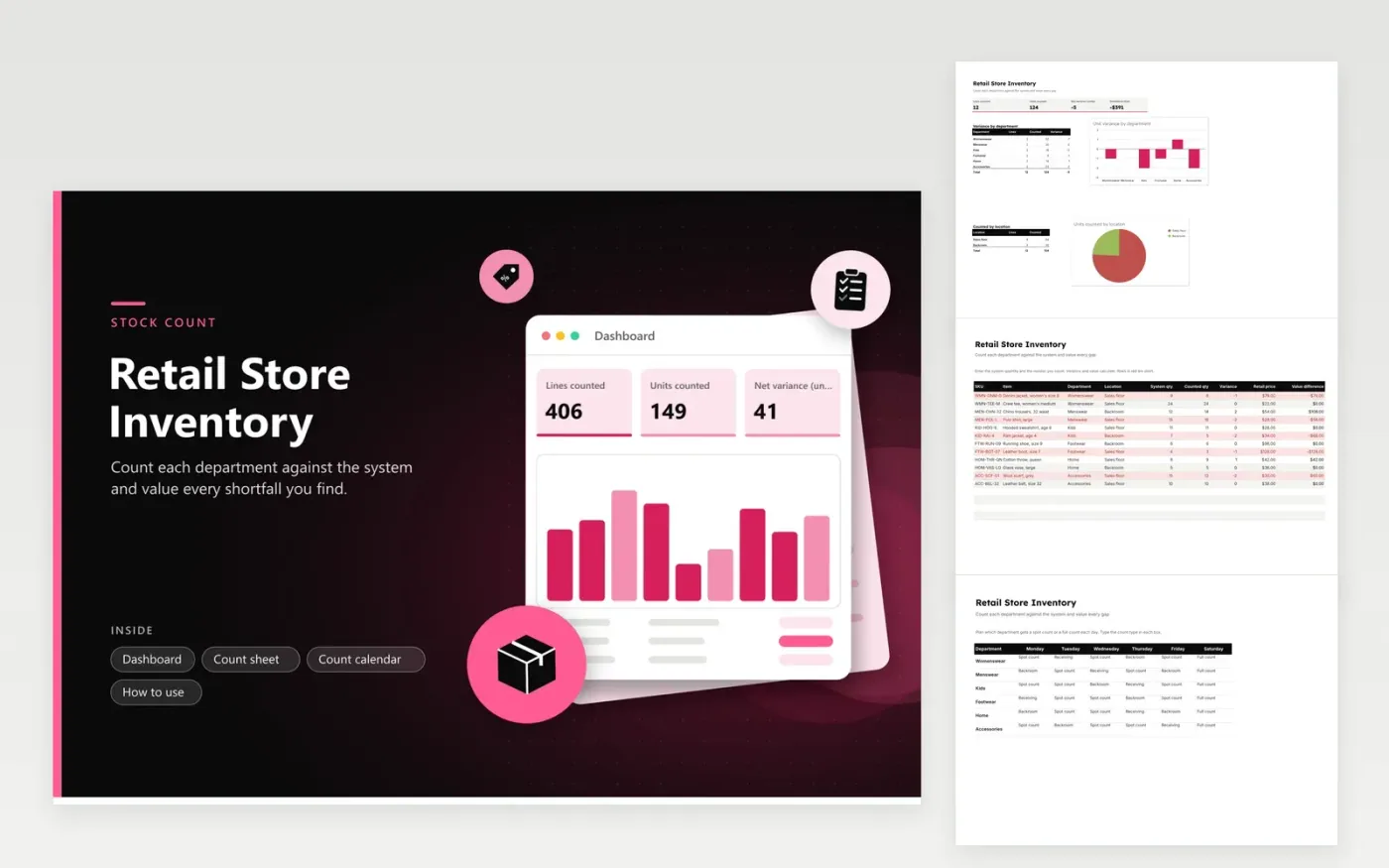
This template is for a store that runs regular stock counts across its sales floor and backroom. The Count sheet tab holds one row per SKU with the system quantity, the counted quantity, the variance in units and its value at retail price. The Count calendar tab plans which department gets a spot count or a full count on every weekday. The Dashboard totals the net variance and the value of shortfalls, broken down by department and by location.
Print the Count sheet or fill it in on a tablet while you walk the floor. Enter the system quantity from your till or stock system, then the number you count, and let the variance calculate. Negative variances turn red, so you can recheck those lines first. Work through one department each day on the calendar, and keep the SKU order the same so counts line up from week to week. Overwrite the sample lines with the products you stock.
Click Make a copy in Google Sheets, then confirm on the Google page. The copy is saved to your own Google Drive.
Start on the Count sheet tab: replace the sample rows with your own.
Keep the formula columns as they are; they fill in as you type.
Read the How to use tab for tips. For Excel, download the .xlsx file instead.
A spot count checks a few lines or one department, usually to catch a problem early. A full count covers every SKU in the store and is often done on a set day. The Count calendar lets you mix both across the week, so no department goes too long without a check.
A variance means the counted quantity differs from the system quantity. Common causes are sales not scanned, items moved to another location, damage, or a delivery counted twice. Recount the line before you adjust the system, so you know the gap is real.
The value difference multiplies the variance by the retail price, so a shortfall of two items priced at 30 dollars shows as negative 60 dollars. The figure is at retail, not cost. Ask your accountant which value your stock write-offs should use.
More Google Sheets templatesMore business operations templates
Docs + Word2 pages
Free
Docs + Word2 pages
Free
Docs + Word2 pages
Free
Sheets + Excel5 tabs
Free
Sheets + Excel4 tabs
Free
Sheets + Excel5 tabs
Free
Sheets + Excel5 tabs
Free
Sheets + Excel5 tabs
Free
Sheets + Excel5 tabs
Free
Sheets + Excel6 tabs
Free
Sheets + Excel5 tabs
Free
Sheets + Excel5 tabs
Free
Sheets + Excel5 tabs
Free
Sheets + Excel6 tabs
Free
Sheets + Excel5 tabs
Free










