
Access Card Request Letter
Docs + Word2 pages
Free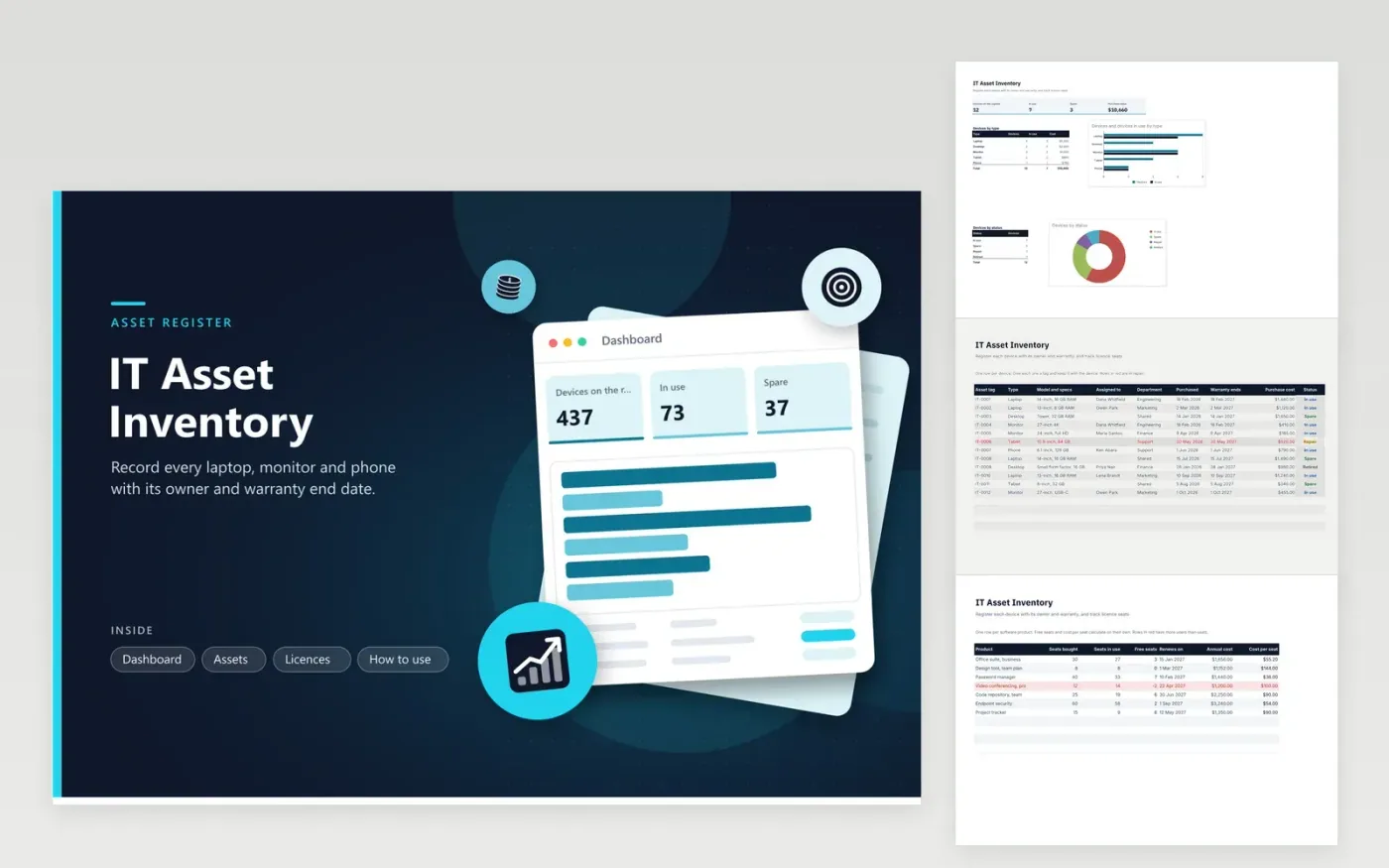
This template is for an IT team or office manager who keeps a register of company devices and software. The Assets tab lists each device with its tag, type, model, owner, department, purchase date, warranty end date, cost and status. The Licences tab records seats bought, seats in use, free seats, renewal date and annual cost for each product, and flags any product where more seats are in use than were bought. The Dashboard counts devices by type and by status.
Give every device a tag before it goes out, and write the tag on the device itself. Update the status when a device changes hands, goes to repair or is retired, so the counts stay correct. Check the Licences tab before each renewal, because an over-used product shows negative free seats. Keep warranty dates in the register so you can see which devices are still covered when one fails.
Click Make a copy in Google Sheets, then confirm on the Google page. The copy is saved to your own Google Drive.
Start on the Assets tab: replace the sample rows with your own.
Keep the formula columns as they are; they fill in as you type.
Read the How to use tab for tips. For Excel, download the .xlsx file instead.
Change the Assigned to and Department cells on that row, and keep the asset tag the same so the record follows the device. If you need the previous owner for your records, add a note in a spare column or keep a separate handover log.
It means more people or machines are using the product than the licence allows. Either buy extra seats, remove some users, or check whether the vendor's terms allow a higher count. Confirm the rules with the vendor before you change the sheet.
The register works for any device the team manages. Use the Department column and a note to mark personal devices that are enrolled for work. Check your device policy before storing personal device details in a shared file.
More Google Sheets templatesMore business operations templates
Docs + Word2 pages
Free
Docs + Word2 pages
Free
Docs + Word2 pages
Free
Sheets + Excel5 tabs
Free
Sheets + Excel4 tabs
Free
Sheets + Excel5 tabs
Free
Sheets + Excel5 tabs
Free
Sheets + Excel5 tabs
Free
Sheets + Excel6 tabs
Free
Sheets + Excel5 tabs
Free
Sheets + Excel5 tabs
Free
Sheets + Excel5 tabs
Free
Sheets + Excel5 tabs
Free
Sheets + Excel6 tabs
Free
Sheets + Excel5 tabs
Free










